

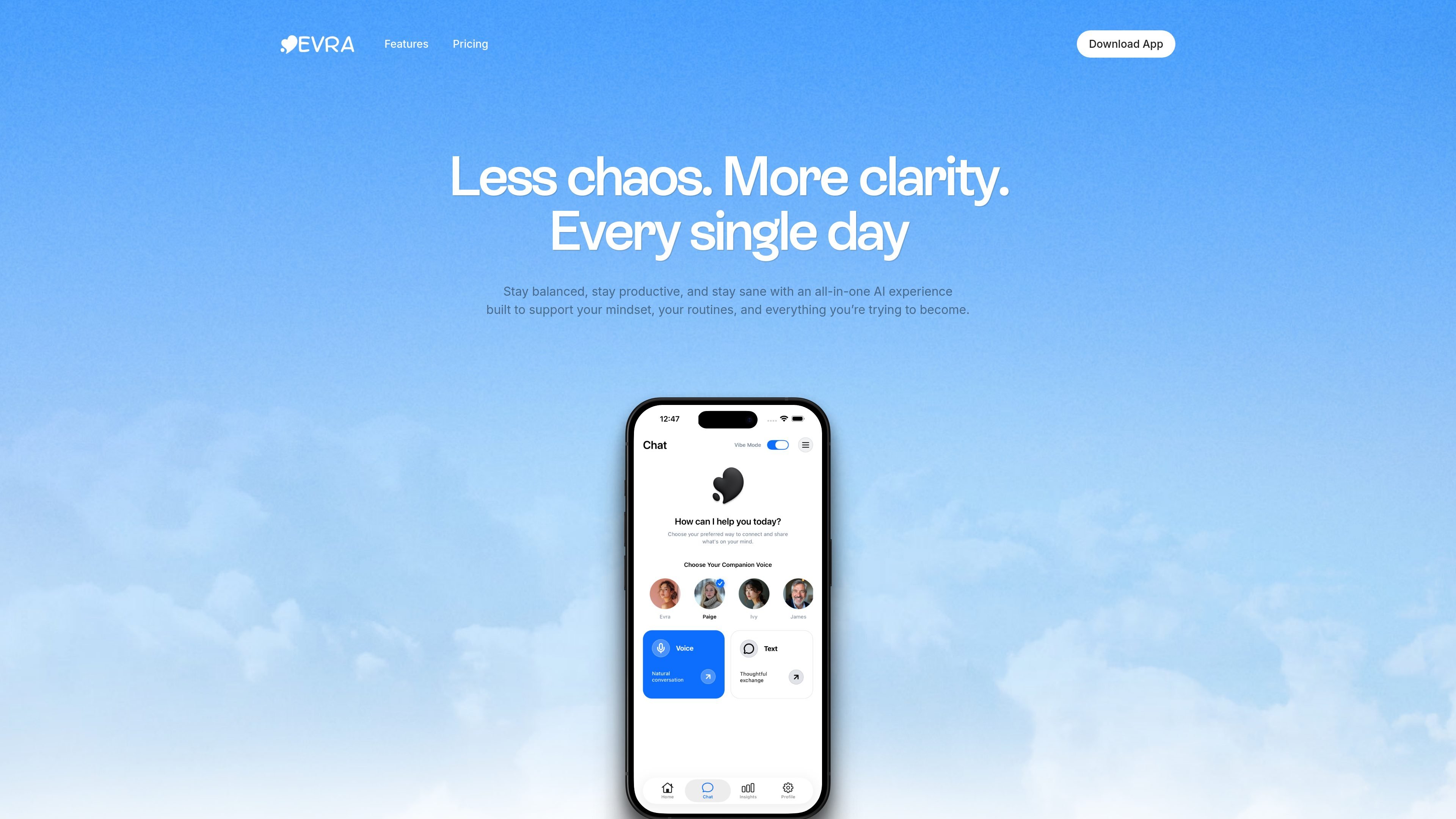
Text and voice support
Start conversations by typing or speaking. The features page describes voice support as a natural way to talk through how you feel, with calm, understanding responses in real time.
Evra is positioned as an AI mental health app for young adults, especially Gen Z users who want conversational support by chat or voice. The site describes it as a 24/7 emotional support companion and a therapy alternative, with private, judgment-free conversations and weekly insights.
The source pages also show that Evra includes task and reminder features alongside its conversation tools. Across the home, features, download, and pricing pages, the product is described as supporting text and voice chat, mood analytics, recurring reminders, collaboration, and access on mobile, web, and browser platforms.
Start conversations by typing or speaking. The features page describes voice support as a natural way to talk through how you feel, with calm, understanding responses in real time.
Use the app around the clock for emotional check-ins. The site repeatedly describes Evra as offering 24/7 emotional support and private, judgment-free conversation.
Review weekly conversation summaries and highlights. The product pages say Evra can surface weekly insights, conversation summaries, and emotional trends to help users notice patterns over time.
Track recurring needs with time-based and location-based reminders. The source also mentions daily, weekly, monthly, and custom repeat options.
Keep shared work organized with collaboration features. The pricing page and FAQ mention inviting team members by email, assigning tasks, sharing projects, and communicating in the app.
Use the app across mobile and web. The download and pricing pages list Android, iOS, and web access, plus browser download options such as Chrome, Firefox, Brave, and Edge.
Use Evra for late-night or between-appointment check-ins when you want to talk through stress, anxiety, or a rough day in a private chat or voice conversation.
Review weekly summaries and mood trends to notice recurring themes in your conversations and reflect on emotional patterns over time.
Set recurring or location-based reminders for habits, appointments, and routine commitments so important follow-ups are easier to remember.
Share lists or tasks with other people when you need a lightweight collaboration workflow for planning or coordination.
Evra is presented as an AI mental health app with chat and voice support, so it appears aimed at people who want conversational emotional support and self-reflection rather than a traditional therapy provider.
The source text shows Evra available on Android, iOS, and web, with browser download options also listed for Chrome, Firefox, Brave, and Edge.
Evra supports text and voice conversations, weekly conversation summaries, mood analytics and emotional trends, and reminders. It also includes collaboration features in the product copy and pricing page.
The FAQ text says the app has limited offline functionality: you can view and edit existing tasks without internet, but syncing and cloud-based features require a connection.
The pricing page shows multiple plans, including Basic, Professional, and Enterprise, but the collected text contains inconsistent pricing and feature labels, so the safest conclusion is that Evra offers paid plans rather than a single clearly documented price.

Ably Chat is a chat API platform for building custom realtime chat applications. It supports room-based messaging, typing indicators, presence, reactions, and message updates, with usage-based pricing options for different deployment stages.

Claude Overlay is a Windows desktop overlay for Claude Code that reads your screen so you can ask questions, inspect content, and request edits without leaving the current app. It runs on your existing Claude subscription through the Claude CLI, so no separate API key is required.

Grok은 xAI가 개발한 무료 AI 어시스턴트로, 실시간 정보 접근 및 이미지 생성과 같은 고급 기능을 제공하는 동시에 진실성과 객관성을 최우선으로 하도록 설계되었습니다.

Teloframe is an AI-powered football coaching platform for building tactics, editing drills, planning sessions, and managing player development in one workspace. It includes a Free tier plus Pro and Club plans for coaches and analysts who need more collaboration and team features.

LeanUp is an AI calorie tracker and meal-planning app for logging meals, tracking macros, and getting personalized nutrition guidance. It supports barcode scanning, photo-based food recognition, manual search, and recipe reuse.

TrakMac is a voice-first macro tracking app for fitness-focused users on iOS. It estimates calories and macros from spoken meal descriptions, then helps users log food and stay aligned with their training goals.