
Draw plans to scale
Create rooms with snapping walls, place doors and windows, and enter dimensions in feet and inches or metric units. Drawing precision is stated as 1/16 inch or 1 mm.

FloorGen is a browser-based floor plan maker for drawing or tracing scaled layouts, furnishing them, viewing them in 3D, and exporting drawings, models, and walkthrough videos. It supports homeowners, renters, designers, architects, builders, real-estate users, and others planning a space.
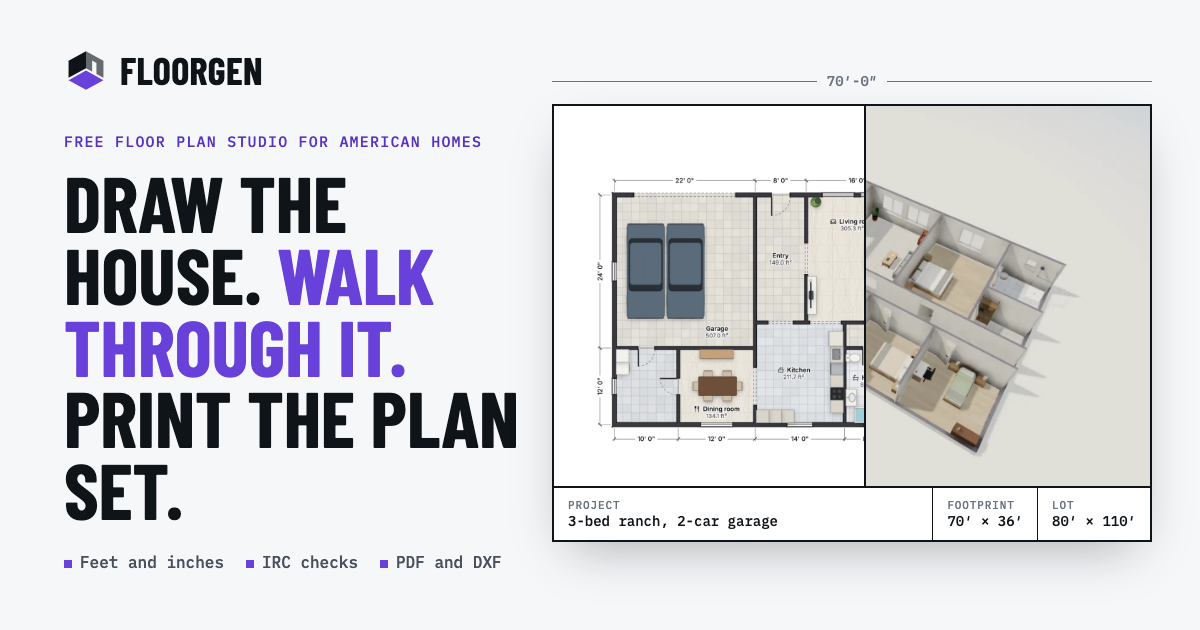
FloorGen is a browser-based floor plan maker for drawing, tracing, furnishing, and reviewing residential or room layouts. Users can start from a blank canvas, a template, a written description, or an imported image or PDF, then continue editing the same scaled drawing in 2D and 3D.
The product connects walls, rooms, furniture, 3D views, checks, and drawing exports to one plan. It supports feet-and-inches or metric measurements and can produce print-ready plan sets, CAD-oriented DXF files, images, 3D models, and walkthrough videos. Plans can be used without an account and save in the browser; signing in is needed for FloorGen AI and cloud syncing.
Create rooms with snapping walls, place doors and windows, and enter dimensions in feet and inches or metric units. Drawing precision is stated as 1/16 inch or 1 mm.
Import PNG, JPG, WebP, GIF, or PDF floor-plan sources, set the scale from a known length, and accept or adjust proposed walls. Wall detection runs in the browser and the source image remains underneath the editable plan.
Generate an editable plan from a written description with FloorGen AI, or ask it to change an existing plan. Changes appear as undoable steps, with comparison tools for reviewing edits; the AI feature is in beta and requires a free sign-in.
Place furniture from about 3,000 models across 14 categories, assign finishes to wall faces and floors, and inspect the design in 3D as an orbit, dollhouse view, or first-person walkthrough.
Produce scaled PDF plan sets, PNG images, layered SVG, glTF models, R12 DXF for CAD, and MP4 walkthrough videos. Print sheets can range from Letter and A4 to ARCH D and A1 and may include title-block information.
Review room areas, stairs, and selected building-code conditions while editing. Profiles include several regional codes, but the checks are presented as design guidance rather than permit approval.
Measure an existing room, test furniture positions, and compare layouts before moving or renovating. The editable plan can show room areas and finishes without requiring installation or an account.
Trace a builder brochure, scanned drawing, county PDF, or phone photo by setting a known scale and correcting the detected walls. The resulting plan can be measured and presented in 3D.
Draft kitchens, bathrooms, bedrooms, houses, or backyard ADUs, furnish them, and share a scaled plan or walkthrough with a contractor, client, or stakeholder.
Create drawing sheets with title-block details, schedules, elevations, sections, and CAD-compatible DXF output for design documentation. The site's code-review tools can help identify selected room, stair, and clearance issues before professional review.
Describe a layout, attach a sketch, or connect an external assistant through MCP to edit a synced plan. This suits users who want AI assistance while retaining measurable geometry and manual undo and comparison controls.
Yes. Open the image-tracing workflow, load a PNG, JPG, WebP, GIF, or PDF, set the scale from a known length, then detect or draw the walls. The resulting plan can be edited, measured, viewed in 3D, and exported.
The editor works without an account, and plans can save in the browser. FloorGen AI inside the editor requires a free sign-in, while cloud syncing requires signing in later.
Plans can be exported as PDF, PNG, SVG, glTF, DXF, and MP4, depending on the output type. PDF plan sets can include a title block, and DXF export uses the R12 format.
Yes. A plan can be viewed as a 3D model, orbited as a dollhouse view, or explored at eye level. Walkthrough videos can be exported in 16:9, 9:16, or 1:1 formats, up to 1440p, with captions.
FloorGen includes code-check profiles such as IRC, NBC, OBC, UK Approved Documents, DIN, CDMX, and a generic profile. The checks are a design aid rather than permit approval and do not replace review by a qualified professional or building department.

사용자가 꿈의 집 디자인을 빠르고 효과적으로 만들 수 있도록 돕는 고급스럽고 사용하기 쉬운 2D/3D 주택 디자인 도구입니다.

WallMockup is a browser-based wall art mockup editor for artists and print sellers who need realistic room previews. It supports true-scale placement, frame controls, and export-ready images without Photoshop.

Vizcom은 제품 디자이너와 팀을 위한 AI 디자인 플랫폼으로, 스케치를 사실적인 3D 렌더로 바꾸고 반복, 상황 기반 시각화, 애니메이션, 팀 작업을 지원합니다.

美间是一款面向家居与软装设计场景的在线2D云设计平台,帮助设计师制作软装提案、海报和营销展示物料。它也提供素材库、自动抠图、智能排版和企业素材管理等功能。

居然设计家(Homestyler)是居然之家与阿里巴巴打造的AI设计平台,提供在线3D云设计工具、3D换景直播、3D爆品棚拍和相关数字化营销能力。它面向家装设计师、DIY业主和泛家居商家。

비싼 상담 없이 공간을 시각화하고 장식하는 데 도움이 되는 AI 인테리어 디자인 도구입니다.