
Inbox-based company discovery
Connect Gmail through Google sign-in. Ghostifier examines sender, subject, date, and unsubscribe-link metadata to recognize companies without opening message bodies or attachments.

Ghostifier connects to Gmail to identify companies that may hold your personal information, then helps you unsubscribe and send opt-out or deletion requests. It is designed for people who want to audit and reduce the companies associated with their inbox, with review controls before requests are sent.
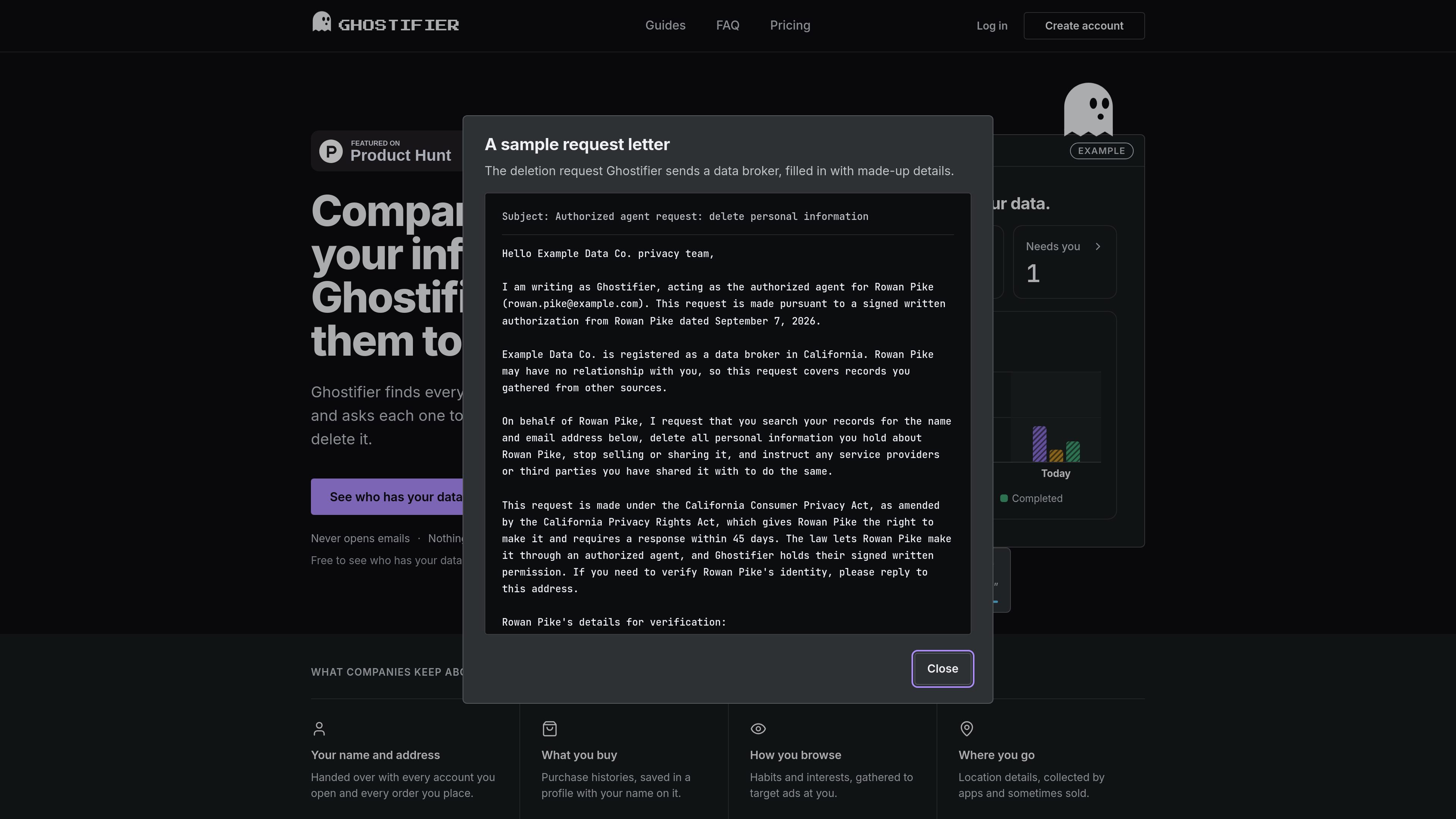
Ghostifier is a personal data-removal and inbox privacy service. It connects to Gmail and uses email metadata to identify companies that may hold your information, then presents the findings for review before contacting them.
After approval, Ghostifier can unsubscribe you from supported mailing lists, send opt-out and deletion requests, and show the resulting activity in one place. It tracks company responses and applicable legal deadlines, while leaving the user responsible for occasional confirmation steps that companies require.
Connect Gmail through Google sign-in. Ghostifier examines sender, subject, date, and unsubscribe-link metadata to recognize companies without opening message bodies or attachments.
Review the companies found in the initial scan and see what Ghostifier proposes to do before any request is sent. Individual company approval is also available.
Remove yourself from mailing lists that support one-click unsubscribe, and send written requests asking companies to stop selling or sharing your information and delete it.
For eligible requests, Ghostifier records delivery, replies, completion status, and the legal deadline where one applies. It follows up once when a company misses its deadline and keeps a receipt.
Cleanup and Autopilot include requests to 220 registered data brokers, including brokers that may hold information even when they have never emailed you.
Autopilot checks the inbox daily, handles companies found later according to your settings, follows up with companies that keep emailing after unsubscribe, and sends a weekly summary.
Run the free scan to build a list of companies associated with your inbox before deciding whether to send any opt-out or deletion requests.
Use the review screen and per-company approval controls to remove marketing subscriptions while avoiding automatic deletion requests for accounts you still use.
Choose Cleanup when you want requests sent to companies already identified, with delivery records, responses, deadlines, and receipts collected in one activity history.
Use the data-broker coverage in Cleanup or Autopilot to send requests to registered brokers that may have information about you despite never contacting you directly.
Use Autopilot for ongoing maintenance: daily inbox checks identify new companies, and the service handles them according to the settings you select while summarizing activity weekly.
Ghostifier connects to Gmail with Google sign-in and scans email metadata to identify companies that have contacted you. It sees sender, subject line, date, and unsubscribe links, but not message bodies or attachments.
Nothing is sent after the initial scan until you review the companies and approve the plan. You can also approve companies individually. After that, new companies follow your chosen settings, with deletion actions requiring approval by default.
Ghostifier can unsubscribe you from lists that support one-click unsubscribe, send opt-out and deletion requests, track responses and applicable legal deadlines, and retain receipts. Companies may still ask you to confirm by replying or using a link; those tasks appear as items needing your attention.
No. Ghostifier does not delete accounts such as Google, Spotify, or Discord, and it does not request deletion from banks, insurers, doctors, government offices, schools, employers, password managers, email or file storage, domains, hosting accounts, crypto exchanges, or identity services. It can still unsubscribe or request that some of these organizations stop selling or sharing data according to your settings.
The Free plan provides scanning and supported one-click unsubscribes. Cleanup is a one-time paid plan that adds requests to companies found so far, requests to 220 registered data brokers, deadline tracking, follow-ups, and receipts. Autopilot adds ongoing inbox checks, handling of newly found companies, follow-ups for companies that continue emailing, and weekly summaries.

MacSpoof로 macOS Wi‑Fi MAC 주소를 변경하거나 랜덤화하세요. 네트워크 재접속 및 공용 Wi‑Fi에서 기기 식별 기록을 줄이는 데 도움.

DemoTV is an audience-ranked station for discovering and comparing independent product demos. Founders can submit videos, embed approved demos on their websites, collect viewer inquiries and optionally commission demo production or labelled promotion without buying ranking.

Ship It: Idle Dev Tycoon is an iPhone incremental simulation game about building apps, managing a software studio, and selling it for lasting progression benefits. It supports offline play, automated builds, adviser collection, and optional in-app purchases.

NomNak은 친구 추천으로 맛집을 찾는 iPhone 무료 앱입니다. 저장한 장소, 푸드 패스포트, 도시 검색으로 친구들의 식당 지도를 확인하세요.

CAPTA is a mobile GPS waypoint app for quickly saving, organizing, and revisiting locations. It supports offline use, camera-based coordinate capture, optional cross-device synchronization, and GPX export for fishermen, explorers, and field professionals.

Ctrl+Shift+3 is a calm, text-first community platform with a chronological feed, profiles, RSS, and private groups called Clicks. It is built for reading, posting, and joining smaller communities without algorithmic ranking or vanity counts.