
Member profiles
Keep member records in one searchable profile with check-in history, payment details, notes, and flags so staff can see the full relationship before the next interaction.

Gymsly is a cloud-based gym management platform for US fitness businesses that centralizes memberships, billing, scheduling, access control, CRM, payroll, and member self-service in one system.
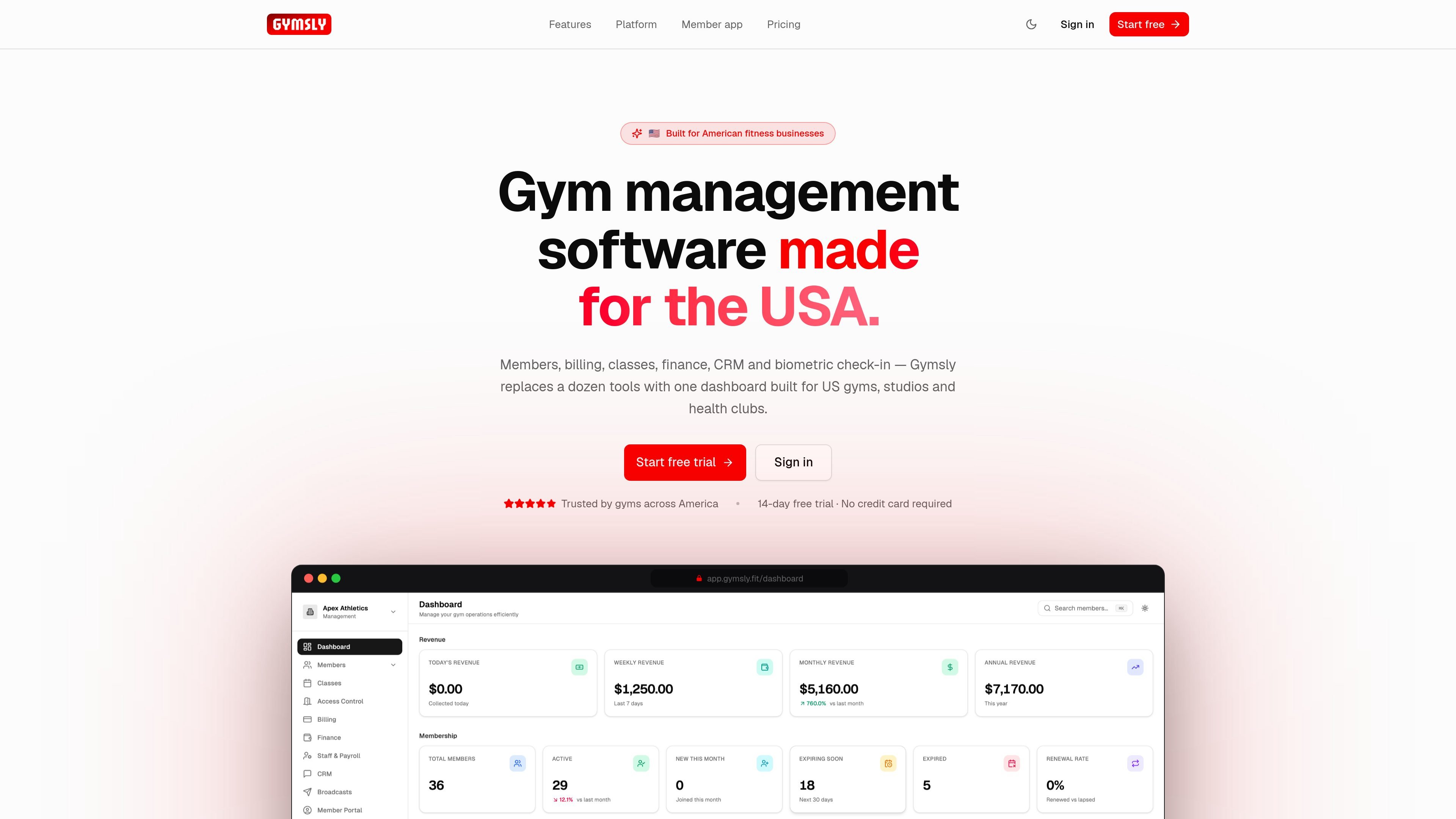
Gymsly is a cloud-based gym management platform for fitness businesses in the United States. It combines member management, class scheduling, billing, access control, CRM, messaging, payroll, inventory/POS, and reporting in one dashboard.
The product is built to replace separate tools and manual admin work with shared data across modules. Gym owners can manage memberships, automate recurring billing, control door access, and give members a branded app and web portal for booking and self-service.
Keep member records in one searchable profile with check-in history, payment details, notes, and flags so staff can see the full relationship before the next interaction.
Create recurring class schedules, set capacity limits, manage waitlists, and let members book or cancel online around the clock.
Handle recurring charges, automatic retries for failed payments, invoices, receipts, and multiple payment methods from the billing workflow.
Control facility entry with Bluetooth door access, plus biometric, RFID, PIN, and time-based rules tied to membership status.
Track staff rotas, hours worked, and pay calculations for hourly, salaried, or per-session staff, with role-based permissions for access to tools.
Run email, SMS, and WhatsApp broadcasts, while the member portal and mobile app support booking, payment updates, and membership self-service.
A gym owner can manage members, renewals, class schedules, billing, and reporting from one system instead of juggling spreadsheets and separate tools.
Front-desk staff can search a member profile, review attendance and payment status, and handle check-ins, notes, and membership questions in one place.
Trainers and class coordinators can publish recurring timetables, manage capacity, and use waitlists so popular sessions stay organized and fill available spots.
Operators with staffed or unmanned entrances can use membership-gated Bluetooth, RFID, biometric, or PIN access to allow entry only for active members.
Members can book classes, update payment methods, download receipts, and manage membership details through the branded app or web portal.
Yes. The billing module supports recurring monthly, quarterly, and annual charges, as well as one-time charges for items such as day passes, personal training sessions, merchandise, and late fees.
According to the billing and access-control pages, failed payments trigger automatic retries and member notifications. Access can then be revoked when payment status is no longer active.
The source says members can view payment history and download receipts in the portal, and the billing module automatically generates and emails invoices and receipts after successful charges.
The member portal and mobile app are designed for member self-service, while staff tools cover scheduling, billing, access control, CRM, payroll, and reporting. Role-based permissions are mentioned for staff access.
Gymsly offers a free 14-day trial with no credit card required, and the site says there are no setup fees and that users can cancel anytime.

Liam is an AI copilot for managing inboxes, writing replies, prioritizing email, and scheduling meetings. It is offered free for individuals, with custom pricing for teams and enterprise.

Gemma AI is a phone call reminder app that calls you with scheduled reminders instead of push notifications. It helps people who want a more direct way to stay on schedule, with Google Calendar sync and conversational call interactions.

ClawTick is an AI agent automation platform for scheduling jobs from the CLI, dashboard, or REST API. It is aimed at developers and teams running LangChain, CrewAI, webhook, or custom agent workflows that need monitoring, alerts, and logs.

Podium is an AI lead generation and lead management platform for local businesses. It centralizes lead conversations, automated follow-up, reviews, payments, and booking, with a 24/7 AI Employee available as an add-on.

Wysera is an AI business platform that combines PostWyse for content and OpsWyse for CRM and revenue workflows, powered by the shared Wyse AI. It is built for solo operators, teams, and agencies that want approval-first automation across publishing, lead follow-up, and related operations.

Teloframe is an AI-powered football coaching platform for building tactics, editing drills, planning sessions, and managing player development in one workspace. It includes a Free tier plus Pro and Club plans for coaches and analysts who need more collaboration and team features.