
Goals-first planning
Start from a long-term outcome rather than a task inbox, then connect that goal to the work you plan for the week and the day.

Hyperfocus is a goals-first planner that helps you connect long-term goals to weekly and daily plans, then move them forward with focused work. It includes AI-assisted plan review and a planning workflow centered on one clear next step.
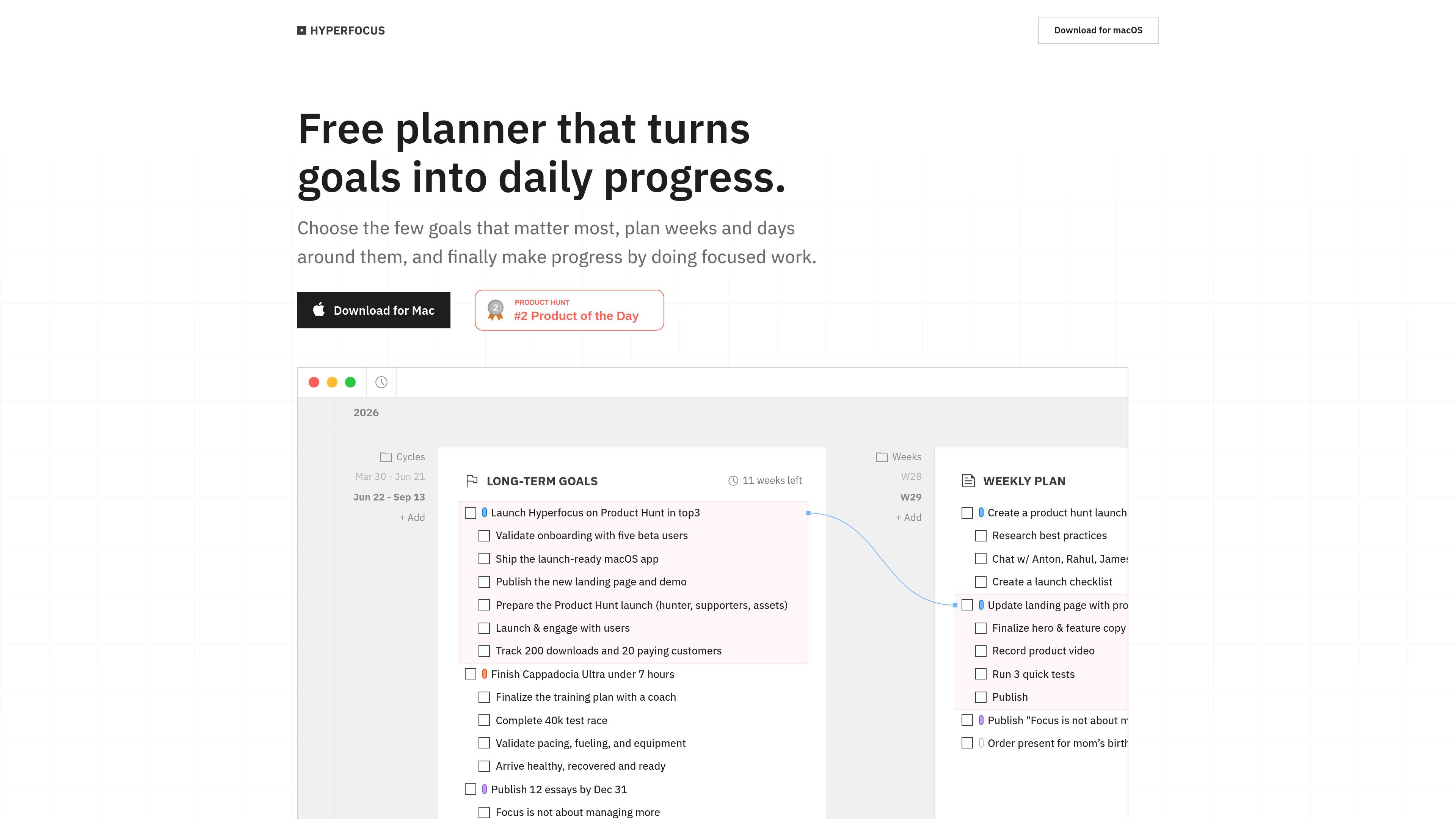
Hyperfocus is a goals-first planner. Its core idea is to begin with the outcome you want to achieve in the coming months, then shape weekly and daily plans around that goal instead of starting from an inbox of tasks.
The product is built around a single workspace where long-term goals, planning decisions, and focused work stay connected. According to the site, Hyperfocus AI can review goals and plans as you write, helping identify vague outcomes, unrealistic scope, and missing next steps before you commit to the plan.
Hyperfocus also emphasizes a short planning ritual that reduces a day or week to one clear next step. From there, work continues in time-boxed sessions, with the aim of turning plans into progress one block at a time.
Start from a long-term outcome rather than a task inbox, then connect that goal to the work you plan for the week and the day.
Keep goals, weekly plans, and daily plans together in one workspace so the plan stays tied to the outcome it supports.
Use Hyperfocus AI to review goals and plans as you write and surface vague outcomes, unrealistic scope, and missing next steps.
Work through planning feedback on your own or with an assistant focused on goal-setting, prioritization, and planning.
Use a weekly and daily planning ritual that narrows your options down to one clear next step.
Turn plan items into execution with time-boxed sessions designed for focused, one-task-at-a-time work.
For people who want to plan from objectives instead of from incoming tasks, Hyperfocus provides a structure that starts with a months-ahead goal and works backward into shorter planning horizons.
For weekly planning, the app helps narrow competing priorities into a single next step and keep the week tied to a larger outcome.
For daily execution, the product supports choosing one clear next action and then moving into focused work sessions.
For anyone unsure whether a goal is well formed, Hyperfocus AI can flag vague outcomes, unrealistic scope, and missing next steps during planning.
For users who struggle with constant task capture and context switching, the product’s workflow emphasizes commitment to a goal before expanding into actions.
Hyperfocus is presented as a goals-first planner that connects long-term goals to weekly and daily plans in one workspace.
The source does not describe a formal onboarding flow or setup checklist. It says you can download the app, play around, and see if it fits.
The pricing page indicates there is an app to download, but the source text does not specify supported platforms.
Yes. The pricing page says Hyperfocus AI reviews goals and plans as you write, and can flag vague outcomes, unrealistic scope, and missing next steps.
The source mentions a single workspace for goals, weekly and daily planning, and time-boxed work sessions. It does not provide details about team features, shared workspaces, or integrations.

Biji는 혁신적인 도구와 기능을 통해 생산성을 향상시키기 위해 설계된 다목적 플랫폼입니다.

Goldfish is an AI memory app for macOS that helps you reply, write, summarize, and continue using the context already on your Mac. It stores memory locally and writes in your tone.

ArtDeck is a visual reference board app for iPhone, iPad, and Mac that lets artists collect mixed reference material on one canvas and study it with ToolBox lenses. It works offline, supports optional iCloud sync, and is sold as a one-time purchase with no account required.

Malyatko is a baby tracker for logging feeding, sleep, growth, teething, and milestones in one app. It works on iPhone, Apple Watch, and widgets, with no sign-up, offline use, and family sharing through iCloud.

Redline is a budgeting tool for Claude Code that paces sessions to stay within time, token, cost, or plan-percentage limits. It uses Claude Code’s native hooks and statusline to help sessions finish with a usable result instead of stopping abruptly.

Claude Overlay is a Windows desktop overlay for Claude Code that reads your screen so you can ask questions, inspect content, and request edits without leaving the current app. It runs on your existing Claude subscription through the Claude CLI, so no separate API key is required.