
Block apps and categories
Choose individual apps or broader categories such as social, video, and games, then block them in one tap when focus mode is on.

MadFocus: Screen Time Blocker is a productivity app that blocks selected apps and categories on iPhone and iPad, then interrupts open attempts with a stricter unlock flow. It is aimed at people trying to reduce social, video, gaming, or other distracting app use during work, study, fitness, or rest.
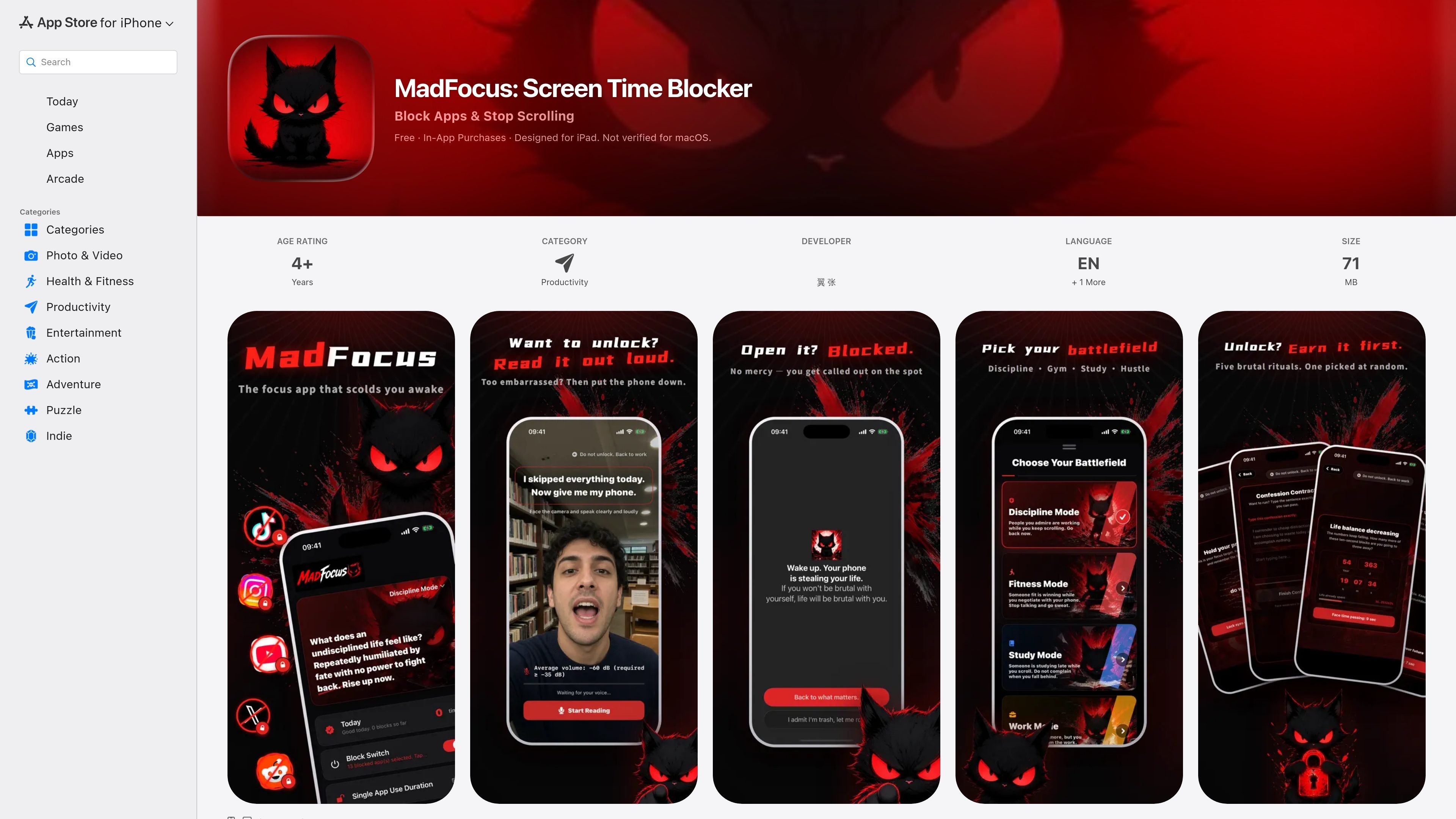
MadFocus: Screen Time Blocker is a productivity app for blocking distracting apps on iPhone and iPad. The App Store listing says it can block TikTok, games, and other apps that pull attention away from work, study, or rest.
Its main purpose is to stop opening selected apps in the moment of temptation. When focus mode is enabled, MadFocus intercepts access and sends users through an unlock ritual or back to what they were doing, with stats available to review blocked attempts over time.
Choose individual apps or broader categories such as social, video, and games, then block them in one tap when focus mode is on.
When someone tries to open a blocked app, MadFocus intercepts the attempt immediately instead of relying on a gentle reminder.
The block screen uses blunt, motivational copy rather than soft nudges, so the app is designed for users who want a stricter prompt.
Six unlock rituals are listed on the page, including Read Aloud, Confession Contract, Face Yourself, Life Countdown, Motivation Video, and Hold Your Promise.
Users can choose between Discipline, Fitness, Study, and Hustle modes to match the situation they are trying to control.
The app shows daily, weekly, monthly, and yearly statistics of blocked attempts so users can review how often they tried to bypass the block.
Students can block social, video, and gaming apps during exam prep so they are less likely to drift into short checks that become long sessions.
People trying to stay on task at work can lock distracting apps before starting deep work and use the blocked-attempt stats to see how often they tried to open them.
Users who want a stricter phone habit can choose an unlock ritual instead of a simple timer, adding friction before they get back into an app.
Someone heading to the gym or trying to keep a routine can use the Fitness mode to make distraction feel out of place during a workout mindset.
Late-night scrollers can enable blocking during bedtime hours to make it harder to keep reopening the same apps when they should be resting.
MadFocus is an app blocker for iPhone and iPad that focuses on short-video, social, and gaming apps. It intercepts attempts to open selected apps once focus mode is enabled and shows an unlock prompt instead of letting the app open normally.
The app offers four modes: Discipline, Fitness, Study, and Hustle. The page presents these as different focus contexts you can choose depending on the kind of distraction or goal you are dealing with.
MadFocus lists six unlock rituals, and one is picked at random when you try to bypass a block. The listed rituals are Read Aloud, Confession Contract, Face Yourself, Life Countdown, Motivation Video, and Hold Your Promise.
The App Store page shows Free with In-App Purchases. It also lists MadFocus PRO Monthly, MadFocus PRO Yearly, and a Lifetime purchase, but the page text shown here does not explain what each plan includes.

Goldfish is an AI memory app for macOS that helps you reply, write, summarize, and continue using the context already on your Mac. It stores memory locally and writes in your tone.

ArtDeck is a visual reference board app for iPhone, iPad, and Mac that lets artists collect mixed reference material on one canvas and study it with ToolBox lenses. It works offline, supports optional iCloud sync, and is sold as a one-time purchase with no account required.

Biji는 혁신적인 도구와 기능을 통해 생산성을 향상시키기 위해 설계된 다목적 플랫폼입니다.

Redline is a budgeting tool for Claude Code that paces sessions to stay within time, token, cost, or plan-percentage limits. It uses Claude Code’s native hooks and statusline to help sessions finish with a usable result instead of stopping abruptly.

Claude Overlay is a Windows desktop overlay for Claude Code that reads your screen so you can ask questions, inspect content, and request edits without leaving the current app. It runs on your existing Claude subscription through the Claude CLI, so no separate API key is required.

Macuse is a macOS app that lets AI assistants control native Mac apps through MCP and use Computer Use for any app. It works with clients like Claude Desktop, Cursor, and Raycast, and keeps automation on-device.