

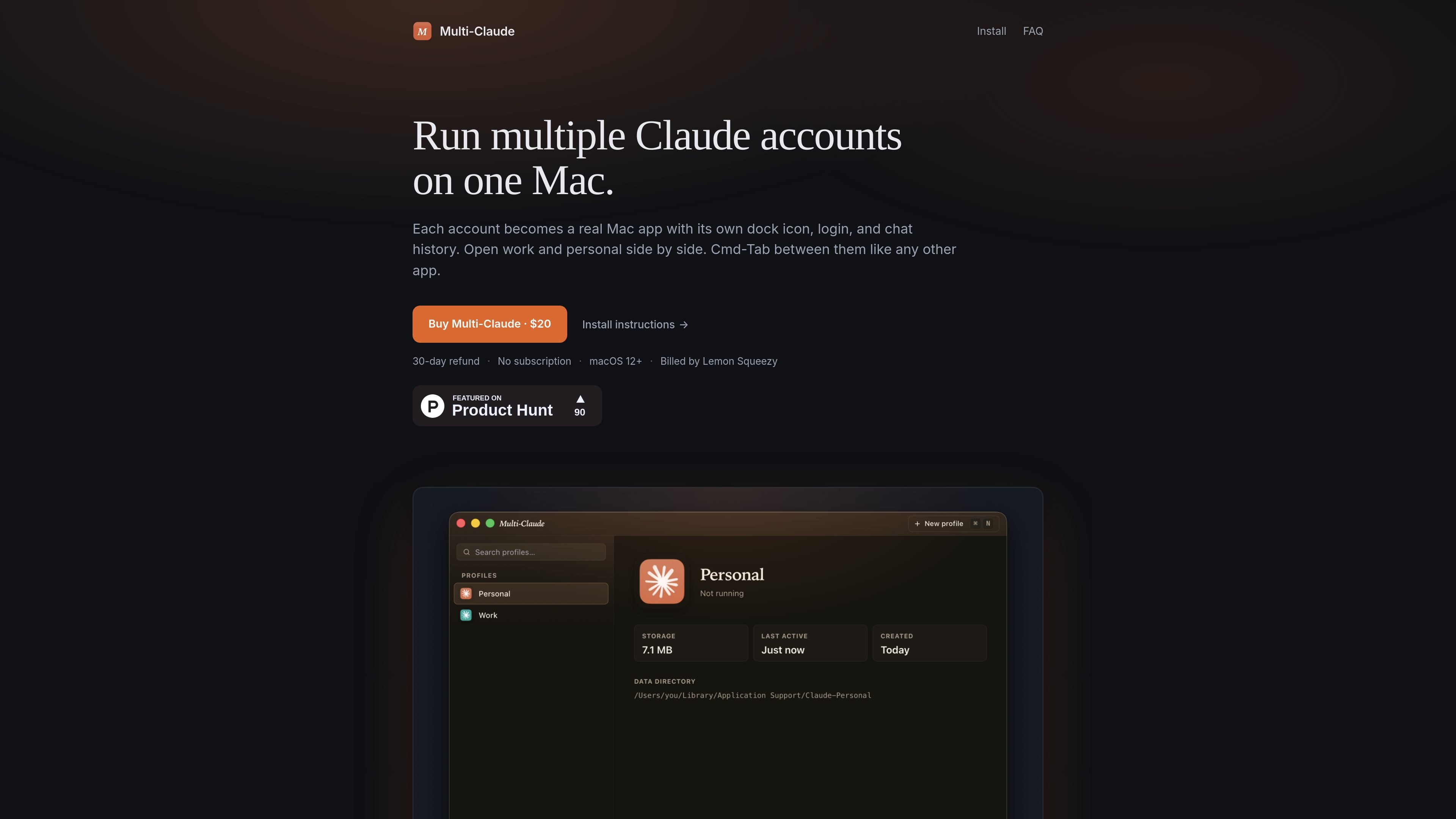
Separate account profiles
Create separate profiles for different Claude accounts, with each profile keeping its own login state and chat history.
Multi-Claude is a Mac utility for running multiple Claude Desktop accounts on one machine. Each account is treated as its own real Mac app, with a separate Dock icon, login, history, and data directory.
The core idea is to make account switching feel like switching between normal Mac apps. You can keep work and personal Claude sessions open at the same time, use Cmd-Tab to move between them, and avoid quitting or logging out when you change contexts.
Create separate profiles for different Claude accounts, with each profile keeping its own login state and chat history.
Each profile runs as its own Mac app, so it gets a distinct Dock icon, Spotlight result, and Launchpad tile.
Open work and personal accounts at the same time and move between them without quitting or signing out.
On first run, the app can detect an existing Claude Desktop install and offer to import that history into a named profile.
Profiles stay on your Mac and use separate data directories, with no account creation or cloud sync required for the basic workflow.
The install flow is signed and notarized, and the app activates by pasting a license key or using the Lemon Squeezy activation link.
Keep a work Claude account and a personal Claude account open side by side so you can switch contexts quickly without signing out.
Create profiles for client, side project, or team-related accounts when you need each one to preserve its own chat history and login state.
Import an existing Claude Desktop setup into Multi-Claude, then add more profiles instead of rebuilding your history from scratch.
Use the app on a Mac where you want each account to behave like a normal app, complete with its own Dock and Launchpad presence.
Yes. The FAQ states that you can open your work and personal Claude accounts side by side, each signed in and running in its own window. It is not limited to two profiles.
Switching is done with Cmd-Tab, because each account is treated like a separate Mac app. You do not have to quit and re-log in when changing accounts.
The product runs on macOS only for now. The site says it supports macOS 12+ and that Windows is on the roadmap.
Multi-Claude is sold as a one-time purchase through Lemon Squeezy. The site shows a $20 price and says licenses include a 30-day refund window.
Yes. The install page says one license covers all the Macs you personally use.

Biji는 혁신적인 도구와 기능을 통해 생산성을 향상시키기 위해 설계된 다목적 플랫폼입니다.

MacSpoof로 macOS Wi‑Fi MAC 주소를 변경하거나 랜덤화하세요. 네트워크 재접속 및 공용 Wi‑Fi에서 기기 식별 기록을 줄이는 데 도움.

NomNak은 친구 추천으로 맛집을 찾는 iPhone 무료 앱입니다. 저장한 장소, 푸드 패스포트, 도시 검색으로 친구들의 식당 지도를 확인하세요.
TyeGit은 Rust와 Tauri로 만든 네이티브 Git 클라이언트로, 스테이징, 커밋, 브랜치, 원격 저장소를 빠르고 정밀하게 제어할 수 있습니다. Windows, macOS, Linux를 지원합니다.

Carbon Voice is an asynchronous voice messaging app for teams and individuals, with transcripts, AI catch-up, and cross-device access. It helps people and agents communicate without needing a live call.
MealTime은 레시피 저장, 정리, 식단 계획 및 스마트 식료품 목록 생성을 돕도록 설계된 개인용 오프라인 우선 레시피 동반자 앱으로, 사용자의 데이터를 비공개로 유지합니다.