

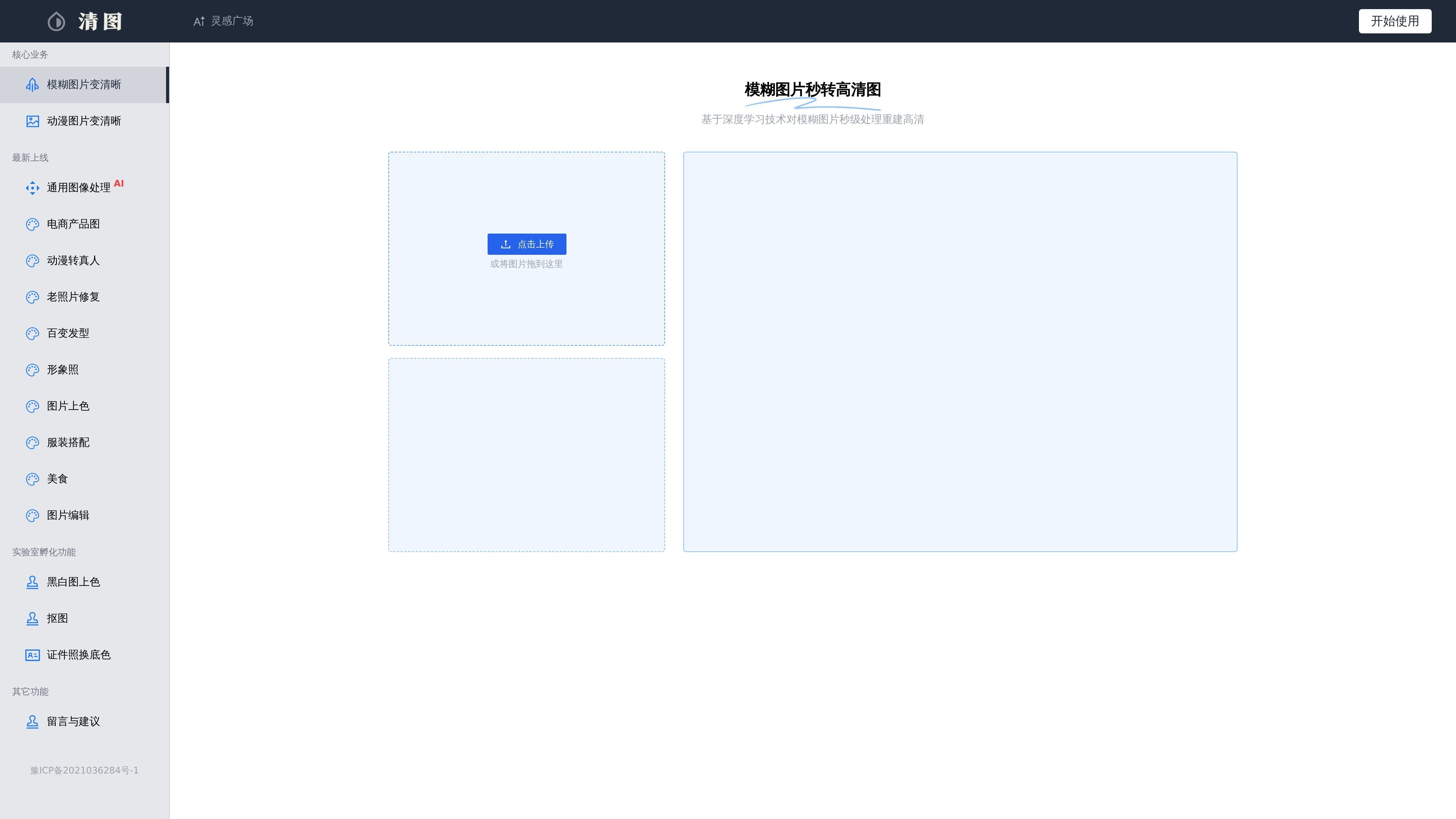
Sharpen blurry and anime images
The homepage clearly lists the core businesses of "sharpen blurry images" and "sharpen anime images," showing that the product focuses on reconstructing low-resolution or blurry images into clearer results.
Qingtu is an online product focused on image clarity and image processing. Its homepage highlights "turn blurry images into HD images in seconds" and explicitly states that it uses deep learning technology to reconstruct blurry images into high-definition results in seconds. The site also brings anime image enhancement, old photo restoration, image colorization, cutout, and changing ID photo backgrounds into the same product system.
From the page structure, Qingtu is not only a single image enhancement feature, but also includes a general image processing entry that supports uploading an image, entering a prompt, and selecting an output resolution. Overall, it feels more like a collection of Chinese online tools organized around image enhancement, restoration, and stylized processing, suitable for individual users or content creation scenarios that need quick single-image processing.
The homepage clearly lists the core businesses of "sharpen blurry images" and "sharpen anime images," showing that the product focuses on reconstructing low-resolution or blurry images into clearer results.
The page shows "general image processing AI" and provides prompt input, prompt templates, and a start processing button, indicating that the product supports a prompt-driven general image generation or editing workflow.
The feature list includes entries such as "e-commerce product images," "anime to real person," "old photo restoration," "profile photos," "outfit matching," "food," and "image editing," covering different image processing tasks.
The site shows capabilities such as "image colorization," "black-and-white image colorization," "cutout," and "change ID photo background," which are suitable for restoration, cutout, and ID photo-related needs.
The general image processing page provides multiple output resolution options such as 1:1, 2:3, 3:4, 9:16, 16:9, and 21:9, making it easy to choose an aspect ratio based on the use case.
When an image becomes blurry due to shooting quality, compression, or transfer, you can use Qingtu's sharpening feature for basic restoration, with the goal of reconstructing the image more clearly.
If you need to process anime images, avatars, or stylized images, the site provides entry points for anime image sharpening and anime-to-real-person conversion, which are suitable for reprocessing this kind of visual content.
For old photos, black-and-white photos, or images that need localized visual cleanup, the old photo restoration, black-and-white image colorization, and image editing features listed on the page are more aligned with these needs.
When creating e-commerce, poster, or social media materials, you can use general image processing and multiple aspect ratios to generate image versions that better fit different platforms.
ID photo processing, background changing, and cutout entry points are grouped in the same product, making it suitable for scenarios where you need to quickly organize ID photos or subject assets.
Qingtu provides features for sharpening blurry images, enhancing anime images, and general image processing, and also includes entry points for black-and-white image colorization, cutout, and changing ID photo backgrounds. Based on the site display, it is better suited for personal or content-creation scenarios where images need to be quickly processed into a clearer version.
The site homepage provides a "click to upload" entry and says you can also drag an image here, indicating that the main flow is to upload an image and then process it. The general image processing page also provides prompt input and output resolution options.
The general image processing page shows multiple output resolution options, including keeping the original aspect ratio by default, as well as several landscape and portrait ratios. The site also shows a "Start Processing" button, which indicates you can choose the target size before processing.
The support content does not show any clear pricing page information, and `/pricing` returns 404, so the current materials do not confirm pricing, plans, or free quotas.
No API, third-party integration, or batch workflow documentation appears in the collected pages, so it should not be assumed that these capabilities are supported.

Upscale.media is an AI image upscaling and enhancement tool from Pixelbin that enlarges low-resolution or pixelated images and improves clarity in the browser. It offers free individual image use, paid credit plans, and team-oriented workflows such as bulk processing and API integration.

Pixelcut is an AI photo editor for creating and editing product images, social content, and video assets. It offers free and paid plans, plus mobile app and browser access for individual users and teams.

PhotoAid’s AI Image Enlarger is a free browser-based tool for upscaling images without a standard blur-heavy resize. It supports JPEG, WEBP, and PNG uploads and is described as working best for photos with faces.

Let's Enhance is an online AI image app for enhancing, upscaling, and restoring photos. It helps users clean up images, increase resolution, and process files through free credits, subscriptions, or pay-as-you-go bundles.

Airbrush is an AI-powered photo and portrait editor for web, desktop, and mobile. It helps creators, everyday users, and professionals retouch portraits, remove backgrounds, and enhance images with credit-based AI tools.

Aaavatar is a macOS portrait editor for teams that need consistent staff photos. It removes backgrounds, applies backgrounds or brand colors, and exports finished portraits to common professional channels.