
Subject cutout and compositing
Pick a photo or video and the app cuts out the person in the camera frame, then places them into the chosen scene.

React Camera is a mobile photo and video app that lets you cut yourself out of a photo or video, place yourself into the scene, and add captions or stickers before sharing. It works on-device without an account, and the site says an Android version is coming soon.
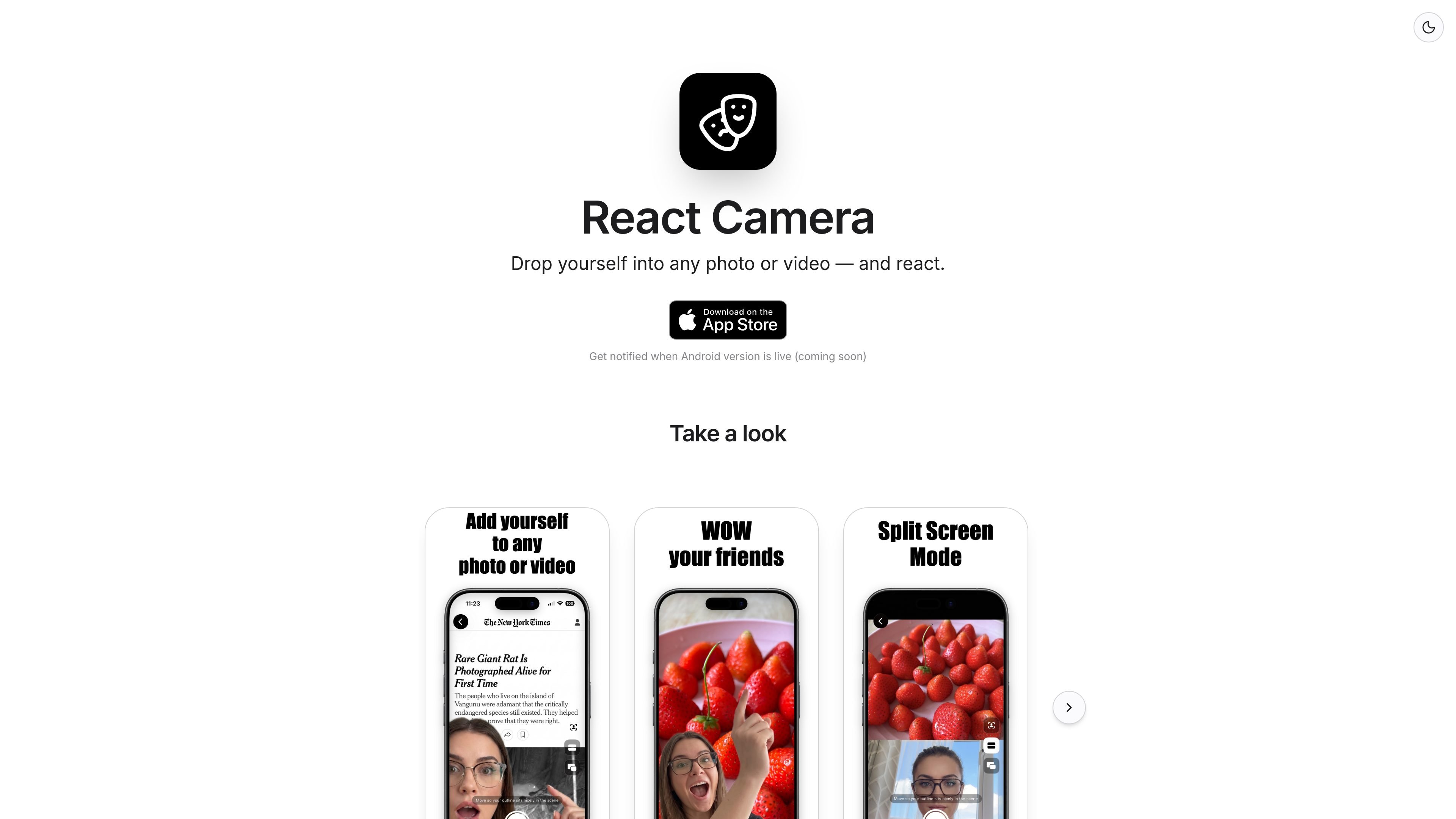
React Camera is a mobile photo and video app that drops a person into a chosen scene. The homepage describes it as a way to pick any photo or video, cut out just you, and place you into the scene so you can react in context.
The app then lets you add captions and stickers before sharing. Its privacy policy says all cutout, compositing, captions, and stickers are processed entirely on-device, with no account required and no upload of your photos or videos to company servers.
Pick a photo or video and the app cuts out the person in the camera frame, then places them into the chosen scene.
Add text overlays to the finished result before sharing it.
Decorate reactions with stickers as part of the editing flow.
The app processes photos and videos on the device, so the media never leaves the phone according to the privacy policy.
The app does not require an account or login to use the core workflow.
The site says you can get notified when an Android version is live, indicating Android support is planned but not yet available.
Use a selfie or short clip and place yourself into a different background or scene for a reaction-style edit.
Create a quick social post by adding a caption and sticker to the composited image or video before sharing it.
Use the app without creating a login or account when you want a simple one-off edit on your own device.
Wait for the Android rollout if you want the app on that platform, since the site only says Android is coming soon.
No. The site says React Camera works without an account or login.
The product page says it can place you into any photo or video, and the privacy policy says the cutout and compositing happen on-device using Apple's on-device Vision framework.
Yes. The privacy policy says the app may offer optional in-app purchases, including removing the watermark or unlocking customization, and these purchases are handled through the App Store.
The homepage says an Android version is coming soon, while the current app and privacy terms reference iOS and the Apple App Store.

Pixelcut is an AI photo editor for creating and editing product images, social content, and video assets. It offers free and paid plans, plus mobile app and browser access for individual users and teams.

Video Effects SDK adds real-time webcam effects such as background blur, background replacement or removal, denoising, framing, beautification, and color grading. It is built for teams shipping live video experiences on web, desktop, and mobile platforms.

Zella is a screen recorder and on-device AI video editor for Mac and iPhone. It helps creators record screens or cameras, automatically clean up footage, add captions, reframe clips, and export videos without uploading the core project to the cloud.

Clearframe is a web-based AI tool for removing watermarks, logos, text overlays, and other unwanted marks from images and short videos. It supports manual selection, temporary uploads, and context-aware cleanup for files you own or are allowed to edit.

CAMB.AI Streams dubs live audio in multiple languages in real time for broadcasts on platforms like YouTube, Twitch, and X. It plugs into existing live workflows using common streaming protocols and avoids a post-production step.

Petalica Paint is a web service for automatically coloring line art and tracing line drawings from photographed images. The home page says it can be used under the stated terms for commercial and noncommercial work, but it is scheduled to end on 2025-07-31 at 16:00 JST.