
Ask the book
Ask a question without leaving the page. Readr answers in the margin and cites the passages it used so you can check the source in context.
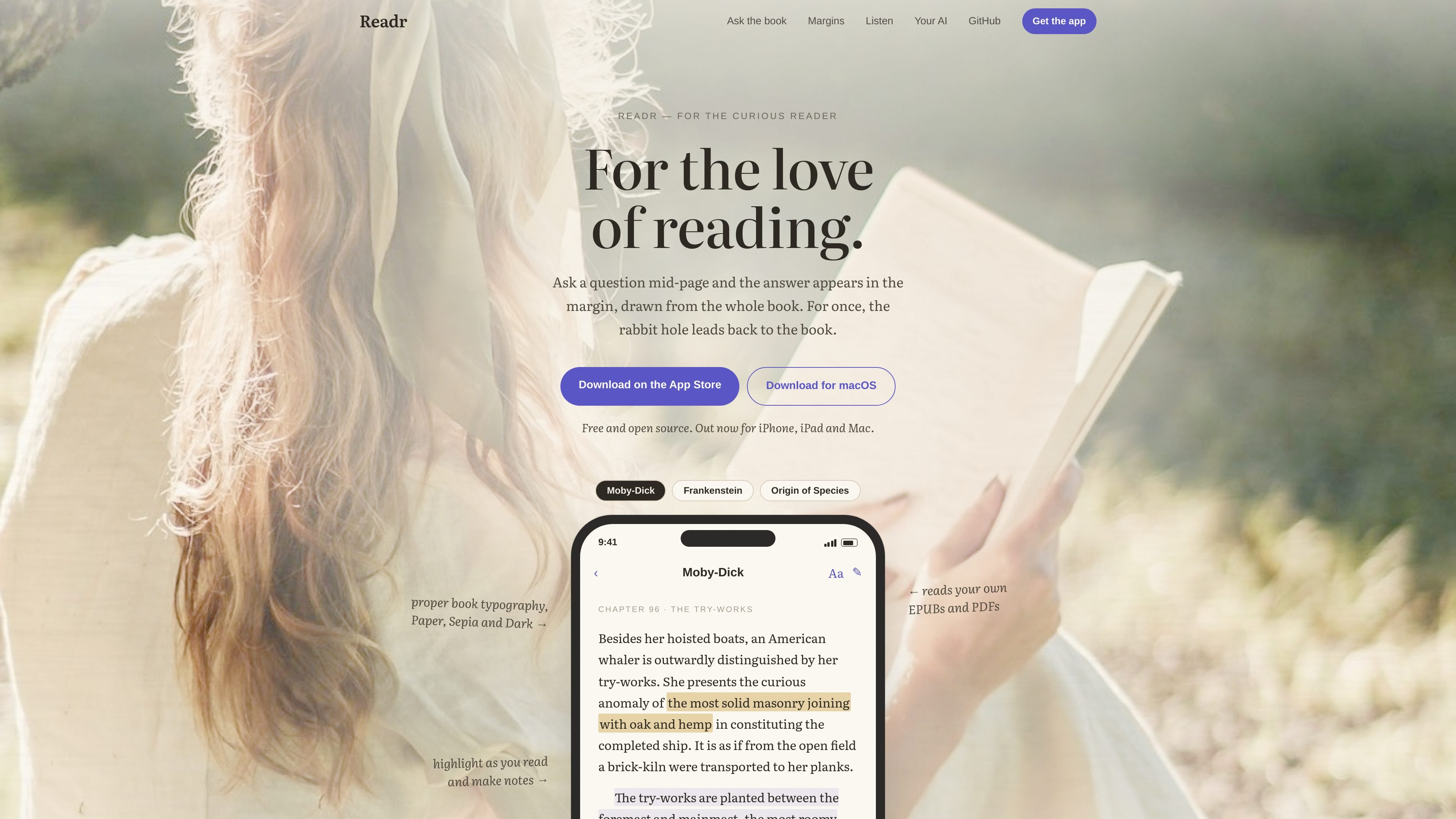
Readr is an ebook reader for iPhone, iPad, and Mac that lets you read, ask questions about the text, listen to the book, and turn highlights into writing. The site describes it as free and open source, with DRM-free EPUB, PDF, and Markdown support.
Its main idea is to keep reading and questioning in one place. Answers appear in the margin with citations back to the book, while the app can also bring outside knowledge when a question goes beyond the text. Notes and highlights can be gathered into a draft article and exported as Markdown.
Ask a question without leaving the page. Readr answers in the margin and cites the passages it used so you can check the source in context.
Collect highlights and notes, then use Compose article to turn them into a draft article built from your own reading notes. Export is available as Markdown.
Listen from the page you are on, with sentence and chapter skipping, adjustable speed, a sleep timer, and lock-screen/headphone support.
Bring your own AI by signing in with OpenRouter, using ChatGPT on Mac, pasting Anthropic or OpenAI keys, or running a local Ollama model on Mac.
Readr supports Paper, Sepia, and Dark themes, plus proper book typography and viewing modes such as scroll, single page, and two-page spread.
Readr uses local device storage for keys, claims no telemetry, and does not require a Readr account or server-mediated flow.
Use Readr while studying a dense chapter, then ask what a term or passage means without switching to a browser. The answer stays tied to the relevant lines in the book.
Highlight passages that matter to you and add notes as you read. When you are done, turn that material into a draft article and export it as Markdown for further editing.
Listen to an ebook when your eyes are tired or you want hands-free reading. Readr resumes from the page and sentence position you left off, whether you return by listening or by reading.
Use local Ollama on Mac or bring your own AI key if you want the app to talk directly to the provider you chose instead of routing through a Readr account.
Choose scroll, single-page, or two-page spread layouts, plus Paper, Sepia, or Dark themes, to match the way you prefer to read on each device.
Readr is designed for reading DRM-free EPUBs, PDFs, and Markdown on iPhone, iPad, and Mac. The source also notes that the Mac build needs Apple silicon.
No. The site says there is no Readr account, no telemetry, and no subscription. It is available as a free and open-source app.
You can ask questions directly on the page while reading. Readr returns answers in the margin and cites the passages the answer is grounded in; if needed, it can also use the model's broader knowledge.
Readr can compile your highlights and notes into a draft article that you can edit and export as Markdown.
The site says Readr can read aloud from the page you are on, supports sentence and chapter skipping, and includes a sleep timer. The voice runs on your device.

recall is an AI flashcard app that turns reading and notes into study cards through Claude, ChatGPT, or another MCP client. It uses one-time lifetime access pricing and spaced repetition review.

Contextbergは、画面・入力・ブラウザ・AIエージェントの利用履歴をローカルで記録し、MCP経由でClaude CodeやCursorなどに作業コンテキストを渡すデスクトップアプリです。中断した作業の再開、過去ログの検索、日次レビューに利用できます。

Goldfish is an AI memory app for macOS that helps you reply, write, summarize, and continue using the context already on your Mac. It stores memory locally and writes in your tone.

Flunkey is a voice-first productivity layer for Windows that converts speech into text, AI-assisted outputs, and remembered context. It is built for users who want to capture ideas and actions without leaving the app they are working in.

Lasso is an ecommerce product data platform for enriching catalog records, processing supplier files, generating product content, and monitoring competitors. It combines a web app with a REST API, SDK, and MCP server for teams and developers.

GameGrad turns PDF study material into quiz questions that appear inside arcade games, so users can practice active recall while they play. It offers a free tier with one PDF and a Pro plan with more uploads, more questions, and answer explanations.