
Best-card recommendations
Search a store name or browse by category to see which of your cards gives the best return for that purchase. The app says it accounts for card earn rates, rotating bonuses, and limited-time bank offers.

RightCard: Credit Card Rewards is a free iPhone and iPad app that helps users pick the best credit card for a purchase and activate eligible bank offers. It works without a bank login and includes optional alerts, reminders, and offline checkout guidance.
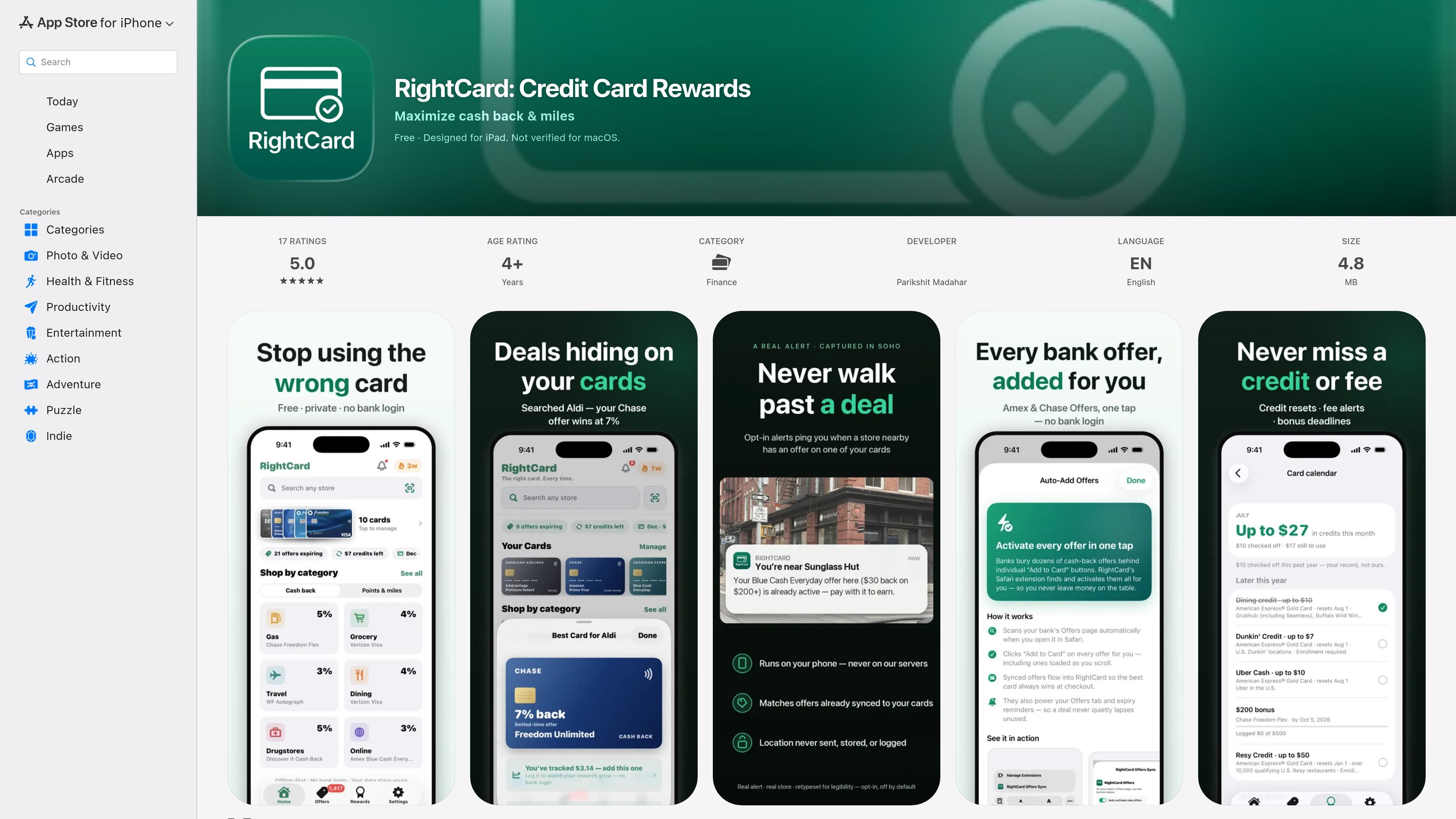
RightCard: Credit Card Rewards is a finance app for iPhone and iPad that helps people choose the best credit card for a purchase and activate eligible bank offers. The App Store listing describes it as free, private, and built with no bank login required.
The core workflow is simple: search for a store or category, see which card wins for that purchase, and turn on available offers in one tap. The app also adds reminders and optional nearby alerts so users can keep track of rotating bonuses, expiring deals, and other reward deadlines without moving between multiple bank apps.
Search a store name or browse by category to see which of your cards gives the best return for that purchase. The app says it accounts for card earn rates, rotating bonuses, and limited-time bank offers.
Activate eligible offers from supported banks in one pass instead of opening each bank app separately. The listing specifically mentions Amex, Chase, Wells Fargo, and Citi offers.
Choose cash back or points and miles so the app compares rewards in the currency you care about. The listing says it aims to show real reward values rather than inflating points.
Optional notifications can alert you when you are near a store with an offer on one of your cards. The listing says location data stays on the device.
Track credit resets, annual-fee dates, and bonus deadlines in a single calendar view. The app also says it tracks quarterly 5% rotating categories and activation reminders.
Use the Home and Lock Screen widget, official card art for 60+ cards, and offline recommendations for quick reference at checkout. The app says recommendations are computed on device and work without waiting.
A shopper can enter a store name such as Walmart, Costco, or Whole Foods and check which card offers the best return before paying.
Someone with several bank-issued offers can activate eligible deals from supported banks without jumping between multiple apps or missing a limited-time promotion.
A user who follows rotating bonus categories can keep quarterly 5% categories and activation reminders visible instead of tracking them separately.
A cardholder who wants timely reminders can enable nearby alerts to get notified when they are close to a store that has an offer on one of their cards.
A person who likes quick reference tools can use the widget or offline recommendations to check the best card without waiting at checkout.
RightCard is designed for iPhone and iPad, and the App Store listing says it is not verified for macOS.
The app is described as free, with no subscription required to find your best card and activate offers.
Yes. The listing says RightCard can activate bank offers in one tap, including offers from Amex, Chase, Wells Fargo, and Citi.
No. The app says it does not ask you to connect a bank account and that recommendations are computed on your device.
Yes, but optionally. The listing says nearby offer alerts can ping you when you are near a store where one of your cards has an offer, and that your location never leaves your phone.

Malyatko is a baby tracker for logging feeding, sleep, growth, teething, and milestones in one app. It works on iPhone, Apple Watch, and widgets, with no sign-up, offline use, and family sharing through iCloud.

Gemma AI is a phone call reminder app that calls you with scheduled reminders instead of push notifications. It helps people who want a more direct way to stay on schedule, with Google Calendar sync and conversational call interactions.

Spotit은 macOS 앱으로, 다른 작업 중 막히면 화면을 읽고 음성 질문과 안내로 클릭 위치를 정확히 하이라이트합니다.

Yattayo: Slider To-Do Board is a productivity app that turns tasks into a physical-style slider board with sticky notes, widgets, reminders, and iCloud sync. It helps people who want a more tactile way to manage to-dos and, in Premium, recurring habits.

ConscioussAI is an AI assistant for macOS, Windows, iOS, and Android that helps execute tasks across apps, files, the browser, and messages. It is aimed at people who want permission-based help on both desktop and mobile.
MealTime은 레시피 저장, 정리, 식단 계획 및 스마트 식료품 목록 생성을 돕도록 설계된 개인용 오프라인 우선 레시피 동반자 앱으로, 사용자의 데이터를 비공개로 유지합니다.