
Complete file operations
Copy, move, delete, rename, fuzzy search, bulk operations, and image preview are called out on the site as core file-management capabilities.
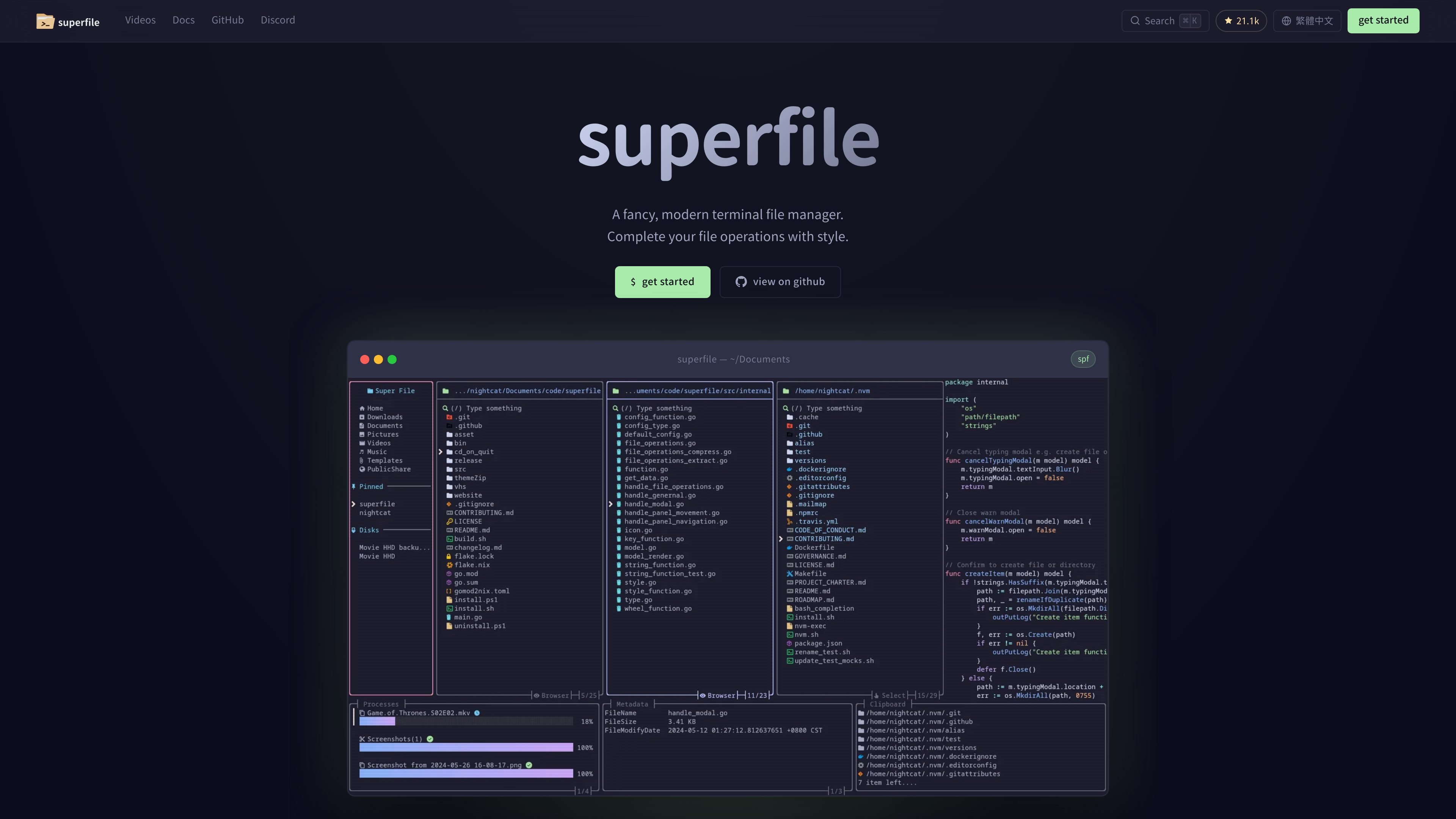
superfile is a terminal file manager for developers and other users who prefer working from the command line. It focuses on common file tasks such as copying, moving, deleting, renaming, searching, and handling items in bulk, while keeping those operations inside a terminal interface.
The product is built with Go and Bubble Tea and is positioned around a refined UI rather than maximum feature breadth. The site describes it as a good fit for straightforward file or directory work, especially for users who want a cleaner terminal workflow with panes, themes, hotkey customization, and plugin support.
Copy, move, delete, rename, fuzzy search, bulk operations, and image preview are called out on the site as core file-management capabilities.
The interface is described as carefully designed for readability and visual polish while still living entirely in the terminal.
Users can remap hotkeys, choose themes, and adjust borders and colors to match a preferred workflow.
Superfile supports multiple directory panes so you can work across locations and move files between panels.
The site mentions community plugins for Git status integration, system monitoring, and custom commands.
More than 20 built-in themes are listed, including Catppuccin, Nord, Tokyo Night, Dracula, Gruvbox, and Rose Pine.
Use superfile when you want to copy, move, rename, delete, or bulk-manage files without switching to a graphical file manager.
Use the multiple panes to compare folders, move files between locations, or keep two directories visible while you work.
Use hotkey remapping, theme selection, and border/color adjustments to match an existing terminal setup and personal workflow.
Use plugins to add small workflow helpers such as Git status, system monitoring, or custom commands.
Use the installation options for Linux, macOS, Windows, and common package managers when you want a quick setup path on your preferred system.
Superfile runs in the terminal and is designed for file management tasks such as copy, move, delete, rename, search, and bulk operations. It also supports image preview, multiple panels, and theming.
The installation guide shows commands for Linux, macOS, Windows, Arch Linux, Homebrew, NixOS, Pixi, Winget, Scoop, and x-cmd. After installation, you run `spf` to start it.
The website describes superfile as built with Go and Bubble Tea, and the install guide notes that a Nerd font is recommended for the best UI appearance.
The product site presents superfile as open source under the MIT License and provides a GitHub link for the project.
The overview page says superfile is a good fit for straightforward file or directory tasks and notes that users looking for a more feature-packed terminal file manager may want to compare it with tools like Yazi.

ByteAsk is a terminal-first AI coding agent for C and C++ that edits repositories and verifies changes with the real compiler, debugger, sanitizers, and tests before showing a diff. It offers a free tier plus paid plans, with editor connectors and zero-retention handling described in the source.

Epherem is a static security scanner for web apps built with AI coding tools such as Lovable, Bolt, v0, Replit, Cursor, and Claude Code. It checks source files and dependencies for common security mistakes, then provides categorized findings and suggested fixes without running the app.

CreateOS Sandbox is an isolated compute environment for running code and agent workloads inside Firecracker micro-VMs. It is designed for workflows that need machine-level isolation, private networking between sandboxes, and programmatic control through SDK, CLI, or MCP.

ArtDeck is a visual reference board app for iPhone, iPad, and Mac that lets artists collect mixed reference material on one canvas and study it with ToolBox lenses. It works offline, supports optional iCloud sync, and is sold as a one-time purchase with no account required.

GitBot is a local browser-based workspace for creating reusable coding bots powered by Claude Code, Codex, or OpenCode. It helps developers run those agents across repository folders with persistent threads and configurable permissions.

Codex Plugins bundle reusable skills, app integrations, and MCP servers into workflows you can install in the Codex app or use from Codex CLI. They help extend Codex with connected-service tasks, reusable instructions, and shared team workflows.