
Conversational agent builder
Describe an agent in natural language, refine its rules in conversation, preview the result, and publish it with one click. Templates cover more than 50 industry and role starting points.
ZooWork is an AI agent platform for domain experts, business teams, and enterprises to build and run agents that use company knowledge, tools, and workflows. Agents can plan tasks, produce business deliverables, connect to workplace systems, and request approval before selected actions.
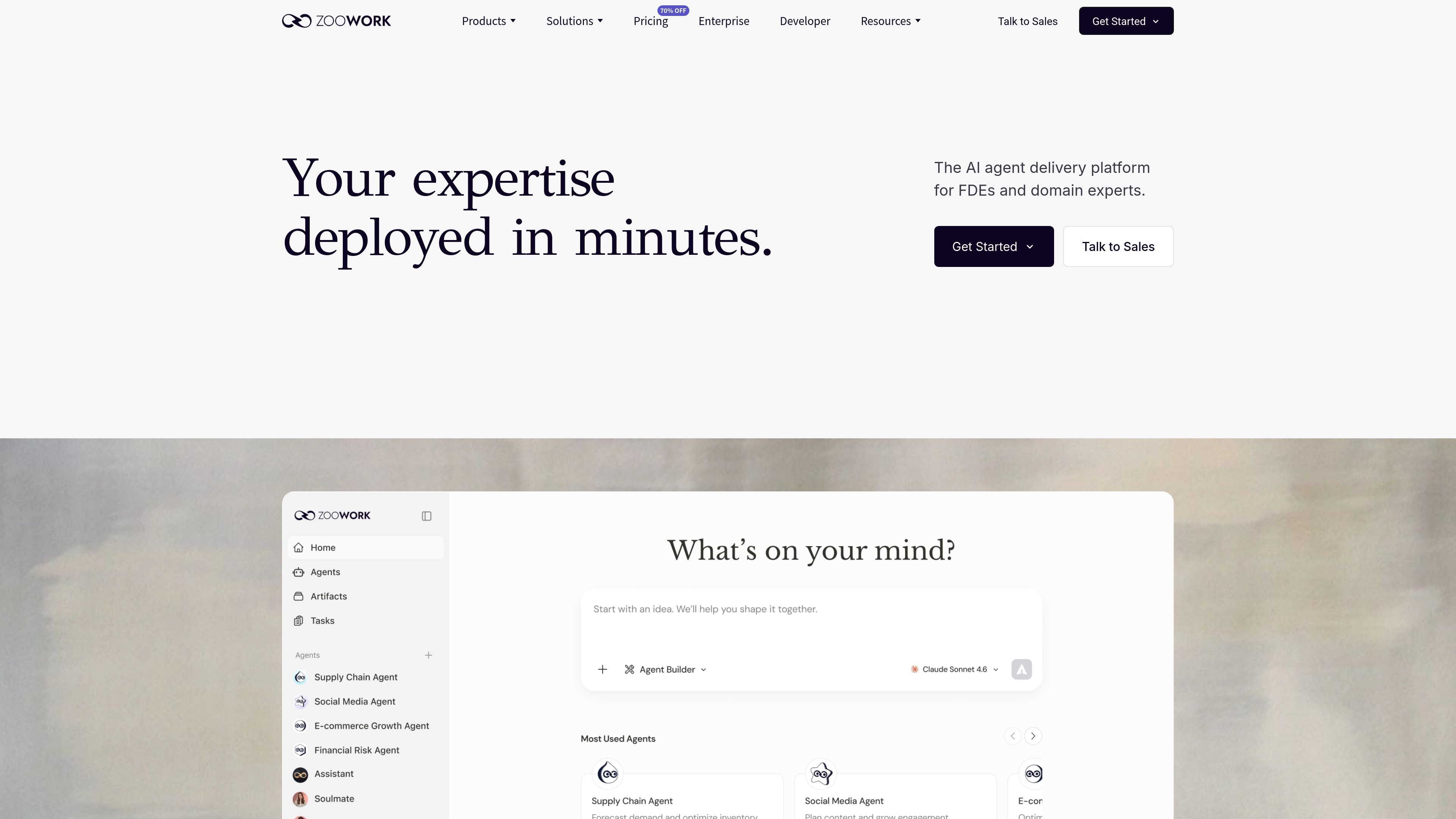
ZooWork is an AI agent platform for building, deploying, and running agents that carry out business workflows. Users can package role knowledge, company data, policies, SOPs, standards, and tool permissions into an agent rather than starting from a blank prompt.
Agents can plan multi-step work, use connected systems, ask for approval before selected changes, and return operational deliverables such as reports, drafts, decks, orders, and system updates. The platform supports workspace-based use, workplace messaging, embedded experiences, and product integrations through API-oriented options.
Describe an agent in natural language, refine its rules in conversation, preview the result, and publish it with one click. Templates cover more than 50 industry and role starting points.
The runtime plans complex work, breaks it into steps, executes tool calls, records progress, and pauses for human approval before selected actions that can change data or move money.
Agents can be grounded in company knowledge, industry context, policies, working SOPs, delivery standards, and role-specific skills. ZooData can turn URLs into structured, agent-ready JSON and is presented for sources including e-commerce, finance, food delivery, and social platforms.
ZooWork provides access to multiple model families, including OpenAI, Claude, Gemini, DeepSeek, Kimi, GLM, and Seedance, while its enterprise model gateway describes routing and BYOK support.
Agents can run in the ZooWork app, supported workplace messaging channels, embedded business systems, or through API and SDK patterns shown on the site. Named connections include Google Workspace, Microsoft 365, Slack, Lark, Jira, and GitHub, with MCP compatibility for internal tools.
The platform supports triggers and scheduled tasks, isolated Python, Shell, and Browser sandboxes, cloud autoscaling, and observability for agent runs. Enterprise materials also describe role permissions, policy checks, encryption, tenant isolation, and audit trails.
A store operations agent can read inventory and sell-through data, forecast near-term demand, identify stores at risk of stockouts, prepare replenishment actions, request approval, and re-check results on a schedule.
Sales and CRM teams can use an agent to fetch open opportunities, cross-reference CRM records, and produce a pipeline view showing stages, amounts, close dates, probabilities, and owners.
Marketing teams and agencies can turn briefs into proposal drafts, coordinate campaign work, and repurpose source content into posts and emails while keeping the message consistent.
Research teams can organize market signals, company information, and evidence into recurring preparation work, helping analysts spend more time evaluating findings than gathering them.
Manufacturing operations teams can bring production alerts and material needs together, diagnose exceptions, and prepare reports or next-shift actions for review.
Yes. ZooWork's Agent Builder lets users describe an agent in conversation, add rules, preview it, and publish it. The site also lists more than 50 industry agent templates as starting points.
Agents can work with business knowledge, company data, SOPs, delivery standards, and permitted tools. The platform describes outputs including first drafts, decks, documents, orders, reports, and ERP updates, with approval required for selected actions.
The site names Google Workspace, Microsoft 365, Slack, Lark, Jira, and GitHub, and says the platform is MCP-compatible for internal tools or data sources. IM channels listed on the site include ZooWork, Slack, Microsoft Teams, and WhatsApp.
The Pro Agent Builder plan is listed at $30 per month and includes 6,000 monthly credits plus a limited-time 14,000-credit bonus, along with specified compute and storage. ZooWork also offers a Managed Agent API and an Enterprise path, with details handled separately.

Codex Plugins bundle reusable skills, app integrations, and MCP servers into workflows you can install in the Codex app or use from Codex CLI. They help extend Codex with connected-service tasks, reusable instructions, and shared team workflows.

CreateOS Sandbox is an isolated compute environment for running code and agent workloads inside Firecracker micro-VMs. It is designed for workflows that need machine-level isolation, private networking between sandboxes, and programmatic control through SDK, CLI, or MCP.

GitBot is a local browser-based workspace for creating reusable coding bots powered by Claude Code, Codex, or OpenCode. It helps developers run those agents across repository folders with persistent threads and configurable permissions.

Struere is an AI-native platform for turning spreadsheet data into structured operational software with dashboards, alerts, and automations. It is aimed at teams that want to replace manual spreadsheet workflows without building custom tools from scratch.

Wallie is an open-source AI streamer that watches your screen, hears chat, and generates live commentary in a configurable persona. It runs locally on your machine with your own keys and is aimed at faceless content, autonomous streams, and real-time reactions.

Wysera is an AI business platform that combines PostWyse for content and OpsWyse for CRM and revenue workflows, powered by the shared Wyse AI. It is built for solo operators, teams, and agencies that want approval-first automation across publishing, lead follow-up, and related operations.