

c15t
c15t is an open source framework for cookie consent and script loading in modern web apps, headless and framework-agnostic for developer control.
What is c15t?
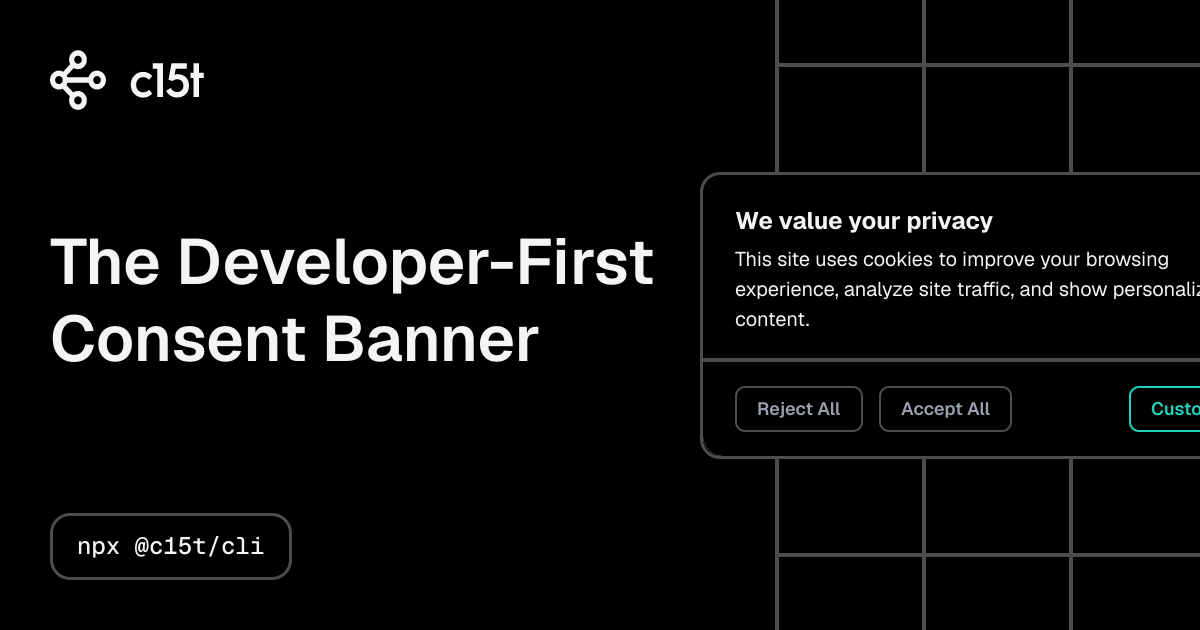
c15t is an open source framework for managing cookie consent and script loading in modern web applications. Its core purpose is to help developers control how consent is collected and how tracking or other scripts are enabled (or blocked) based on that consent state.
The project is positioned as “developer-first” and “headless,” meaning the underlying consent logic is separate from the user interface so teams can build the banner and dialog experience in their own stack, rather than relying on opaque vendor logic.
Key Features
- Open source consent framework for cookies, consent, and privacy compliance workflows, focused on modern web apps.
- Consent and script loading control designed for client/edge execution, with the stated goal of blocking requests until the relevant consent state is set.
- Headless core that can work with multiple frameworks (listed: React, Vue, Svelte, Angular, Next.js, Nuxt, SvelteKit, Astro, Solid, Qwik, and more).
- CLI scaffolding to generate a cookie banner quickly, or the option to “drop in the headless logic” and fully control the experience yourself.
- Developer-controlled UI customization via your own CSS/design tokens, with the banner/dialog components expected to integrate with your styling.
- i18n support for banner language/locale handling (translate once, consent everywhere).
- Geo-location-based language and presentation options, including the ability to “serve the end banner in the end language” and optionally not show it at all (as described).
- Jurisdiction targeting support covering 15+ privacy-law jurisdictions, including GDPR and CCPA/CPRA, with examples listed for LGPD, PIPEDA, PIPL, and APPI.
How to Use c15t
A typical setup starts by adding c15t’s framework-specific provider and UI components, then configuring it with your consent mode, backend URL, and the scripts you want to gate behind consent.
From the page’s Next.js example:
- Import the provider and UI components (e.g.,
ConsentManagerProvider,ConsentBanner,ConsentDialog). - Add your scripts to the provider configuration (example shows a Meta Pixel script via
metaPixel({ pixelId: "..." })). - Set options including
mode(example useshosted) andbackendURL(sourced from an environment variable). - Render
<ConsentBanner />and<ConsentDialog />so the user can manage privacy settings.
The site also references a quick start via CLI (npx @c15t/cli).
Use Cases
- Next.js applications that need a consent banner and settings dialog while keeping the consent state tied to script loading (e.g., enabling specific analytics scripts only after user selection).
- Multi-framework teams that want a single consent logic approach with UI built in their own components, since the core is described as headless and compatible with many frameworks.
- Localization-heavy products that need the consent banner text to be presented in the user’s language, using the built-in i18n/locale handling described.
- Products operating across regions where which privacy-law messaging (or even whether to show the banner) must vary by jurisdiction and language, supported via geo-location and jurisdiction configuration as described.
- Teams that prefer custom styling and design token integration for the banner/dialog, rather than adopting a pre-baked UI.
FAQ
-
Is c15t a UI-only solution? No. The site describes c15t as having a headless core where developers can “drop in the headless logic” and control the experience and styling.
-
Which frameworks are supported? The page lists compatibility with React, Vue, Svelte, Angular, Next.js, Nuxt, SvelteKit, Astro, Solid, Qwik, and more.
-
Can I customize the banner’s look and feel? Yes. The page states that you can style with your own CSS and design tokens, and that you control the experience.
-
Does c15t support multiple languages? Yes. The page states there is i18n support with built-in locale handling.
-
How does it handle different privacy jurisdictions? The page describes geo location and jurisdiction targeting, including examples such as GDPR and CCPA/CPRA, and mentions 15+ jurisdictions.
Alternatives
- Headless consent management libraries/framework-agnostic: Instead of using a dedicated consent framework, teams can build consent state management themselves and gate script loading behind their own UI. This differs by shifting implementation effort away from a ready framework.
- Cookie/banner components that focus on UI: Some solutions primarily provide a ready-made consent banner with configuration. These typically trade away developer control over consent logic and script gating compared to a headless approach.
- Tag/script management tools with consent modes: Alternatives in the analytics/tag management category may offer consent-aware script triggering. Workflows often center on tag rules rather than a headless consent core developers can integrate directly.
- Privacy/compliance platforms: These typically manage broader compliance workflows. They may be less aligned with framework-agnostic, developer-controlled consent and script loading patterns described for c15t.
Alternatives

ClawTick
ClawTick is a CLI-first AI agent automation platform for scheduling webhook tasks on cron with monitoring, alerts, retries, and execution logs.

OpenFlags
OpenFlags is an open source, self-hosted feature flag system with a control plane and typed SDKs for progressive delivery and safe rollouts.

MakerLoft
MakerLoft is an AI app builder for non-developers that connects to your GitHub repo to generate working apps with auth, payments, files, jobs.

Rectify
Rectify is an all-in-one operations platform for SaaS, combining monitoring, analytics, support, roadmaps, changelogs, and agent management—via conversation.

PromptScout
PromptScout tracks how your brand is mentioned, which competitors are recommended, and what sources are cited in AI answers—plus website audits.

Sleek Analytics
Lightweight, privacy-friendly analytics with real-time visitor tracking—see where visitors come from, what they view, and how long they stay.