

Comie.dev
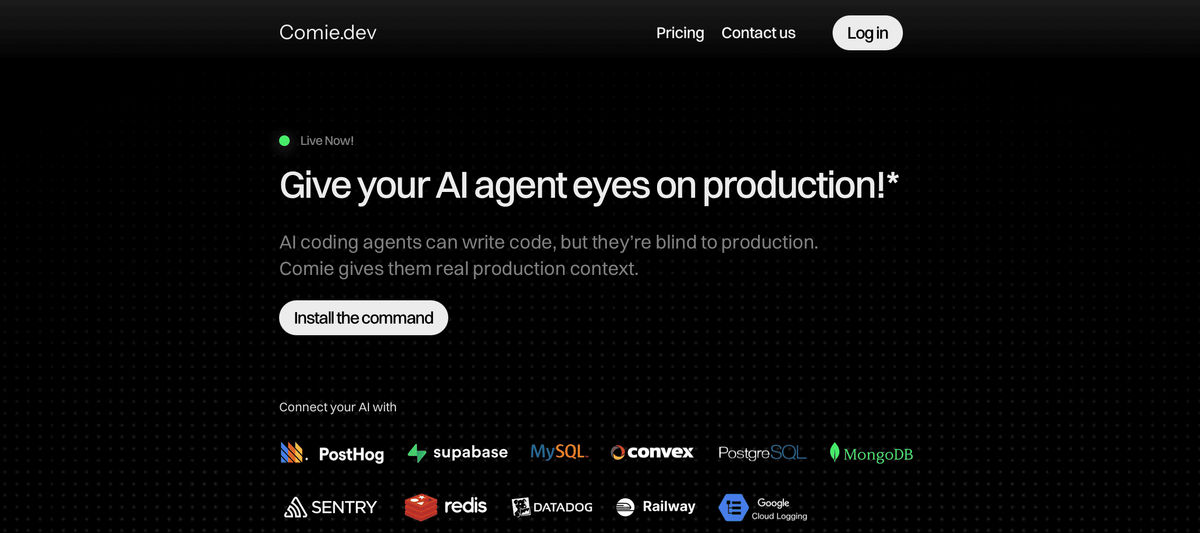
Comie.dev connects AI coding tools to your production stack in safe, read-only mode—giving agents access to logs, traces, schemas, queries for debugging.
What is Comie?
Comie.dev is a production context layer for AI coding agents. It connects AI coding tools (such as Cursor, Claude Code, and Codex) to your production stack so the agent can debug and reason with real operational context.
The core purpose is to make production information available to coding agents in a controlled way. Comie provides scoped, read-only access to understand logs, traces, analytics, schemas, queries, and related infrastructure context—without giving the agent write access to production systems or data.
Key Features
- Read-only by default access: Agents can inspect production context (e.g., schemas, queries, logs, traces) while being prevented from modifying production systems or data.
- Scoped tokens for production context: Comie generates scoped access so you can connect the AI tools to the minimum context needed for reasoning and debugging.
- Works across AI coding tools via MCP: Comie supports global MCP support so tools like Cursor, Claude Code, Codex, and more can use the same production-aware context within their existing workflows.
- Setup in under 60 seconds with a single command: The website describes selecting your stack, generating access, then copying one command to install in your terminal and use across your AI coding workflow.
- Production context across common categories: Integration coverage includes databases and operational tooling such as PostgreSQL, MySQL, MongoDB, Redis, plus observability and analytics tools including Sentry, Datadog, PostHog, and other listed infrastructure services.
How to Use Comie
- Select your production stack: Choose the tools Comie should connect to based on what your environment already uses.
- Generate read-only access: Create scoped tokens so an AI coding agent can safely access production context.
- Install with the provided command: Copy one install command and run it in your terminal. After installation, the connected AI tools can use the production context as you code.
Use Cases
- Debugging failing requests with operational context: When an issue appears in production, agents can inspect logs and traces, correlate what happened, and use that context to reason about likely causes.
- Validating data and query behavior: By inspecting database state (via supported database integrations) and related schema or query context, agents can help validate how code aligns with production expectations.
- Investigating production incidents while writing code in the editor: Agents can use production context to identify problematic code paths and suggest fixes directly inside the editor workflow.
- Reconciling code changes with observability and analytics: In environments where changes affect metrics or events, agents can examine the operational signals (analytics plus observability tools) and use that information to support debugging and validation.
- Ensuring safe access for agent workflows: Teams can allow AI coding tools to “read” production context while keeping production systems and data protected from modification.
FAQ
What does Comie.dev do for AI coding agents?
Comie.dev provides production context to AI coding agents so they can inspect operational information (like logs, traces, analytics, schemas, and queries) while building, debugging, or validating against real production systems.
Which AI coding tools does it support?
The website states it works with tools including Claude Code, Cursor, Codex, and others, using MCP-compatible integration support.
Is Comie read-only?
Yes. Comie is read-only by default, and the agent can inspect context but cannot modify production systems or data.
Does Comie store raw production data permanently?
The website says no raw production data is permanently stored by default. It retrieves the scoped context needed for reasoning and debugging while respecting provider permissions and access controls.
How long does setup take?
Most teams are connected in under 60 seconds according to the website flow: select your stack, add provider keys, run one install command, and start using production context.
Alternatives
- Direct observability + manual investigation: Teams can use observability and database tools directly (e.g., dashboards, trace viewers, log search) and manually translate findings into code changes. This is more manual, but avoids adding an intermediate context layer for agents.
- Local/staging environment debugging: Running the same services and data flows locally or in staging can let agents reason without production access. It may reduce incident-specific accuracy compared to using production traces/logs.
- General-purpose AI integrations without production context: Some agent tooling focuses on code understanding only; they can still suggest fixes, but they won’t have structured access to production logs/traces/metrics as described for Comie.
- Other read-only data access layers for agents: Instead of connecting through an MCP-based production context layer, teams may use alternative mechanisms for read-only inspection of production signals. These would differ by how they integrate with coding agents and what operational sources they expose.
Alternatives

ClawTick
ClawTick is a CLI-first AI agent automation platform for scheduling webhook tasks on cron with monitoring, alerts, retries, and execution logs.

OpenFlags
OpenFlags is an open source, self-hosted feature flag system with a control plane and typed SDKs for progressive delivery and safe rollouts.

Rectify
Rectify is an all-in-one operations platform for SaaS, combining monitoring, analytics, support, roadmaps, changelogs, and agent management—via conversation.

PromptScout
PromptScout tracks how your brand is mentioned, which competitors are recommended, and what sources are cited in AI answers—plus website audits.

Sleek Analytics
Lightweight, privacy-friendly analytics with real-time visitor tracking—see where visitors come from, what they view, and how long they stay.

MacSpoof
MacSpoof is a macOS MAC address changer that lets you change or randomize your Wi‑Fi MAC to reconnect and limit device logging on public Wi‑Fi.