

connector.wtf
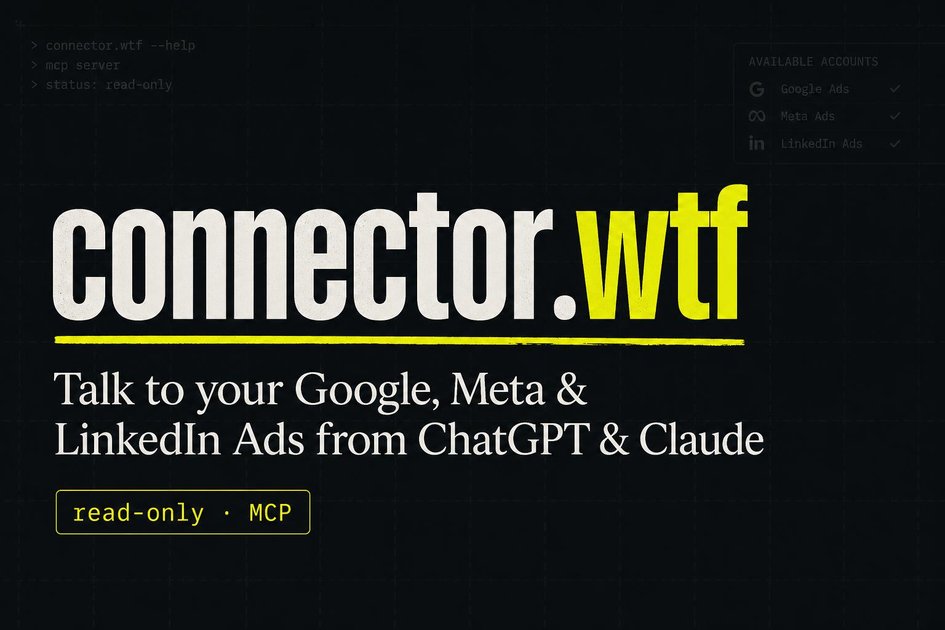
connector.wtf is a free read-only MCP connector that plugs Google Ads into ChatGPT and Claude for auditing and reporting—no bid or campaign changes.
What is connector.wtf?
connector.wtf is a read-only MCP (Model Context Protocol) server that connects ad platforms to ChatGPT or Claude so you can ask questions about your advertising performance. It’s designed to help you audit accounts, identify wasted spend, and compare time periods without changing bids or campaign settings.
The connector plugs your Google Ads data into an AI assistant using OAuth read-only scope, and it supports pairing with Meta’s official ads MCP and connector.wtf’s LinkedIn Ads MCP for multi-platform analysis in a single chat workflow.
Key Features
- Read-only Google Ads access via MCP: provides account insights without edit access, so there’s no campaign modification.
- Encrypted token storage and revocation: the read-only token is handled via OAuth, stored encrypted at rest, and can be revoked any time.
- No campaign edits for Google Ads: the OAuth scope is read-only, and the product states it won’t change bids or pause campaigns.
- AI tools for ad auditing and reporting: includes capabilities such as wasted spend reports, period comparisons, keyword and search term reporting, and delivery/efficiency diagnostics.
- Period and performance breakdowns: supports comparative analysis like “this week vs last” and granular breakdowns by device and geography, plus landing page and negative keyword reporting.
- Query access for advanced users: includes a tool to “run GAQL” (raw GAQL queries) and return rows back.
How to Use connector.wtf
- Sign in with Google to obtain access for the Google Ads MCP connector (read-only token; no passwords or edit access described).
- Select the customer IDs (including how manager accounts unlock their linked accounts).
- In ChatGPT or Claude, add the MCP URL as a connector, then ask questions to trigger the read-only reporting tools.
For additional platforms, wire in Meta Ads MCP (official) and connector.wtf’s LinkedIn Ads MCP so the same assistant can pull from multiple ad sources in the same general workflow.
Use Cases
- Audit rising costs or CPA: ask the assistant why CPA increased, using tools like wasted spend reporting, landing pages reports, and search terms.
- Investigate wasted spend without altering anything: use the wasted_spend_report and top/search term tools to find queries you may be paying for that don’t perform.
- Compare performance across periods: request compare_periods to evaluate this week vs last (or similar comparisons) without exporting data to spreadsheets.
- Diagnose auction loss and delivery issues: use impression_share_report to identify where auctions are being lost and the stated reasons (including budget-related factors).
- Review what’s working by query/keyword and how it’s delivered: combine top_keywords, search_terms, geo_performance, and device_performance to understand both intent and where results come from.
FAQ
Is connector.wtf read-only?
Yes. The page describes the Google Ads connector as read-only with no edit access, and it explicitly states it won’t change bids and won’t pause campaigns.
Does connector.wtf require passwords or admin-level access?
The workflow described uses sign-in with Google to obtain a read-only token; it notes there are no passwords and no edit access.
Which assistants work with connector.wtf?
The page states compatibility with ChatGPT and Claude, and it references Cursor compatibility as well when discussing MCP support.
Can it report across multiple ad platforms?
Yes. The product states Google Ads can be connected via connector.wtf, and it can be paired with Meta’s official ads MCP and connector.wtf’s LinkedIn Ads MCP.
What happens if I want to stop access?
The page states you can revoke access at any time, and that tokens are encrypted at rest.
Alternatives
- Use Ads Manager reports and exports: a direct, manual workflow that provides the same types of reporting but typically requires spreadsheet work and repeated navigation.
- Use a data warehouse + BI tool with ad data: instead of an MCP connector, you could pull ad platform data into analytics tools and query it there, trading chat-based Q&A for dashboards and SQL/query workflows.
- Use other read-only analytics connectors for LLMs: alternatives may focus on connecting analytics sources to AI for summaries and Q&A, with differences in supported platforms, tooling coverage, and how “read-only” is enforced.
- Build internal dashboards from GAQL/Ads APIs: a developer-driven approach that can support custom queries, but lacks the conversational assistant workflow described for connector.wtf.
Alternatives

PromptScout
PromptScout tracks how your brand is mentioned, which competitors are recommended, and what sources are cited in AI answers—plus website audits.

SaveMRR
SaveMRR scans Stripe billing data to find SaaS MRR leaks and help recover failed payments, save cancellations, and win back churn—60-sec Free Revenue Scan.

Sleek Analytics
Lightweight, privacy-friendly analytics with real-time visitor tracking—see where visitors come from, what they view, and how long they stay.

Struere
Struere is an AI-native operational system that replaces spreadsheet workflows with structured software—dashboards, alerts, and automations.

ClayHog
ClayHog tracks AI Search Visibility & GEO—see what ChatGPT, Gemini, Perplexity, Claude, and Google AI Overviews say about your brand, incl. citations and sentiment.

beehiiv
beehiiv is an all-in-one newsletter and website platform with publishing, growth, analytics, and monetization tools for creators and brands.