

Files SDK
Files SDK is a unified storage SDK with one consistent API for object/blob backends like S3, R2, GCS, Azure, and more.
What is Files SDK?
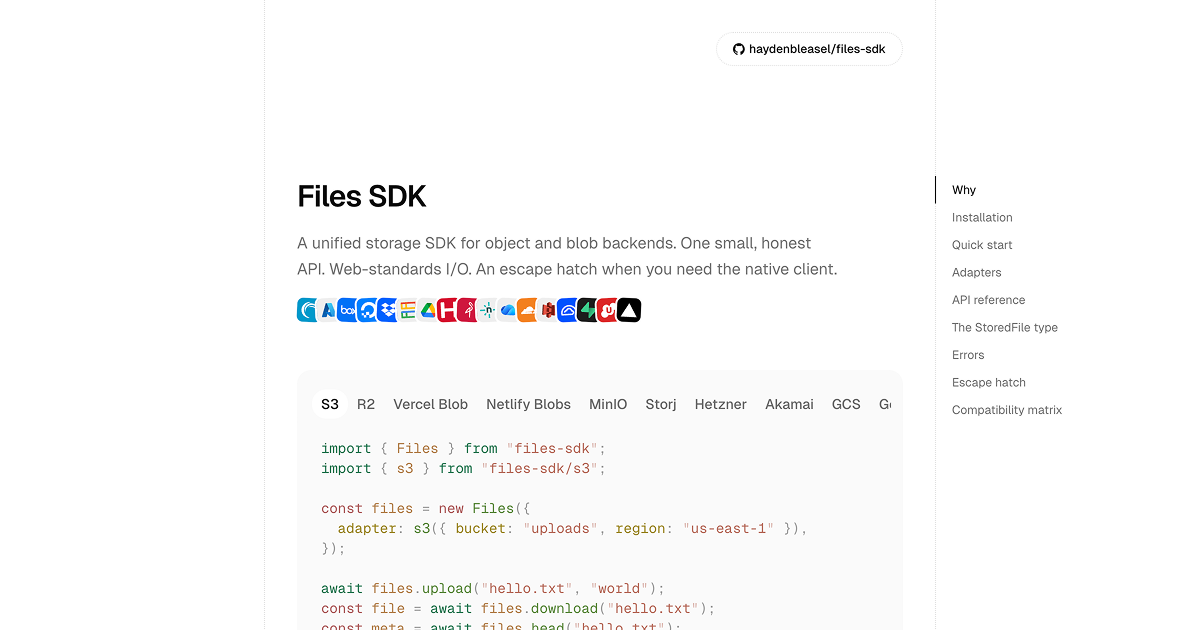
Files SDK is a unified storage SDK that exposes a single, consistent API for interacting with object and blob storage backends. The goal is to let you call the same high-level operations—such as upload, download, list, delete, and related helpers—while using different providers behind the scenes.
It works by routing requests through a provider-specific adapter. This keeps the shared parts of storage workflows stable while allowing provider differences (such as URL-related behaviors or certain edge cases) to be handled within the adapter rather than changing your call sites.
Key Features
- Single Files class across providers: Use one API surface for common storage operations (upload, download, list, delete, head, exists, copy, and URL helpers), instead of writing provider-specific code for each backend.
- Adapter-based provider selection at construction time: The adapter is fixed when you instantiate
new Files({ adapter: ... }), avoiding “choose provider per call” patterns that would clutter usage. - Web-standards input support: Accepts
File,Blob,ReadableStream,ArrayBuffer, andstringas inputs for uploads. - Runs wherever
fetchruns: Designed to work on environments such as Node, Bun, Workers, and Vercel (as stated on the page) for consistent runtime behavior. - Provider escape hatch via
files.raw: When you need provider-specific functionality, you can access the native client through a property (files.raw), typed per adapter. - Normalized error handling: Errors are surfaced as a single
FilesErrortype with a normalized code across providers, with the original provider error attached as the cause.
How to Use Files SDK
- Install the SDK (and only the adapters you plan to use as peer dependencies):
npm install files-sdk
- Import
Filesand a provider adapter, then create aFilesinstance with the adapter configured for your bucket/region (for example, S3). - Call the shared methods on the instance, such as:
files.upload(key, input)files.download(key)files.head(key)files.list({ prefix })files.delete(key)
- Use
files.rawif you need to access provider-specific features that aren’t covered by the common API surface.
A minimal example from the page:
import { Files } from "files-sdk";
import { s3 } from "files-sdk/s3";

const files = new Files({
  adapter: s3({ bucket: "uploads", region: "us-east-1" }),
});

await files.upload("hello.txt", "world");
const file = await files.download("hello.txt");
const meta = await files.head("hello.txt");
const items = await files.list();
await files.delete("hello.txt");
Use Cases
- Build a storage layer that can switch providers: Start with one backend (e.g., S3-compatible storage) and later migrate to another adapter without rewriting your application’s upload/download/list/delete logic.
- Handle browser-like file inputs consistently in backend code: Use the SDK’s supported input types (
File,Blob,ReadableStream,ArrayBuffer,string) when your server receives web-standard file objects. - Organize uploads by prefixes and manage object lifecycles at the app level: Use
list({ prefix })anddelete(key)patterns to implement app-managed collections or “folders” over object storage. - Integrate with environments based on
fetchavailability: Deploy code to Node, Bun, Workers, or Vercel while relying on the same API calls and inputs. - Use normalized errors for consistent retry/handling: Catch
FilesErrorwith a normalized code and inspect the original cause when provider-specific details are needed.
FAQ
Which storage operations does Files SDK standardize?
The SDK standardizes a shared method surface across adapters, including upload, download, delete, list, head, exists, copy, and URL-related helpers (the exact URL behaviors can vary by provider).
How do I select a storage provider?
Create a Files instance with an adapter at construction time (for example, s3({ bucket: ..., region: ... })). The adapter is fixed for that instance.
What input types can I upload?
The SDK accepts File, Blob, ReadableStream, ArrayBuffer, and string as upload inputs.
What happens when I need functionality not covered by the common API?
Use the escape hatch files.raw to access the native client exposed by the chosen adapter. This is intended for provider-specific features such as the items mentioned on the page (e.g., versioning, lifecycle, ACLs, multipart) that are not part of the shared interface.
Do I need to install every provider’s native dependency?
No. The page describes each provider’s native SDK as an optional peer dependency: install only the adapters (and their required native packages) for the providers you actually use. If an adapter is imported without its peer dependency installed, Node will throw ERR_MODULE_NOT_FOUND indicating the missing package.
Alternatives
- Provider-specific storage SDKs (e.g., S3/GCS/Azure native clients): These offer full provider coverage but usually require different code paths for each backend and separate handling of common tasks.
- Object storage abstraction layers without web-standards inputs: Some abstractions provide a unified interface but may not support the same set of web-native input types or
fetch-oriented runtime assumptions. - Server-side file upload libraries with a storage backend option: Useful when your main goal is upload handling, but they may not expose the same set of standardized operations (head/exists/copy/url helpers) and escape-hatch access to the native client.
- Direct HTTP integration to object/Blob endpoints: If you need maximum control, calling the provider HTTP APIs yourself avoids abstraction but shifts listing, signing, error normalization, and provider differences into your application.
Alternatives

open-codex-computer-use
open-codex-computer-use is an open-source “Computer Use” MCP server that lets AI agents run desktop GUI actions on macOS, Linux, and Windows.

Lasso
Lasso is an AI-first PIM for ecommerce teams that enriches product attributes and descriptions, processes supplier data, and monitors competitors via app or API.

Codex Plugins
Use Codex Plugins to bundle skills, app integrations, and MCP servers into reusable workflows—extending Codex access to tools like Gmail, Drive, and Slack.

Struere
Struere is an AI-native operational system that replaces spreadsheet workflows with structured software—dashboards, alerts, and automations.

Ably Chat
Ably Chat is a chat API and SDKs for building custom realtime chat apps, with reactions, presence, and message edit/delete.

garden-md
Turn meeting transcripts into a structured, linked company wiki with local markdown and an HTML browser view. Sync from supported sources.