

Wring
Wring is an offline macOS menu bar app for developers to run JWT, regex, hashing, JSON, diffs, UUIDs, and Keychain .env tools locally.
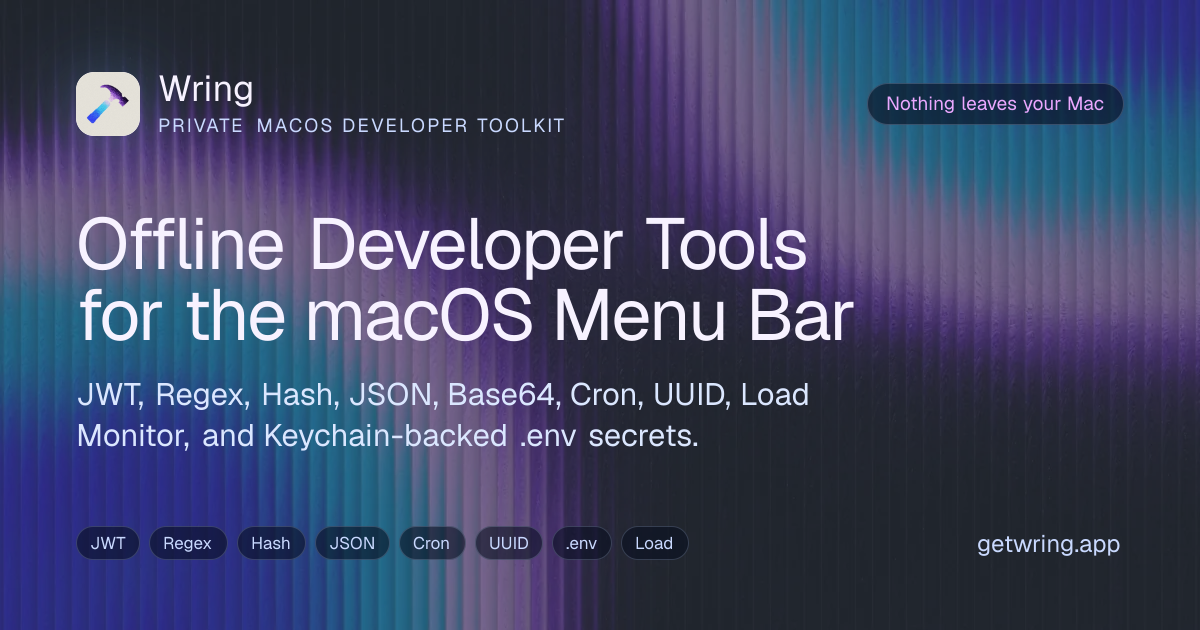
What is Wring?
Wring is a small, offline macOS menu bar app for developers who need quick access to common local utilities. It’s designed to process inputs on your Mac and return results for copying, without opening browser tabs.
The app focuses on practical tasks like inspecting and generating JWTs and hashes, formatting JSON, testing regex, converting timestamps, parsing cron expressions, generating UUIDs, transforming colors, viewing diffs, monitoring loads, and managing .env secrets stored in the macOS Keychain.
Key Features
- Offline menu bar workflow: Open the tool from the macOS menu bar while you’re working in other apps, then copy the processed output.
- JWT Inspector: Decode and inspect JWT inputs locally.
- Regex Tester: Test regex patterns against provided text without sending data over the network.
- Hash Generator: Generate hashes from text inputs on your Mac.
- Encoder/Decoder and Base64-style utilities: Encode or decode content locally to support common data transformations.
- JSON Formatter: Format JSON inputs for readability and quick review.
- Text Diff: Compare text and view differences using a local diff tool.
- Time and Cron tools: Convert timestamps and parse cron expressions locally.
- Color Converter: Convert color values using a dedicated local tool.
- UUID Generator: Generate UUIDs locally.
- .env Manager with Keychain-backed storage: Store .env values in the macOS Keychain; entries can be protected with Touch ID or your device password.
- Load Monitor: Monitor load using a built-in local tool.
How to Use Wring
- Install Wring from the Mac App Store (macOS 26 or later).
- From the menu bar, open Wring’s compact tool menu and select the function you need (e.g., JWT Inspector, JSON Formatter, Regex Tester).
- Paste or provide the input text from the editor context you’re working in (clipboard-aware suggestions are mentioned).
- Use the tool to produce the result, then copy the output back into your development workflow.
Use Cases
- Debugging JWT payloads: When a token is failing validation, paste the JWT into the JWT Inspector to inspect its contents locally and copy the relevant decoded fields.
- Validating regex during development: Test a regex pattern against sample text using the Regex Tester before applying it to code.
- Preparing consistent JSON for APIs: Paste JSON into the JSON Formatter to normalize formatting and quickly review structure before sending requests.
- Comparing configuration or generated output: Use Text Diff to compare two versions of text (for example, generated configuration or transformed payloads) and identify changes.
- Managing environment secrets on macOS: Store .env values via the .env Manager, with values saved to the macOS Keychain and protected using Touch ID or a device password when available.
FAQ
Does Wring upload my JWTs, secrets, JSON, or other input? No. Wring is an offline macOS menu bar app; it processes tool input locally and is built without network client/server entitlements.
What developer tools are included? Wring includes JWT, Regex, Hash, Encoder/Decoder, JSON, Diff, Timestamp Converter, Cron Parser, Color Converter, UUID Generator, .env Manager, and Load Monitor tools.
How does the .env manager store secrets? The .env manager stores .env values in the macOS Keychain. Values can be protected using macOS authentication such as Touch ID or your device password.
Which macOS version does Wring support? Wring v1 is built for macOS 26 or later.
Alternatives
- macOS developer snippets/extensions (clipboard-to-tool workflows): Tools that add quick snippet actions or local transformations can cover portions of Wring’s workflow, but may not provide the same set of built-in utilities (JWT, cron parsing, diff, .env Keychain storage) in one menu-bar interface.
- Local text utilities (CLI apps or editors with plugins): Command-line tools or editor plugins can perform formatting, hashing, diffing, and encoding/decoding. The difference is workflow—Wring is specifically positioned as a menu bar app designed for one-click local processing and copying.
- Dedicated environment/secret managers for macOS: Password/keychain-focused tools can help with secret storage and access control. Wring’s differentiator is that it also provides an integrated .env manager tied to the macOS Keychain in the same menu bar workflow alongside developer transformations.
Alternatives

ClawTick
ClawTick is a CLI-first AI agent automation platform for scheduling webhook tasks on cron with monitoring, alerts, retries, and execution logs.

OpenFlags
OpenFlags is an open source, self-hosted feature flag system with a control plane and typed SDKs for progressive delivery and safe rollouts.

MakerLoft
MakerLoft is an AI app builder for non-developers that connects to your GitHub repo to generate working apps with auth, payments, files, jobs.

Rectify
Rectify is an all-in-one operations platform for SaaS, combining monitoring, analytics, support, roadmaps, changelogs, and agent management—via conversation.

PromptScout
PromptScout tracks how your brand is mentioned, which competitors are recommended, and what sources are cited in AI answers—plus website audits.

Sleek Analytics
Lightweight, privacy-friendly analytics with real-time visitor tracking—see where visitors come from, what they view, and how long they stay.