

Hopper
Hopper connects AI agents to your z/OS mainframe for TN3270 operations, JCL authoring, job debugging, dataset inspection, and VSAM querying.
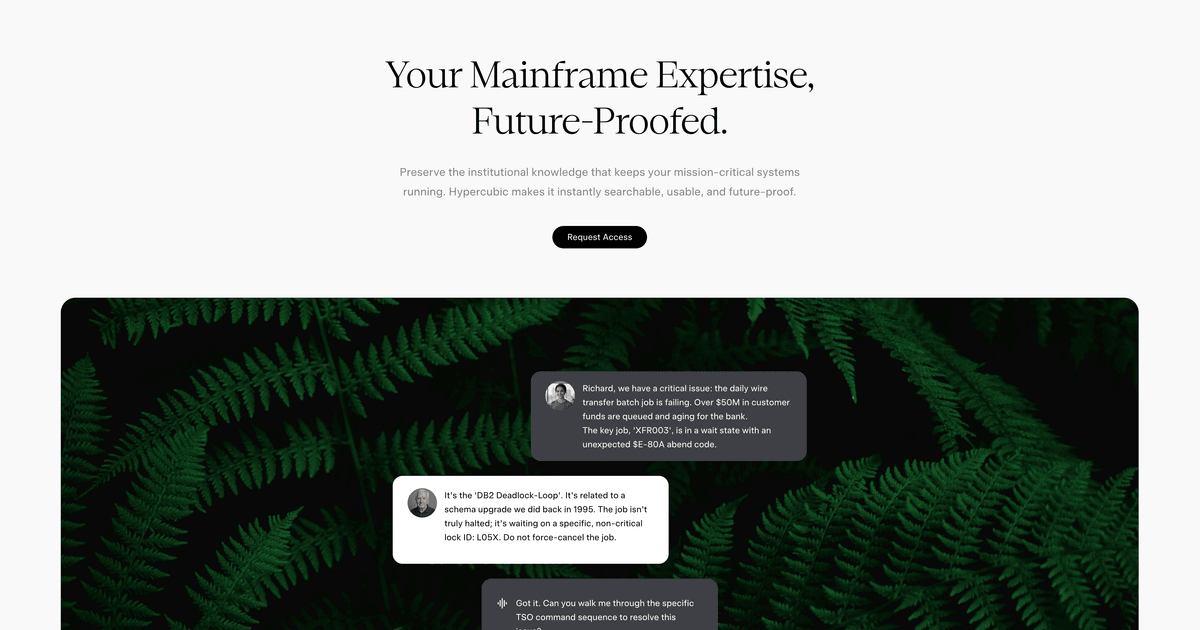
What is Hopper?
Hopper is an agentic development environment for mainframe operations, designed to connect AI agents to your z/OS systems. It supports mainframe workflows such as navigating TN3270, inspecting datasets, writing JCL, debugging jobs, querying VSAM, and operating inside z/OS from a modern development environment.
The core purpose is to help teams perform and troubleshoot common mainframe tasks through an agent-driven workflow, including an agentic development environment and a development flow described as “compile, test, ship in one prompt.”
Key Features
- TN3270 navigation by panel ID: The agent can drive an interactive TN3270 session using panel IDs, aligning automation with the way operators work on the terminal.
- Writes column-strict JCL: Hopper can generate JCL with column-strict formatting, which helps ensure the output matches mainframe requirements for job control statements.
- Inspects datasets and queries VSAM as SQL: It supports dataset inspection and VSAM querying using an SQL-style interface, aimed at making data access more straightforward in an agent workflow.
- JES diagnostics and spool failure decoding: The agent decodes spool failures into structured diagnostics and breaks down JES messages to identify an abend code, failing step, and source line.
- Autonomous workflows with approval gates: It can compile and parse JES return codes, perform actions such as NEWCOPY into CICS, and pause for approval before every change.
- A real TN3270 terminal experience: Hopper includes TN3270-like interaction support, including PF, PA, and attention-key support.
How to Use Hopper
- Download and install Hopper (available for Windows, macOS on Apple Silicon, and Linux via .deb and AppImage; other Linux distributions are supported via x64 AppImage).
- Connect Hopper to your LPAR and work within its development environment to interact with z/OS.
- Use prompts to drive common tasks, such as generating or updating JCL, running/debugging jobs, querying VSAM, and handling TN3270-driven navigation.
- Review changes when approval is required: Hopper can pause before applying modifications (for example, before actions like NEWCOPY into CICS).
If you do not have access to a mainframe, the page describes a “request credentials” flow where Hypercubic can provide credentials to try Hopper on their mainframe.
Use Cases
- Operators navigating interactive screens: Use the agent to drive a TN3270 session by panel ID, perform required navigation steps, and complete actions that normally require manual terminal operation.
- JCL creation and job execution: Generate column-strict JCL, then use Hopper’s JES return code parsing to understand execution outcomes.
- Mainframe debugging without heavy SDSF triage: Decode JESMSGLG, JESYSMSG, and SYSUDUMP into an abend code, failing step, and source line to reduce time spent searching through SDSF output.
- Data retrieval from VSAM: Query VSAM as SQL from the agent environment to inspect or retrieve data without manually constructing lower-level navigation and access routines.
- Change management with approval checkpoints: For workflows that include NEWCOPY into CICS, use Hopper’s paused approval step to review before making changes.
FAQ
Is Hopper limited to a specific platform?
The page lists downloads for Windows, macOS (Apple Silicon, arm64), and Linux (including .deb for Debian/Ubuntu and an AppImage for x64).
Does Hopper work with my own mainframe?
Yes. The page notes that you can connect Hopper to your own mainframe (including connecting to your LPAR). It also offers an option to request credentials to try it on Hypercubic’s mainframe.
Does Hopper support TN3270-style interaction?
Yes. Hopper “works exactly like the TN3270 you’ve used,” with support for PF, PA, and attention-key support, and it can drive sessions by panel ID.
Can Hopper help debug failed jobs?
Yes. It can decode JESMSGLG, JESYSMSG, and SYSUDUMP into structured diagnostics such as abend code, failing step, and source line.
Does Hopper apply changes automatically?
The page states Hopper can pause for approval before every change, including workflows where it performs actions like NEWCOPY into CICS.
Alternatives
- Conventional mainframe automation via scripting and terminal automation: Alternatives using TN3270 automation tools and scripts may cover similar terminal driving, but may not provide the same agent workflow that generates column-strict JCL and decodes JES/spool diagnostics.
- Traditional job scheduling and operational consoles: Mainframe operational tooling can manage and monitor jobs, but it typically won’t provide an agent that compiles/tests/ships “in one prompt” or decodes JES artifacts into structured debugging output.
- Agentic development environments for legacy systems: Other AI-agent platforms focused on enterprise systems can offer conversational automation, but fit will depend on whether they support mainframe-specific interactions like TN3270 panel control, JCL generation constraints, and JES/spool decoding.
- Database-focused access tooling for VSAM: Tools focused on accessing VSAM data can replace parts of the data-query workflow; however, they may not cover the end-to-end job, TN3270, and JES/debug loop described for Hopper.
Alternatives

AakarDev AI
AakarDev AI is a powerful platform that simplifies the development of AI applications with seamless vector database integration, enabling rapid deployment and scalability.

Arduino VENTUNO Q
Arduino VENTUNO Q is an edge AI computer for robotics, combining AI inference hardware and a microcontroller for deterministic control. Arduino App Lab-ready.

Devin
Devin is an AI coding agent that helps software teams complete code migrations and large refactoring by running subtasks in parallel.

MakerLoft
MakerLoft is an AI app builder for non-developers that connects to your GitHub repo to generate working apps with auth, payments, files, jobs.

open-codex-computer-use
open-codex-computer-use is an open-source “Computer Use” MCP server that lets AI agents run desktop GUI actions on macOS, Linux, and Windows.

Codex Plugins
Use Codex Plugins to bundle skills, app integrations, and MCP servers into reusable workflows—extending Codex access to tools like Gmail, Drive, and Slack.