

Kaneo
Kaneo is an open source, self-hosted project management tool with list/board views, GitHub issue syncing, and Docker data ownership from backlog to release.
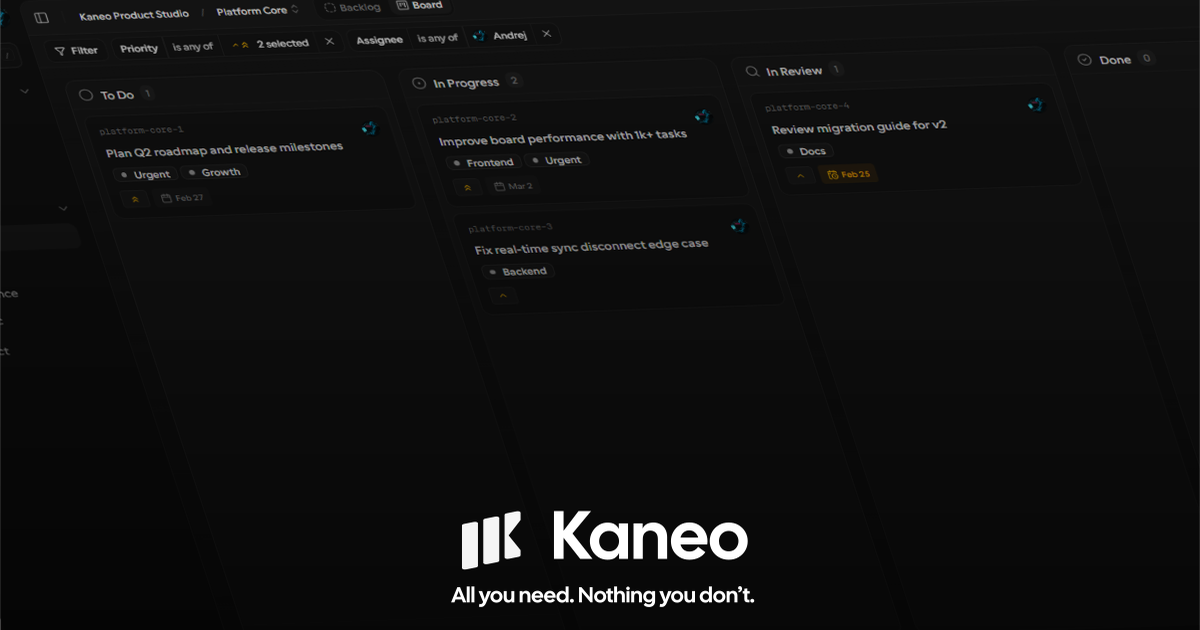
What is Kaneo?
Kaneo is an open source project management tool designed to support planning and execution from backlog to release. Its core purpose is to keep workflow management simple and focused—so teams can track ownership and progress without adding extra dashboard complexity.
Kaneo emphasizes clear execution through minimal surface area: you plan work, assign owners and priorities, and move tasks through statuses while keeping the same information synchronized across views.
Key Features
- Board and list views backed by one source of truth: plan in list view and execute in board view while keeping statuses, priorities, and labels in sync.
- Task status workflow: manage work through named stages such as To Do, In Progress, In Review, and Done.
- Ownership, due dates, and priorities: add owners, due dates, and priority signals to make execution responsibilities and timelines explicit.
- Labels for organizing initiatives: use labels to group and categorize work across backlog and active scope.
- Native GitHub integration: sync issues so product planning stays aligned with development execution.
- Privacy-first architecture: minimal analytics and a transparent approach intended for teams that want more control.
- Self-hosted deployment: run Kaneo by deploying with Docker to keep ownership of infrastructure and data.
How to Use Kaneo
Start by setting up Kaneo as a self-hosted application (the site indicates Docker-based deployment). After installation, create projects and add tasks to the backlog.
Use the list view to define priorities, due dates, owners, and labels. Then switch to the board view to move items through statuses as work progresses from planning to review and release. If you work with GitHub, use the native integration to sync issues and keep planning aligned with what’s being developed.
Use Cases
- Small product teams planning a release: maintain a backlog of tasks, assign owners and due dates, and move items across To Do → In Progress → In Review → Done as the release approaches.
- Engineering teams tracking work via GitHub issues: plan using Kaneo’s issue sync so that backlog planning reflects the same work items being worked on in development.
- Operations or internal programs with recurring tasks: organize initiatives with labels (e.g., training, migrations) and track progress through a consistent status workflow.
- Teams that want clarity without heavy process: use board/list views to keep execution visible while minimizing extra dashboard steps or unnecessary workflow overhead.
- Cross-functional collaboration across different work types: keep shared responsibility by attaching owners, priorities, and due dates to work items, while using labels to separate categories.
FAQ
-
Is Kaneo open source? Yes. The site describes Kaneo as an open source project management project.
-
Can I host Kaneo myself? Yes. The page states it is self-hosted by default and can be deployed with Docker.
-
Does Kaneo integrate with GitHub? Yes. The page mentions a native GitHub integration that syncs issues.
-
How does Kaneo handle planning and execution views? The site states you can plan in list view and execute in board view, with statuses, priorities, and labels kept in sync.
-
Does Kaneo focus on analytics? The page characterizes Kaneo as privacy first, citing minimal analytics and transparent architecture.
Alternatives
- Self-hosted issue trackers with project boards: Tools that use GitHub/GitLab-style issues and boards can cover similar planning-to-execution workflows, with different tradeoffs around how much customization and process they introduce.
- Kanban or task board tools: Dedicated kanban apps can provide board-style execution, though they may differ in how they handle “single source of truth” across views and whether they emphasize GitHub issue sync.
- Generic project management platforms: Larger PM suites often include many features and workflows; they may be a better fit when you need broader PM capabilities, but Kaneo positions itself as using a minimal surface area for execution clarity.
Alternatives

Biji
Biji is a versatile platform designed to enhance productivity through innovative tools and features.

BotBoard
Manage AI agents like a team with a shared backlog, structured context, and human review workflow to assign, track, and approve outputs.

Asana
Asana is an online work management platform for team projects and tasks—built for remote teams—and supports goal-based planning with AI.

Campee
Campee is an online planning poker tool for teams to run estimation sessions and compare relative estimates for work items.

Planndu: Daily Task Planner
Planndu is an intuitive productivity application designed to help users organize tasks, manage projects, build routines, and enhance focus using tools like AI generation and a built-in Pomodoro timer.

GitBoard
GitBoard is a native macOS menu bar app for GitHub Projects to view your kanban board, filter by status, search issues, and create or assign.