

Kodezi
Kodezi is an AI “CTO” that autonomously maintains, evolves, and governs your codebase—finding bugs, applying fixes, and updating docs.
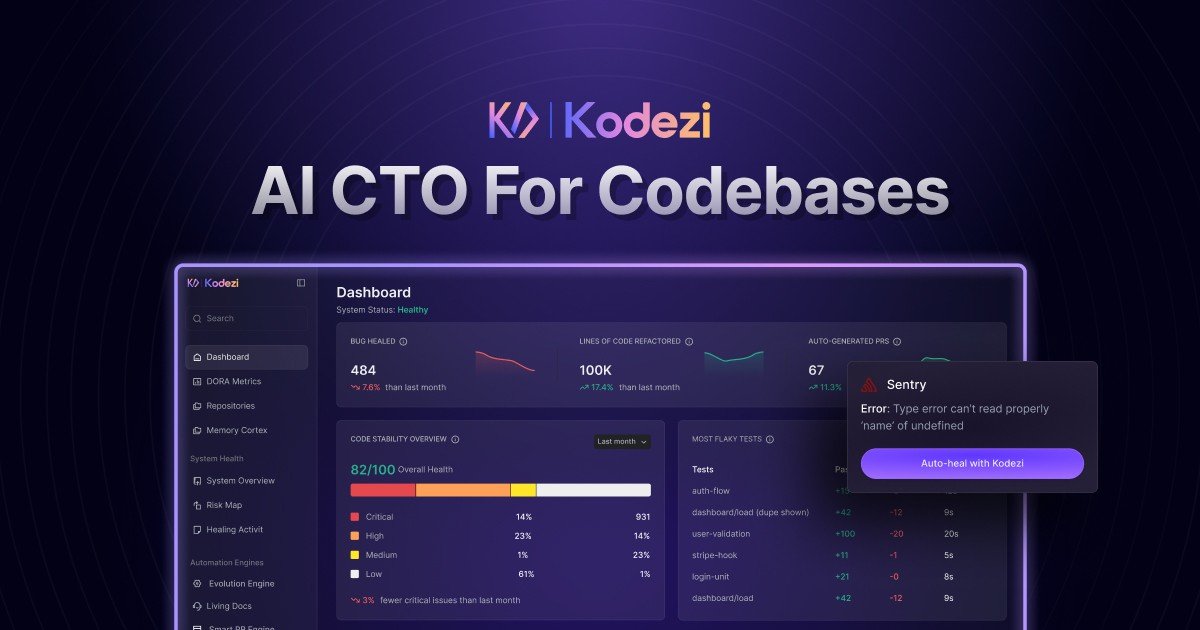
What is Kodezi?
Kodezi is an “AI CTO” for codebases: an autonomous system that maintains, evolves, and governs modern software as you build. The product is described as handling tasks like finding bugs, applying fixes, and updating documentation to keep a codebase healthy.
From the page content, Kodezi focuses on ongoing code health rather than one-off assistance, positioning itself as an operating system across your development workflow. It also includes components such as a CLI and tools for working with code.
Key Features
- Autonomous bug detection and fixes: Kodezi is described as “finding bugs” and “applying fixes,” aiming to keep issues from lingering until manual cleanup.
- Documentation updates after changes: the product states it can update documentation as part of the same maintenance loop, not just modify code.
- Real-time code refinement: examples on the page show code being streamlined by removing redundancy and applying best practices (e.g., replacing redundant code with a fragment, aligning with prop validation patterns).
- Iterative improvement after debugging: the page emphasizes a flow that refines code “after debugging,” then further refines it (“after refinement” and “after applying best practices”).
- Multiple ways to interact (OS, CLI, code tools): the navigation shows “Kodezi OS,” “Kodezi CLI,” and other code-focused entry points, indicating different interfaces for using the system.
How to Use Kodezi
Start by getting access to Kodezi through the product’s “Get Kodezi” flow. The page states a trial is available (“14 days” with “25 credits/day”), which implies you can try the system before committing.
Once enabled, use Kodezi through its available interfaces (notably the CLI and “Kodezi OS” entry points shown in navigation) to let it inspect your codebase, apply fixes, and update related documentation as it refines the implementation.
Use Cases
- Fixing common React/JavaScript code issues: The page’s example describes adding missing
PropTypesruntime validation and using default props to reduce bugs caused by missing or incorrect inputs. - Streamlining code during development: The example includes removing redundancy (replacing repetitive constructs with a React fragment), which targets maintainability and reduces unnecessary code volume.
- Applying best practices during refactors: The page shows refining a component to use additional state hooks (e.g., adding email input and login state) and structuring effects for data fetching.
- Maintaining code health as features are added: The product framing (“keeps your codebase healthy as you build”) suggests using Kodezi continuously so fixes and documentation updates happen alongside ongoing development.
- Iterative debugging-to-refinement workflow: The page highlights a sequence where Kodezi fixes issues, then further refines the code, indicating a loop rather than a single patch.
FAQ
-
Does Kodezi require a credit card? The page says “No credit card required” and mentions a 14-day trial.
-
What trial terms are listed on the page? It states “Trial for 14 days” and “Start free 25 credits/day.” The specific scope of what credits cover is not described in the provided content.
-
What kinds of changes can Kodezi make? The page explicitly mentions bug fixes, code refinement, and documentation updates.
-
How does Kodezi help with code correctness? The examples reference runtime prop validation (adding
PropTypes) and removing redundancies and aligning with best practices, both of which are aimed at reducing common sources of defects.
Alternatives
- AI code review and linting tools: These typically focus on finding issues and recommending changes rather than acting as an autonomous maintenance loop that also updates documentation.
- Code refactoring assistants: Tools that propose refactors can improve readability and structure, but may not include the same end-to-end behavior described here (debugging + fixes + documentation updates).
- AI debugging agents (IDE-integrated): Agents can help diagnose and resolve bugs inside an editor, but their workflow may be more interactive and less “OS-like” across an entire codebase.
- General-purpose developer productivity platforms: These may include code assistance and automation, but may not specialize in “autonomous operating system” style governance of code health.
Alternatives

Devin
Devin is an AI coding agent that helps software teams complete code migrations and large refactoring by running subtasks in parallel.

Codex Plugins
Use Codex Plugins to bundle skills, app integrations, and MCP servers into reusable workflows—extending Codex access to tools like Gmail, Drive, and Slack.

ClawTick
ClawTick is a CLI-first AI agent automation platform for scheduling webhook tasks on cron with monitoring, alerts, retries, and execution logs.

Falconer
Falconer is a self-updating knowledge platform for high-speed teams to write, share, and find reliable internal documentation and code context in one place.

OpenFlags
OpenFlags is an open source, self-hosted feature flag system with a control plane and typed SDKs for progressive delivery and safe rollouts.

AakarDev AI
AakarDev AI is a powerful platform that simplifies the development of AI applications with seamless vector database integration, enabling rapid deployment and scalability.