

MESA
MESA is a Shopify automation platform that turns plain-English requests into live multi-step workflows. Connect 100+ apps, use templates, automate store events.
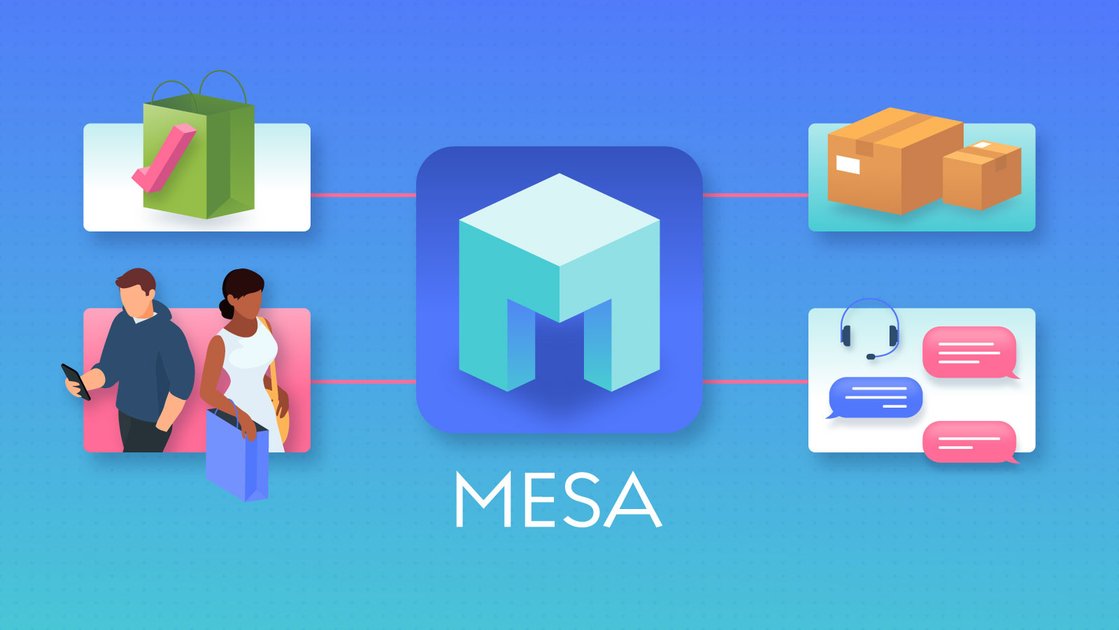
What is MESA?
MESA is a Shopify-focused automation platform that lets you describe the workflow you want in plain language and then builds and connects the steps automatically. It’s designed for merchants who want store automations without hiring a developer, using the apps and systems they already rely on.
The core purpose is to turn an intent—such as routing certain orders or sending customer data somewhere—into a working, multi-step automation that can run automatically once enabled.
Key Features
- Plain-English workflow creation: Tell MESA what should happen in your own words (e.g., “Tag VIP orders and ping #warehouse”), and it builds the corresponding multi-step workflow logic.
- Workflow building for order events and store actions: Create automations that react to Shopify events such as new orders and order totals, then perform actions like tagging orders.
- App-to-app connections via integrations: Connect to tools used in your stack; the site highlights 100+ integrations and specifically lists Shopify, Odoo, ShipStation, HubSpot, and others.
- Templates to start workflows quickly: Begin from 300+ templates, then connect your apps to go live in minutes.
- Automated reporting, alerts, and notifications: Set conditions so MESA watches for what matters and notifies the right place/person when something needs attention, and schedule automated reports that pull data across your tools.
- Human support for workflow setup: If you get stuck on a workflow, the site states that “real human support” is available, with experts building alongside you.
How to Use MESA
- Start a free trial and open MESA’s workflow builder.
- Describe your automation goal in plain language (for example, tag high-value orders and notify your warehouse channel).
- Let MESA build the workflow by selecting the necessary logic and connecting the required apps.
- Review the resulting steps, then turn the workflow on so it runs automatically from that point forward.
If you already know the workflow pattern you want, you can also pick a template, connect your apps, and launch.
Use Cases
- VIP order routing and notification: When a new order is received, check whether the order total meets a threshold; if so, tag the order (e.g., “VIP”) and send a notification to a specific Slack channel (e.g., #warehouse).
- Different handling for VIP vs. wholesale: Use separate conditions and notifications so VIP and wholesale orders route to different warehouse workflows or communication channels.
- Push orders/customers to Google Sheets: Export Shopify orders and customer information to Google Sheets automatically so downstream teams can work from a shared dataset without manual updates.
- Trigger personalized follow-ups after product purchase: When someone buys a specific product, automatically initiate a tailored follow-up workflow using a marketing/CRM tool such as Klaviyo.
- Sync inventory across systems: Coordinate inventory updates between Shopify and other systems to help keep availability consistent, with the goal of avoiding overselling as workflows manage the sync.
FAQ
-
Do I need to be a developer to use MESA? The product is positioned as “Shopify automation without the developer,” where you describe what you want in plain language and MESA builds the workflow.
-
What types of systems does MESA connect to? MESA connects to apps through integrations (the site lists 100+ integrations). It specifically mentions Shopify, Odoo, ShipStation, HubSpot, Google Sheets, and tools such as Klaviyo.
-
Can I start from a ready-made workflow instead of writing one from scratch? Yes. The site mentions 300+ templates you can choose from, then connect your apps to go live.
-
What happens after I turn a workflow on? The workflow runs automatically based on the defined triggers and conditions. The site’s example shows actions occurring when new orders are created and conditions (like order total thresholds) are met.
-
What if I’m stuck building a workflow? The site states there is real human support where experts build alongside you when a workflow needs help.
Alternatives
- Zapier (automation workflows): An adjacent automation platform for connecting apps and building workflows; typically used as a general-purpose automation tool rather than being explicitly designed for Shopify workflow creation.
- Shopify Flow / Shopify-native automation tools: Alternatives focused on automations inside Shopify’s ecosystem, often better when you want Shopify-only event triggers and actions.
- Custom automation via webhooks + an integration/ETL tool: If you have engineering resources, you can build and maintain workflows using webhooks and backend services; this shifts effort from no-code building to custom development and maintenance.
- Workflow management platforms for operational processes: Tools that coordinate tasks and approvals (rather than app-to-app data automation) can be an alternative when the main need is internal routing and human task management, not syncing data across systems.
Alternatives

Codex Plugins
Use Codex Plugins to bundle skills, app integrations, and MCP servers into reusable workflows—extending Codex access to tools like Gmail, Drive, and Slack.

Struere
Struere is an AI-native operational system that replaces spreadsheet workflows with structured software—dashboards, alerts, and automations.

Make Real
Draw a UI and make it real using the tldraw SDK.

OpenFlags
OpenFlags is an open source, self-hosted feature flag system with a control plane and typed SDKs for progressive delivery and safe rollouts.

AakarDev AI
AakarDev AI is a powerful platform that simplifies the development of AI applications with seamless vector database integration, enabling rapid deployment and scalability.

Whirr
Whirr is a quiet macOS menu bar app that mirrors Claude Code agent activity to your Mac’s notch—so you can glance without watching the screen.