

Operations
Operations is a Chrome new-tab command center for consolidated per-project GitHub PRs/issues, links, credential vault, notes, and bookmarks—on-device.
What is Operations?
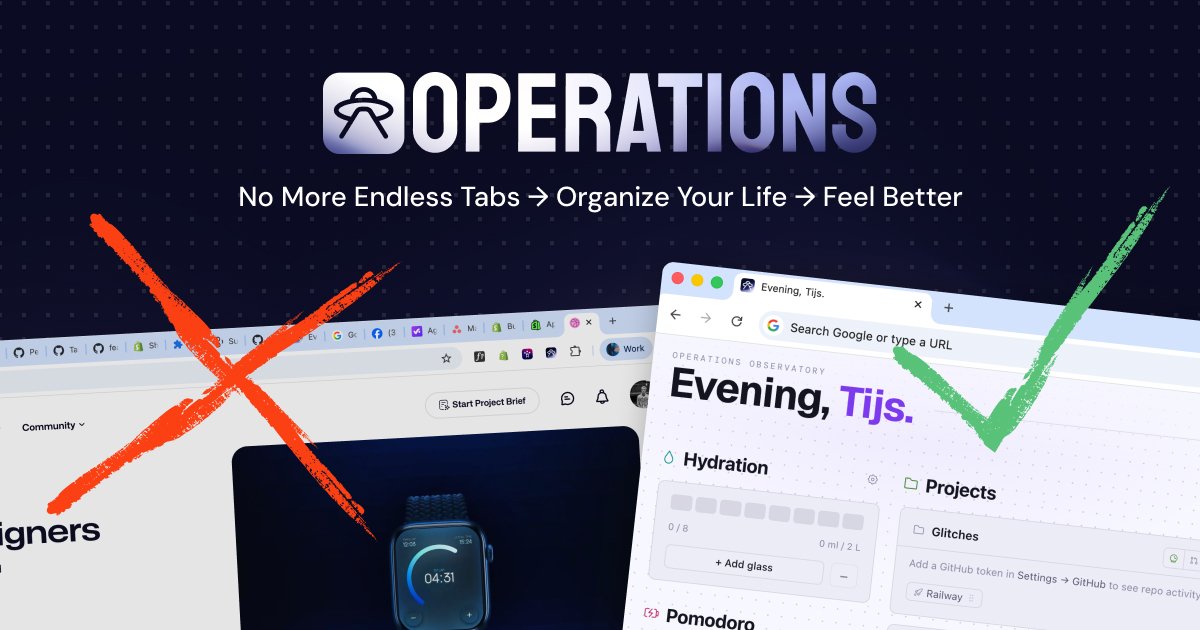
Operations is a Google Chrome extension that replaces the browser’s new-tab page with a project-focused dashboard. It consolidates day-to-day project context—GitHub activity, project links, credentials, notes, todos, and bookmarks—so you can access what you need without switching between many tabs.
The extension groups information per project and shows it every time you open a new tab (e.g., via Cmd‑T / Ctrl‑T). Your dashboard state can be exported and imported as a single JSON file, and dashboard data stays on your device in local Chrome storage.
Key Features
- Project-grouped dashboard on every new tab: keeps PRs/issues, links, notes, and bookmarks organized by project rather than scattered across tabs.
- GitHub activity consolidation: surfaces your open pull requests and issues across organizations in one place for quick review.
- Project cards with live repository and documentation URLs: provides direct access to relevant repositories and their documentation links.
- Per-project credential vault: stores API keys and tokens scoped to each project so credentials are easier to locate.
- Project-scoped notes: maintains notes in a way that stays tied to the relevant project.
- Bookmarks carousel: offers quick-access links in a dedicated section of the dashboard.
- Export/import as JSON: lets you transfer your full dashboard state (projects, notes, bookmarks, vault entries, and preferences) as a single JSON file.
- On-device storage for dashboard data: projects, notes, bookmarks, vault data, and third-party tokens are stored in
chrome.storage.local. - Minimal backend usage: the backend is used for license-key activation, device cap handling, and subscription billing via Stripe, plus PPP geolocation.
How to Use Operations
- Install the Operations Chrome extension from the Chrome Web Store.
- Activate your license key (if applicable) when prompted by the extension.
- Create and organize your projects within Operations.
- Connect or add the information you want per project—such as GitHub repositories/links, credentials for the per-project vault, notes, and bookmarks.
- Open a new tab to use the dashboard as your primary “command center,” then export/import your JSON backup when you need to move or restore your setup.
Use Cases
- Developer triage across multiple repositories: review open pull requests and issues without opening multiple GitHub tabs, using the project-grouped dashboard.
- Product manager follow-ups: access project-scoped notes and bookmarks tied to specific initiatives while tracking PRs and issue status.
- Agency lead or consultant managing parallel client work: keep client/project context separated by project cards, including saved links and per-project credentials.
- Founder coordinating technical and operational threads: store API keys/tokens and documentation links per project, and keep quick notes available on every new tab.
- Team workflow backup and migration: export the entire dashboard state as JSON and import it later to restore projects, notes, bookmarks, and vault entries.
FAQ
Where does Operations store my data?
Operations keeps dashboard data (projects, notes, bookmarks, vault entries, and third-party tokens) in chrome.storage.local on your device.
Can I move my dashboard to another browser or device? Yes. The extension supports exporting and importing your dashboard state as a single JSON file.
What does “per-project” mean in Operations? The dashboard groups repositories/links, credentials (API keys and tokens), and notes under their corresponding project, so information is scoped to the project card you’re working on.
Does Operations run only in the browser or does it use a backend? The extension runs in your browser. A minimal backend is used for license-key activation, per-account device cap enforcement, subscription billing via Stripe, and PPP geolocation.
What types of content can I access from the new-tab dashboard? The dashboard consolidates GitHub open pull requests and issues, project links (including documentation URLs), a per-project credential vault, project-scoped notes, and a bookmarks carousel.
Alternatives
- Dedicated GitHub dashboards or PR/issue trackers: alternative approaches that focus mainly on GitHub activity, typically without a combined per-project credential vault and new-tab layout.
- Browser tab/session managers: tools that reduce tab switching by organizing open tabs, but usually don’t consolidate PRs/issues, notes, credentials, and bookmarks into a single project-scoped dashboard.
- Notes-and-bookmarking tools with project tags: alternatives for organizing notes and links by project, though they may not provide the same GitHub pull request/issue consolidation and credential vault per project.
- General project management boards: alternatives for tracking tasks and links across initiatives, usually requiring more manual navigation than a new-tab command center.
Alternatives

PromptScout
PromptScout tracks how your brand is mentioned, which competitors are recommended, and what sources are cited in AI answers—plus website audits.

Lasso
Lasso is an AI-first PIM for ecommerce teams that enriches product attributes and descriptions, processes supplier data, and monitors competitors via app or API.

Biji
Biji is a versatile platform designed to enhance productivity through innovative tools and features.

Sleek Analytics
Lightweight, privacy-friendly analytics with real-time visitor tracking—see where visitors come from, what they view, and how long they stay.

Struere
Struere is an AI-native operational system that replaces spreadsheet workflows with structured software—dashboards, alerts, and automations.

MacSpoof
MacSpoof is a macOS MAC address changer that lets you change or randomize your Wi‑Fi MAC to reconnect and limit device logging on public Wi‑Fi.