

Plate
Plate is a clean, fast workspace for planning projects and organizing tasks—so you can keep work moving forward with less friction.
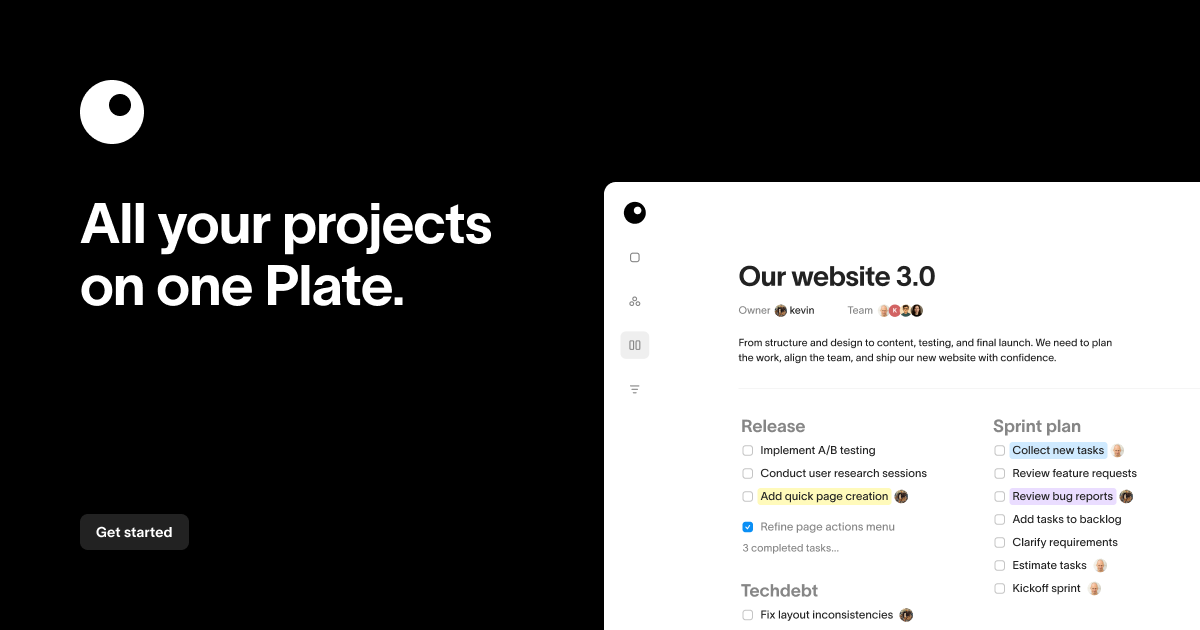
What is Plate?
Plate is a clean, fast workspace for planning projects and organizing tasks. Its core purpose is to help you keep projects and work moving forward by bringing planning and task organization into one place.
Based on the site’s description, Plate focuses on the day-to-day workflow of handling project work—organizing tasks, planning what’s next, and maintaining momentum as work progresses.
Key Features
- Project planning workspace: Use a single workspace to plan projects, so project context and next steps stay together.
- Task organization: Keep tasks organized within the same environment used for planning.
- Move work forward: Structure your workflow to support ongoing progress from planning to execution.
- Clean, fast interface: The interface is described as clean and fast, aimed at reducing friction during daily work.
How to Use Plate
- Create or open a project in your Plate workspace.
- Plan the project by outlining what you want to do and how work should progress.
- Organize tasks associated with the project so each task has a clear place in the workflow.
- Continue iterating as tasks are completed and the project evolves, using the same workspace to keep context.
Use Cases
- Individual project planning: Use Plate to outline a personal project and keep associated tasks organized so you can focus on what’s next.
- Team task tracking (lightweight): Use a shared project workspace to organize tasks tied to project plans and maintain an up-to-date view of work.
- Organizing cross-phase work: Keep planning details and execution tasks together when a project moves through multiple stages.
- Day-to-day project management: Use Plate as your daily workspace to plan upcoming work and organize tasks so progress is continuous.
- Centralizing project information: Consolidate project planning and task organization in one location to reduce switching between tools.
FAQ
-
What does Plate help with? Plate helps you plan projects and organize tasks in a clean, fast workspace so you can move work forward.
-
Is Plate a project management or task tool? Based on the site description, it supports both project planning and task organization within one workspace.
-
What kind of workflow does Plate support? The site positions Plate around planning projects, organizing tasks, and progressing through work over time.
-
What makes Plate different? The main differentiators mentioned are a clean, fast workspace and keeping project planning and task organization together.
Alternatives
- Traditional project management tools: General-purpose platforms (often with Gantt charts, boards, and deeper reporting) can be better if you specifically need richer scheduling or analytics beyond a workspace for planning and task organization.
- Lightweight task managers: Tools focused primarily on to-do lists may be simpler, but you may need an additional place to plan projects compared with keeping planning and tasks in one workspace.
- Kanban/board-based workflow tools: Board tools can be strong for visual task movement, but may require separate project planning structures if you want everything in one place.
- Note-based project trackers: Writing and organizing project info in notes can work for small workflows, but may lack dedicated task organization features within the same workspace.
Alternatives

Biji
Biji is a versatile platform designed to enhance productivity through innovative tools and features.

Planndu: Daily Task Planner
Planndu is an intuitive productivity application designed to help users organize tasks, manage projects, build routines, and enhance focus using tools like AI generation and a built-in Pomodoro timer.

Decision Jar
Create virtual jars of options with Decision Jar—shake your phone to pick instantly, use AI suggestions, and view decision logs over time.

BotBoard
Manage AI agents like a team with a shared backlog, structured context, and human review workflow to assign, track, and approve outputs.
MealTime
MealTime is your personal, offline-first recipe companion designed to help you save, organize, plan meals, and generate smart grocery lists, all while keeping your data private.

Clawcard
Clawcard: AI agents get a real inbox, phone number & virtual credit card for OpenClaw. Secure, autonomous agent operations.