

vibespace
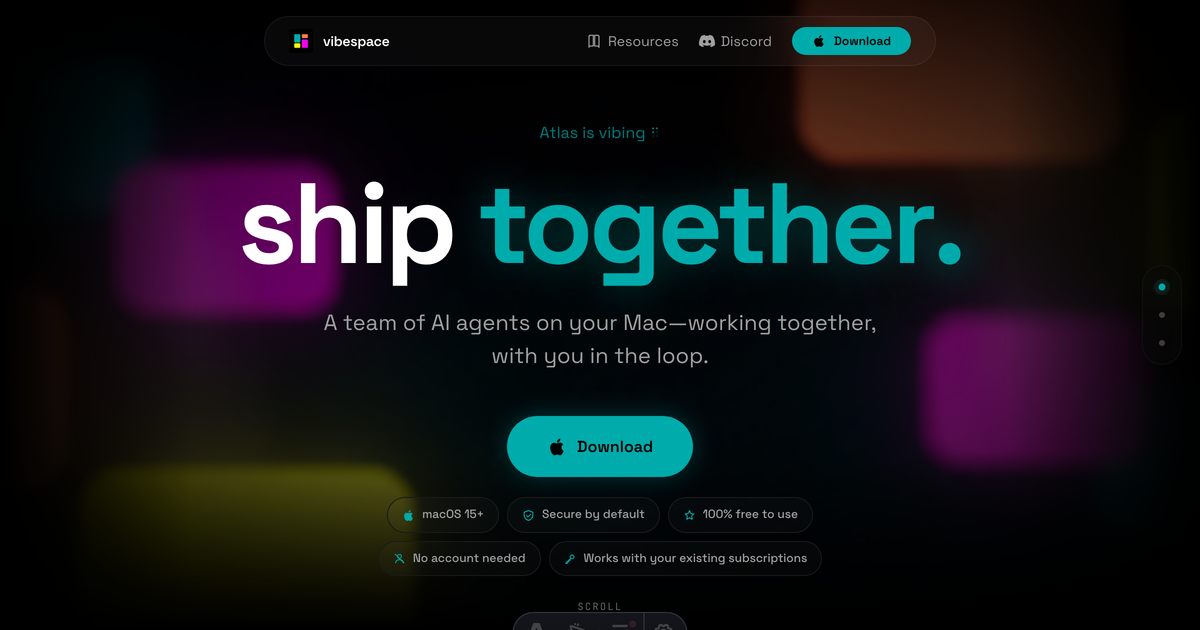
vibespace is an AI agent team app for macOS. Run collaborative Claude Code and Codex agents in isolated containers with live previews.
What is vibespace?
vibespace is an app for macOS that runs teams of AI agents locally on your Mac. The agents collaborate with you “in the loop,” and can work together to turn a prompt into shipped outputs.
The core purpose is to help you coordinate multiple agent roles on your Mac while keeping their work organized and isolated in agent containers. It also forwards artifacts as previews so you can see what the team produced.
Key Features
- AI agent teams on your Mac: Start with a prompt and let a primary agent create a specialized team that collaborates with you and with each other in real time.
- Isolated container-based execution: Agents run in isolated containers, intended to keep their activity separated while they work together.
- Live previews of shipped artifacts: Outputs such as brand guides, market briefs, and landing pages are shown as live previews forwarded from the agent container.
- Works with existing subscriptions: Use the tool with your current subscriptions rather than requiring new service sign-ups (as described on the page).
- Downloadable macOS app: The page indicates a macOS 15+ requirement and provides a download path via vibespace.build.
How to Use vibespace
- Install the app on macOS 15+ from vibespace.build (the site also references downloading via GitHub).
- Set up any required access based on what you already have: the page states it works with your existing subscriptions, and does not require an account.
- Run an agent team from a prompt: provide your goal, and the primary agent creates a specialized team to handle the work.
- Review live previews: use the forwarded previews to track what the team shipped (e.g., briefs, guides, landing page artifacts).
- Continue iterating with the team and your input: as the agents collaborate, stay in the loop to steer direction.
Use Cases
- Launch a marketing landing page: Provide a landing-page goal, then review live previews of the landing page artifact(s) produced by the agent team.
- Create a brand guide: Start with brand requirements in a prompt, then check the forwarded preview of the resulting brand guide.
- Draft a market brief: Describe your market or product context and review the shipped market brief preview as the team completes it.
- Coordinate multi-step deliverables: When a task involves multiple artifacts (e.g., guide + brief + page), use the prompt-to-team flow to have different agents handle different pieces, then review the shipped outputs.
- Iterate with human input: Keep yourself involved while the team works in real time, using the previews to confirm direction before continuing.
FAQ
-
Does vibespace require an account? The page states “No account needed.”
-
What macOS version is required? The site lists macOS 15+.
-
Does vibespace replace my existing AI subscriptions? The page says it works with your existing subscriptions.
-
How does vibespace show what the agents produce? It forwards artifacts as live previews (for example, brand guides, market briefs, and landing pages).
-
Where can I download vibespace? The page indicates you can download from vibespace.build and also references a GitHub link.
Alternatives
- Local multi-agent workflow tools: Instead of a Mac app that runs teams in containers, you may use a workflow/orchestration tool that coordinates multiple agents and streams outputs locally.
- Single-agent coding assistants: Tools focused on one agent at a time may be simpler for small tasks, but they won’t inherently provide the same prompt-to-team collaboration flow and live multi-artifact previews described here.
- Cloud-based agent platforms: Some platforms run agents remotely and may support collaboration, but they differ by where the work runs (remote vs. on your Mac) and how isolation is handled.
- Team collaboration for docs/design: If your main need is drafting and iterating artifacts, collaborative doc/design tools can complement or replace agent outputs, though they don’t provide the same agent container team workflow from a prompt.
Alternatives

BotBoard
Manage AI agents like a team with a shared backlog, structured context, and human review workflow to assign, track, and approve outputs.

Devin
Devin is an AI coding agent that helps software teams complete code migrations and large refactoring by running subtasks in parallel.

Claude Opus 4.5
Introducing the best model in the world for coding, agents, computer use, and enterprise workflows.

Biji
Biji is a versatile platform designed to enhance productivity through innovative tools and features.

Codex Plugins
Use Codex Plugins to bundle skills, app integrations, and MCP servers into reusable workflows—extending Codex access to tools like Gmail, Drive, and Slack.

AakarDev AI
AakarDev AI is a powerful platform that simplifies the development of AI applications with seamless vector database integration, enabling rapid deployment and scalability.