
Direct App Store Connect data access
Connect an App Store Connect Team Key and use Apple’s sales and reports data directly inside the app instead of opening a browser.

AppScout is an iPhone app for developers who want to monitor App Store Connect sales data, including downloads, revenue, refunds, and trends, from a mobile dashboard. It uses Apple’s App Store Connect API and requires a Team Key and Vendor Number to connect.
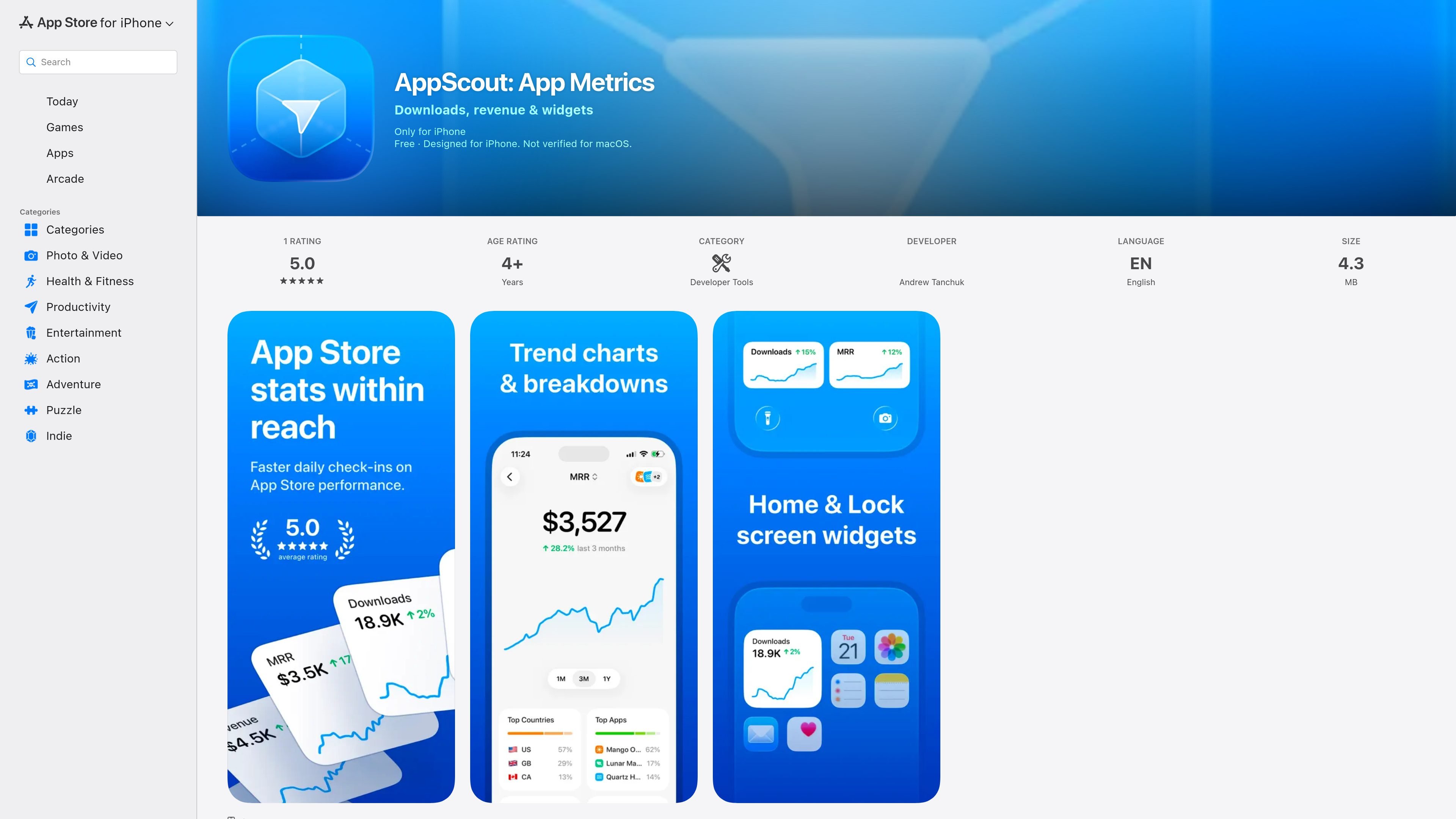
AppScout is an iPhone app for iOS developers who want a compact way to monitor App Store Connect sales data. It connects to Apple’s App Store Connect API with a Team Key and Vendor Number, then surfaces downloads, revenue, refunds, trends, and breakdowns in a focused dashboard.
The listing emphasizes that the private key stays on the device through the iOS Keychain and that the app does not use its own backend or account system. AppScout is aimed at developers and teams that already manage apps in App Store Connect and want a more direct view of performance data on mobile.
Connect an App Store Connect Team Key and use Apple’s sales and reports data directly inside the app instead of opening a browser.
View downloads, revenue, refunds, trends, and recent sales or refund activity in one dashboard focused on iOS app performance.
Break results down by app, country or region, device, and product type to spot where changes are coming from.
Switch between apps and metrics, and review charts across recent periods for a clearer view of movement over time.
Explore the app with demo data before setup, which makes it easier to understand the workflow before entering your own credentials.
Use lock screen widgets to surface selected metrics without opening the full app.
Check downloads, revenue, and refunds from your iPhone when you want a quick status update without logging into a desktop browser.
Review recent sales activity and charted trends to understand how app performance changes over time after a release or pricing change.
Compare app performance by country, device, or product type when you need to understand where results are coming from.
Use the app as a lightweight companion for developers and teams already working in App Store Connect who want mobile access to sales reports.
Try demo data first to understand the interface and reporting layout before connecting your own App Store Connect credentials.
AppScout is designed for iPhone and is built around Apple’s App Store Connect API. The listing also notes compatibility with Mac and Apple Vision, but only with newer OS requirements and hardware support.
The app requires your own App Store Connect Team Key with Sales and Reports access, plus your Vendor Number. The listing says it is intended for developers and teams who already use App Store Connect.
AppScout shows downloads, revenue, refunds, trends, and breakdowns in a single dashboard. It also includes charts, recent sales activity, and an option to explore the app with demo data before setup.
The listing says AppScout keeps your private key on your device, stores it in the iOS Keychain, and does not use an AppScout account or backend. It also states that the app does not collect data and does not include ads or tracking SDKs.
The available source material does not describe a subscription, IAP, or paid pricing structure for AppScout. The app listing labels it as Free, but no separate pricing page details are provided.

PromptScout tracks how ChatGPT, Gemini, Google AI Overviews, and Perplexity mention your brand or competitors, then pairs those results with source analysis and website audits. It helps teams decide what to fix in content, positioning, or site readiness next.

SaveMRR is a Stripe retention tool for SaaS teams that scans billing data for churn and MRR leaks, then automates recovery through dunning, cancel-save offers, win-back emails, and onboarding nudges. It is built for founders and bootstrapped teams using Stripe.

Hype is a web tool for finding trending YouTube topics by category, time range, and scoring mode. It helps creators spot emerging ideas, inspect source videos, and decide what to cover next.

Sleek Analytics is a privacy-friendly web analytics tool with real-time visitor tracking, Core Web Vitals, and revenue attribution. It helps site owners understand traffic and conversions without cookie banners or a heavy setup.

Struere is an AI-native platform for turning spreadsheet data into structured operational software with dashboards, alerts, and automations. It is aimed at teams that want to replace manual spreadsheet workflows without building custom tools from scratch.

ClayHog é uma plataforma de visibilidade em AI search para monitorar marcas no ChatGPT, Gemini, Perplexity, Claude e Google AI Overviews.