
Scan-aware barcode generation
Generate barcode artwork from entered digits while keeping the underlying barcode structure intact for scanning.

BARKOD is an artistic barcode generator that creates stylized barcode graphics from entered digits and exports them as SVG. It is aimed at designers who want barcodes that fit a visual layout while still being intended to scan.
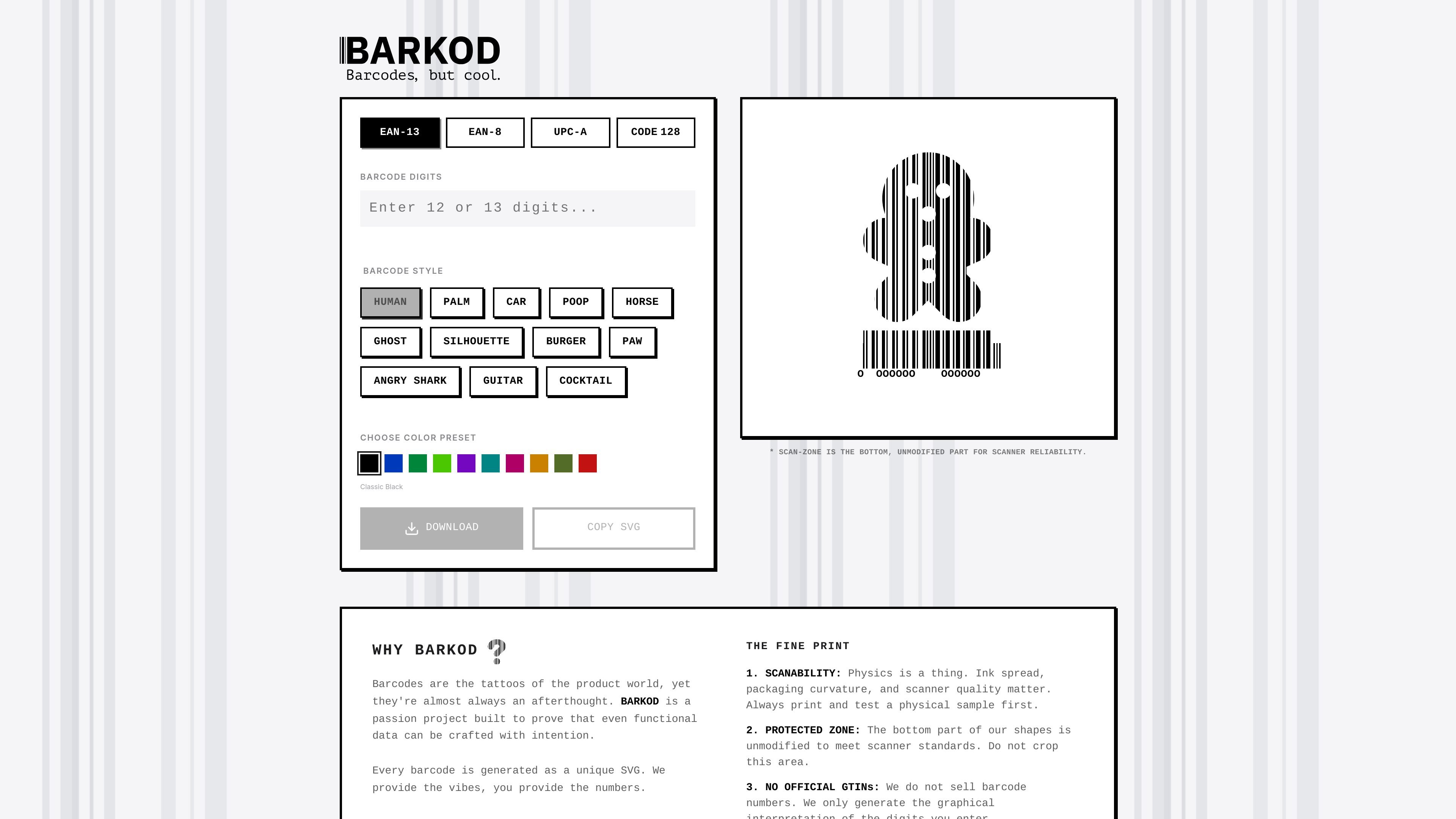
BARKOD is an artistic barcode generator that turns entered digits into stylized barcode graphics. It is built for designers and other users who want a barcode that is still intended to scan, rather than a plain functional mark.
The interface supports several common barcode formats, including EAN-13, EAN-8, UPC-A, and Code 128. It emphasizes SVG output, a protected scan-zone at the bottom of the barcode, and copy-or-download actions for moving the result into a design workflow.
Generate barcode artwork from entered digits while keeping the underlying barcode structure intact for scanning.
Export each result as a unique SVG so the artwork stays crisp and editable in design workflows.
Switch between supported barcode types including EAN-13, EAN-8, UPC-A, and Code 128.
Apply stylistic presets and illustrated shapes such as animals, objects, and symbols to change the barcode appearance.
Choose a color preset, including a classic black option, to control the final look of the graphic.
Copy the SVG directly or download it after generation for use in other tools.
Create barcode graphics for packaging, labels, or product visuals where the barcode needs to fit a designed layout instead of looking purely utilitarian.
Generate editable SVG barcodes for mockups, concepts, and presentations that need to keep a polished visual style.
Choose a supported format and enter digits when you need a barcode graphic for common retail or logistics use cases.
Experiment with different shapes and color presets when you want the barcode to match a theme or brand direction.
Copy the SVG into another design tool or download it for later use in a production file.
It generates barcode visuals from the digits you enter and exports them as SVG files.
The page shows support for EAN-13, EAN-8, UPC-A, and Code 128 barcode formats.
The bottom scan-zone stays unmodified so scanners can read the barcode reliably.
The site states that you can download the SVG or copy the SVG output after generating a barcode.
The site notes that it does not sell barcode numbers or GTINs; it only generates the graphical interpretation of the digits you enter.

Napkin AI transforma texto em visuais editáveis para apresentações, documentos e conteúdo partilhável. Geração a partir de texto e exportação para PPT, PNG, SVG ou PDF.

Refero MCP for AI agents connects an MCP-compatible agent to Refero’s curated library of web and iOS product interfaces and user flows. It helps agents research real design patterns before generating UI, with access included in the Refero Pro plan.

创客贴 AI é uma plataforma de design inteligente alimentada por IA que inclui várias ferramentas de design de IA para ajudar os usuários a reduzir a complexidade do design e melhorar a eficiência do design.

Make Real is a Next.js app that turns hand-drawn wireframes into working HTML prototypes using the tldraw SDK and AI models. It helps users sketch on a canvas, generate code, and review the result in an embedded preview.

Frames ajuda a criar rapidamente pôsteres de lançamento e artes para marketing em redes sociais com molduras premium e templates para Instagram, Twitter e Product Hunt. Comece grátis.

GPTIMG2 AI is a web-based image generator built around OpenAI’s GPT Image 2 model. It supports prompt-driven generation, reference-based edits, readable text, and higher-resolution outputs for product visuals, posters, UI mockups, ads, and similar production assets.