
Real-time chord detection
Identify chords as you play, including extensions, inversions, and slash chords. The page gives examples such as Cmaj9#11, Eb/G, and Gsus4.

ChordViz is a standalone visual workspace for music teachers and creators on Mac and Windows. It turns live MIDI and audio into chord names, notation, theory visuals, and audio-reactive meters, and can record video, audio, or MIDI from inside the app.
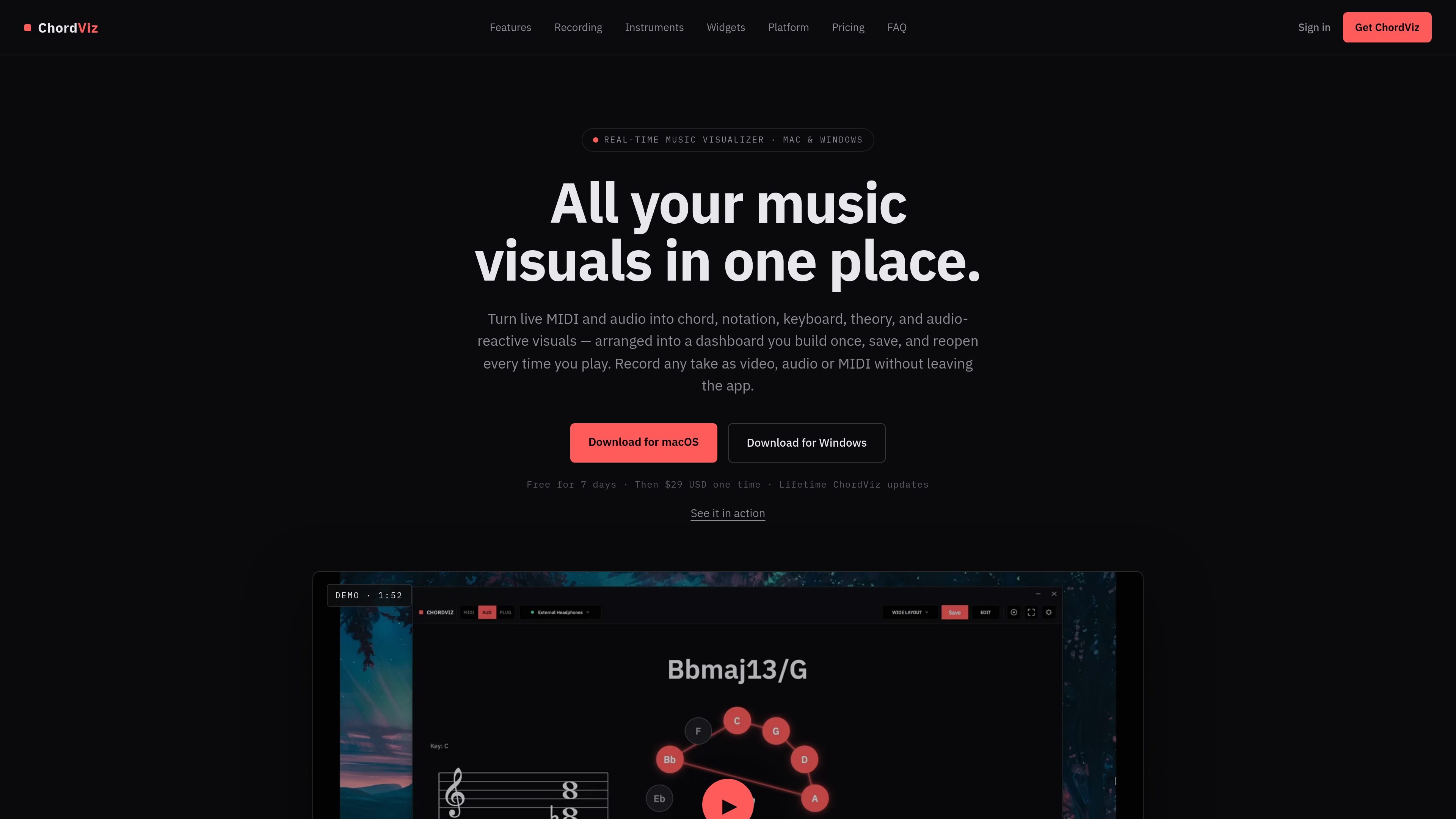
ChordViz is a standalone visual workspace for music teachers and creators on Mac and Windows. It turns live MIDI and audio into chord names, notation, theory visuals, and audio-reactive meters so you can see what you are playing while you play it.
The app combines dashboard-style widgets, instrument hosting, and built-in recording. You can arrange a layout, save it, reopen it later, and capture video, audio, or MIDI without leaving the app or loading it into a DAW.
Identify chords as you play, including extensions, inversions, and slash chords. The page gives examples such as Cmaj9#11, Eb/G, and Gsus4.
Arrange up to 18 widgets on a snap-to-grid dashboard, with free placement available while editing. Layouts can be saved and reopened later.
Combine theory visuals, meters, and performance tools in one view, including keyboard, grand staff, circle of fifths, chromatic strip, oscilloscopes, spectrum, spectrogram, waveform, VU, LUFS, stereo correlation, metronome, beat bar, and webcam.
Record video, audio, or MIDI directly in the app. Video captures include the audio mix, audio exports can be stereo WAV up to 32-bit float, and MIDI exports include tempo and time signature.
Load VST3 instruments on Mac and Windows, or Audio Units on Mac. Instruments are scanned in separate helper processes and the chosen instrument and patch are saved with the layout.
Choose dark or light mode, accent colors, glow, background images, and fonts, then save whole setups as presets and set a default on launch.
Teachers can show chord names, staff notation, the circle of fifths, and a keyboard view while demonstrating a progression. The interface is meant to keep theory visible alongside the notes being played.
Performers can use fullscreen or focus mode to hide controls and keep only the visual widgets on screen. This is aimed at stage use and second-screen display.
Creators can record video, audio, or MIDI without opening another app. ChordViz also saves every take and copies it to the clipboard, which makes it easier to move clips into a DAW or editor.
Players can load their own VST3 or Audio Unit instruments, save the patch with the layout, and reopen the same setup later. The source says ChordViz scans plugins in separate helper processes for stability.
You download ChordViz and open it. The 7-day trial starts on first launch, and the source says there is nothing to sign up for and no payment information to enter.
No. The source states that you can use ChordViz free for 7 days without a credit card.
ChordViz exports video, audio, and MIDI from inside the app. Video can be saved as .mov or .mp4 on Mac and .mp4 on Windows; audio is exported as stereo WAV up to 32-bit float; MIDI is exported as a standard MIDI file with tempo and time signature included.
ChordViz is a standalone app for Mac and Windows, so it runs on its own without a DAW. The source also says Linux support is in development.
The pricing page is not available, but the home page states ChordViz Founder License is $29 USD one time, includes permanent updates, and activates on 2 devices.

LALAL.AI is an AI audio processing platform for stem separation, voice cleanup, and voice transformation. It supports browser-based upload, preview, and download workflows for audio and video files, plus premium and enterprise options.

Kits AI is an AI music production platform for voice cloning, vocal generation, and vocal processing. It offers a Free plan, paid tiers, and a Windows desktop app for producers and creators working with studio-style audio workflows.

ElevenMusic is a web-based music platform for discovering tracks, remixing music, and creating original songs. It also supports prompt-led generation with mood tags and account-based saving for libraries, generations, and playlists.

MeetStream is a meeting bot API for Zoom, Google Meet, Microsoft Teams, and Webex. It helps developers record, stream, and analyze meetings programmatically, with usage-based pricing and a $5 free credit to start.

CAMB.AI Streams dubs live audio in multiple languages in real time for broadcasts on platforms like YouTube, Twitch, and X. It plugs into existing live workflows using common streaming protocols and avoids a post-production step.

AI Song Maker is a web-based AI music generator that creates songs from text or lyrics and includes related tools such as vocal removal, track extension, and section replacement. It offers free and paid plans with credits, downloads, and commercial-use terms described on the pricing page.