
Auto labeling
Dimension automatically categorizes and tags incoming messages so the inbox is organized before you open it.

Dimension is an AI work assistant with an email workflow that labels messages, drafts replies, and summarizes threads. It helps people review inboxes faster while keeping final sending under user control.
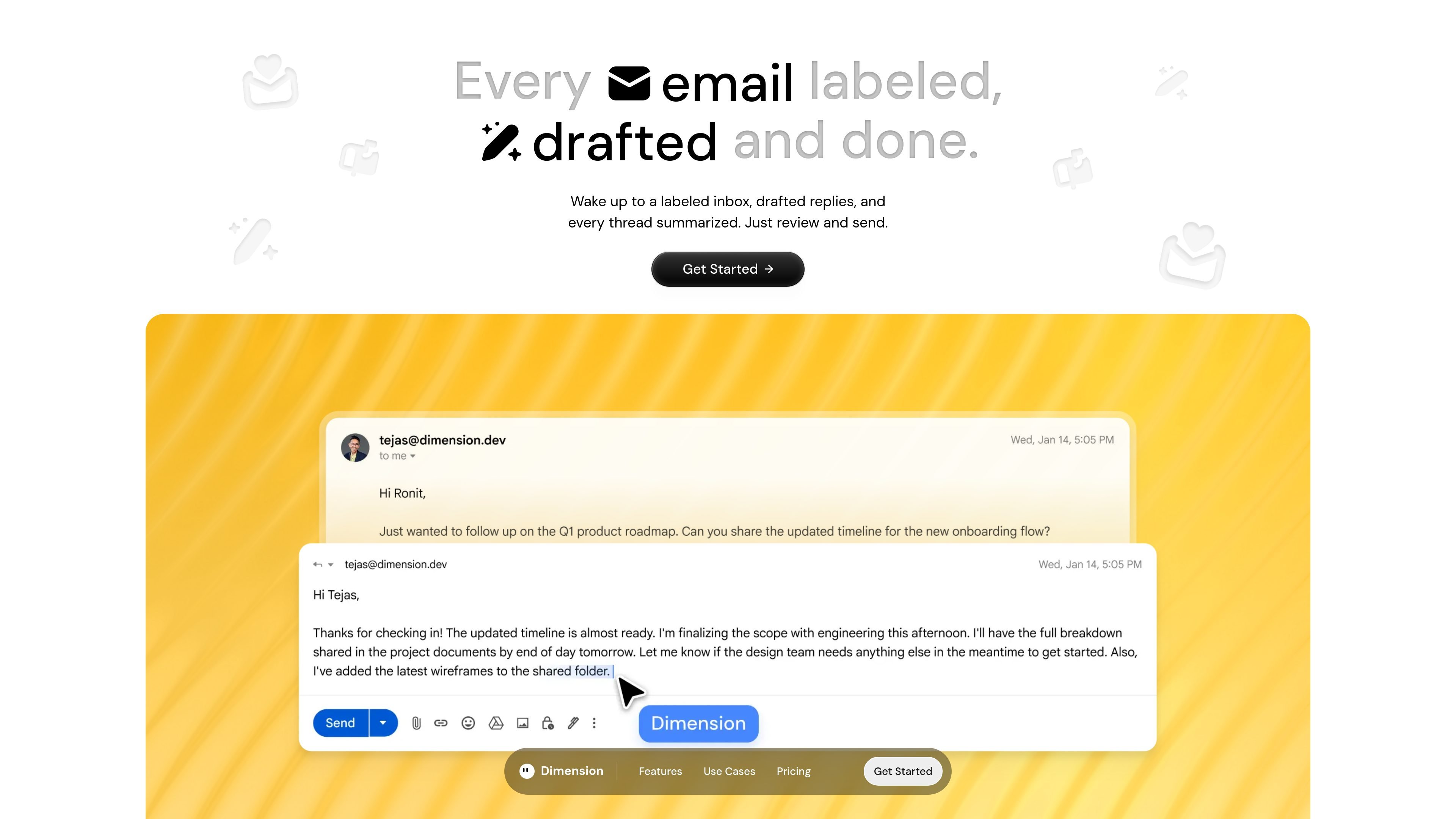
Dimension is an AI work assistant with a dedicated email workflow that labels messages, drafts replies, and summarizes threads. On the email page, it is positioned as a way to wake up to a labeled inbox, prepared replies, and concise catch-up summaries so you can review and send faster.
The product learns from your calendar, documents, and writing tone to support email handling without taking over the final send step. The pricing page places it in a broader assistant category with 30+ integrations, morning and evening briefings, meeting prep, daily recaps, and AI agents for deeper work.
Dimension automatically categorizes and tags incoming messages so the inbox is organized before you open it.
It generates draft responses based on your calendar, docs, and tone, then leaves you to review before sending.
The Catch Up flow summarizes threads so you can review what matters without reading every message in full.
The email page says labels and drafts begin after you sign up and connect your inbox, so the workflow starts with a basic account connection.
The pricing page says Dimension works across 30+ integrations, and the email workflow is part of a broader assistant that handles briefings, reply drafting, meeting prep, and action items.
Use it when you want incoming mail organized automatically before you start your day, so you can scan labels instead of sorting by hand.
Use it to produce reply drafts from the context Dimension learns from your calendar, docs, and tone, then edit the draft and send it yourself.
Use Catch Up to compress long threads into summaries when you need to rejoin a conversation quickly or catch up after time away.
Use the broader assistant workflow when email is one part of a larger workday that also includes briefings, meeting prep, and action items.
Dimension offers an email workflow that labels messages, drafts replies, and summarizes threads so you can review and send faster. The page also says it learns from your calendar, docs, and tone to help with email handling.
The source says emails are connected and the labels and drafts start automatically after you sign up and connect your inbox. It also mentions a "Catch Up" flow that summarizes threads and helps you get to inbox zero in a few clicks.
The source does not claim that Dimension sends email on your behalf; it says it drafts responses for you and that you review and send them.
The page describes auto-labeling, auto-drafting, and Catch Up for thread summaries. It also says Dimension learns your calendar, docs, and tone, but it does not give finer-grained controls for each workflow on the public page.
The pricing page lists free and paid plans, and it says enterprise questions can be sent to [email protected]. It also mentions 30+ integrations, but does not list the supported tools on the page text provided.

Dirac is an AI email assistant that prepares a morning brief, prioritizes important threads, and drafts replies in your voice. It is positioned for founders and other busy professionals who use Gmail and want to reduce morning inbox triage.

心流AI助手是一款面向知识获取与内容处理的 AI 助手,可用于实时问答、长文总结和写作辅助。公开页面显示它覆盖日常百科、生活信息和学术论文相关场景,并提供 App 体验入口。

Goldfish is an AI memory app for macOS that helps you reply, write, summarize, and continue using the context already on your Mac. It stores memory locally and writes in your tone.

Liam is an AI copilot for managing inboxes, writing replies, prioritizing email, and scheduling meetings. It is offered free for individuals, with custom pricing for teams and enterprise.

Uma ferramenta impulsionada por IA que resume documentos PDF de forma rápida e eficiente, fornecendo insights claros e permitindo que os usuários interajam com o conteúdo.

Tactiq is an AI note taker for Google Meet, Zoom, and Microsoft Teams that transcribes meetings live and turns them into summaries, action items, and follow-up outputs. It is built around a Chrome extension and supports team workflows through sharing and integrations.