
Always-on listening
Captures spoken activity and turns it into searchable memories, with raw audio processed as a stream rather than retained in the cloud long-term.

Hemory is an always-on listening and memory tool that turns conversations, meetings and voice notes into searchable source material. Individuals can use its built-in Q&A or connect MCP-compatible agents to generate follow-ups, reports, journal entries and product documents.
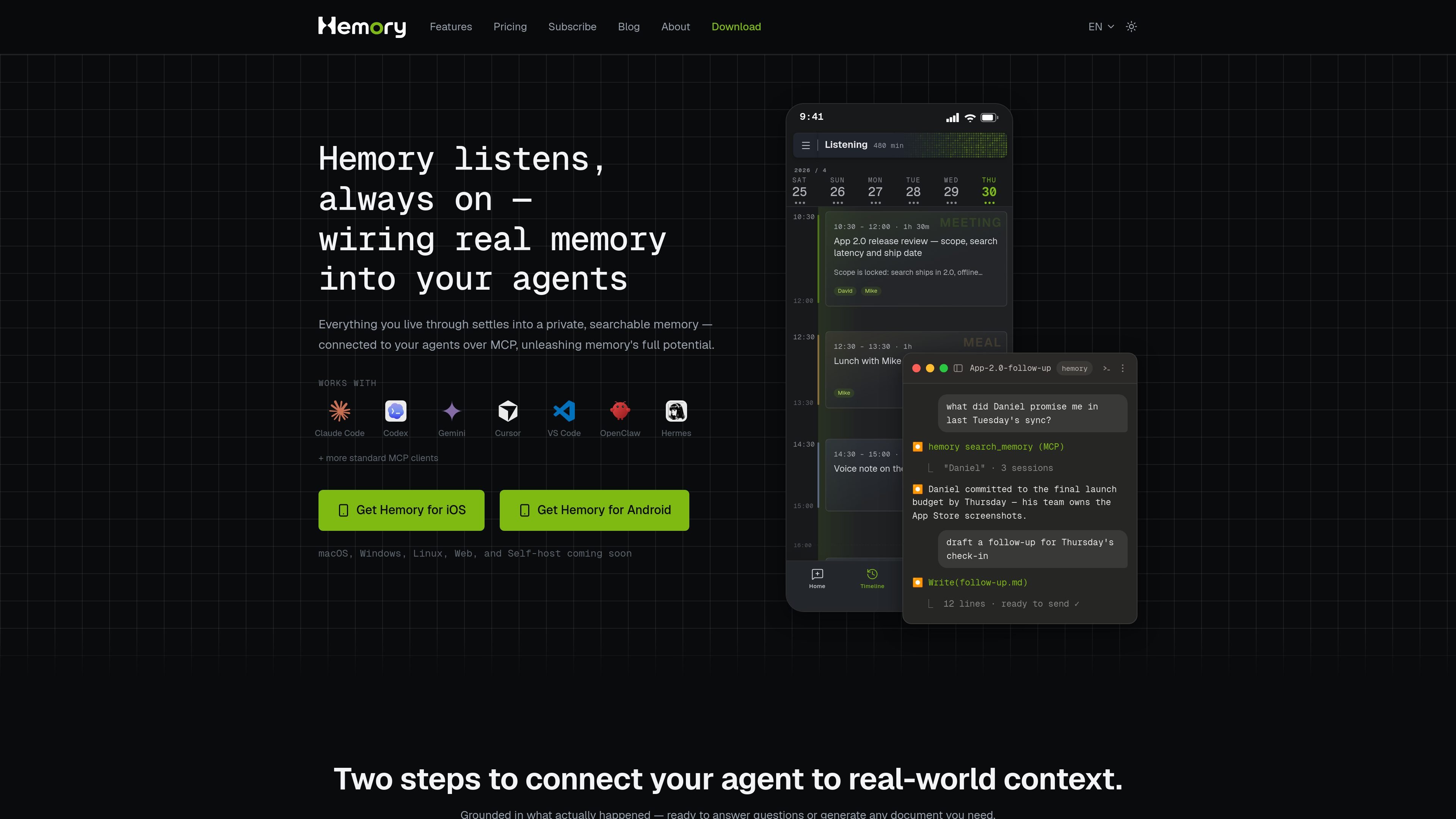
Hemory is a listening and memory tool for turning spoken activity into searchable source material. It captures conversations, meetings and voice notes, then organizes the resulting information into memories, transcripts, activity segments, summaries and minutes.
The product can be used on its own through its search and Q&A features or connected to external AI agents through MCP. This lets an agent answer questions grounded in prior sessions or generate material such as follow-ups, reports, journal entries and product documents. Listening can be started manually or scheduled, while the service separates cloud processing from local raw-audio storage.
Captures spoken activity and turns it into searchable memories, with raw audio processed as a stream rather than retained in the cloud long-term.
Voice-activity detection excludes silence, gaps and background noise from listening-hour usage, making scheduled listening practical for longer sessions.
Automatically separates activity and provides type-aware summaries and minutes, with speaker recognition by voice listed among the included capabilities.
Ask questions through Hemory's built-in agent, or search memories for details from earlier conversations and sessions.
Connects to mainstream MCP clients, including Claude Code, Codex, Gemini, Cursor, VS Code, OpenClaw and Hermes, so external agents can use Hemory memories as context.
Supports manual and scheduled listening, with Apple Watch listening listed as an included capability on the pricing page.
Capture a meeting and later ask what a participant promised, identify decisions, or retrieve details from a particular session without relying on memory or handwritten notes.
Use a connected MCP agent to turn conversations from a work period into a monthly report page containing progress, takeaways and a plan for the next month.
Record voice notes during a walk or after an event, then use the searchable memory and Q&A workflow to turn them into a concise journal entry or follow-up draft.
Combine customer interviews and internal brainstorms as source material for a product requirements document, allowing an agent to synthesize the sessions into a structured draft.
Download Hemory and start listening in manual mode or set a schedule, such as weekdays from 9:00 to 18:00. You can then connect Hemory to a supported agent through MCP; the site shows setup examples for Codex and Claude.
Hemory processes listening sessions into searchable memories, transcripts, activity segments, summaries and minutes. Its built-in Q&A agent can answer questions about those memories, while connected MCP agents can use them as source material for documents and other outputs.
Voice-activity detection counts only periods when someone is speaking. Silence, gaps and background noise do not consume the listening allowance. On the Max plan, listening is described as unlimited with a 24-hour-per-day cap and fair-use terms.
The site states that raw audio is processed as a stream and destroyed after processing, while audio stored on the listening device remains local and is not synced across devices. It also states that audio, transcripts and voice feature data are not used to train or improve AI models.
All listed plans include the same capabilities; the plans differ by listening allowance rather than feature access. The site lists a one-time 10-hour free trial, followed by Starter, Pro and Max subscriptions.

MeetStream is a meeting bot API for Zoom, Google Meet, Microsoft Teams, and Webex. It helps developers record, stream, and analyze meetings programmatically, with usage-based pricing and a $5 free credit to start.

Tactiq is an AI note taker for Google Meet, Zoom, and Microsoft Teams that transcribes meetings live and turns them into summaries, action items, and follow-up outputs. It is built around a Chrome extension and supports team workflows through sharing and integrations.

garden-md is an open-source Node.js CLI that turns meeting transcripts into a local company wiki. It links entities across transcripts, keeps the original text intact, and renders the result as a browsable wiki.

SpeakoFlow is a free, open-source desktop voice-to-text app for Windows, macOS, and Linux. It supports dictation into any app, voice-driven writing with Flow, cleanup, translation, and a screen-aware assistant.

Goldfish is an AI memory app for macOS that helps you reply, write, summarize, and continue using the context already on your Mac. It stores memory locally and writes in your tone.

Lasso is an ecommerce product data platform for enriching catalog records, processing supplier files, generating product content, and monitoring competitors. It combines a web app with a REST API, SDK, and MCP server for teams and developers.