
Visit recording
Kin records a doctor visit only when you choose to start recording, so you can stay focused on the conversation instead of taking notes.
Kin is a health app that records doctor visits and turns them into clear summaries with next steps for patients and caregivers. It also helps users share visit details with family or caregivers and prepare questions for the next appointment.
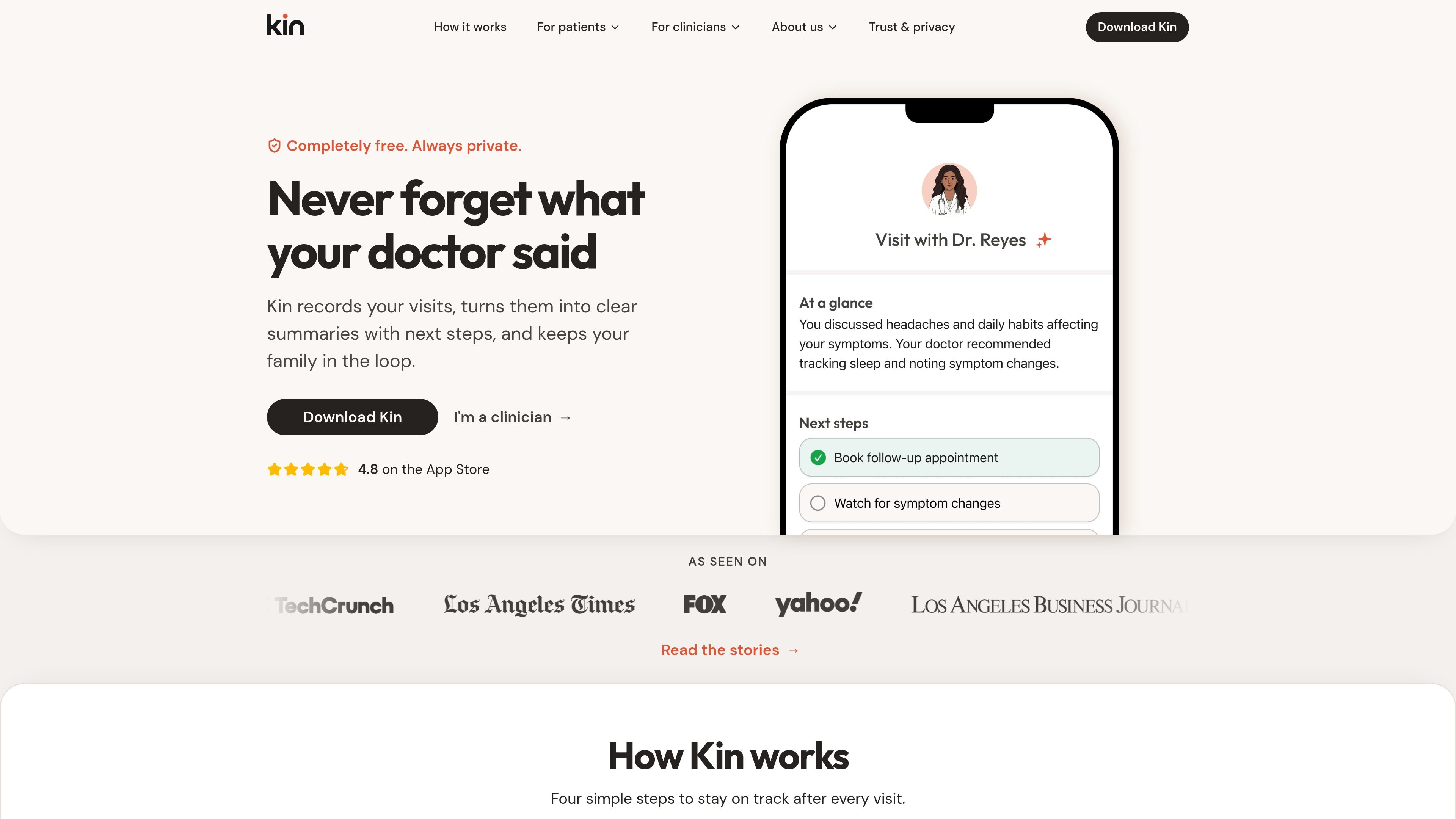
Kin is a health app that records doctor visits and turns them into clear summaries with next steps. It is positioned for patients and caregivers who want a reliable record of what was said after an appointment, plus a simple way to keep family members informed.
The product’s workflow is straightforward: start a recording, get a summary of key topics and action items, share the visit details if you choose, and prepare for the next appointment with notes and reminders. Kin also says it works with any provider and does not require IT integration, while its trust page states that recordings begin only when the user initiates them and that summaries are private by default.
Kin records a doctor visit only when you choose to start recording, so you can stay focused on the conversation instead of taking notes.
After the appointment, Kin turns the recording into a clear summary and calls out next steps, action items, and key topics from the visit.
Users can share summaries with family members or caregivers to keep everyone aligned on what was discussed and what comes next.
Kin includes a place to write questions for a future appointment and sends a notification before the next visit so you can prepare.
The clinician page says patients can use Kin as a patient-side tool without requiring IT integration, and it does not change how clinicians practice.
The trust page says data is encrypted and secure, summaries are private by default, and users stay in control of sharing and deletion.
A patient can use Kin during an appointment to preserve key instructions, medication changes, and follow-up steps without trying to write everything down in real time.
A caregiver can record a relative’s visit and share the summary with family members so everyone has the same account of the plan.
Someone managing a chronic condition can keep a running record of visits and prepare questions before the next appointment.
Parents can use Kin to capture instructions from pediatric, pregnancy, or family health visits and revisit them later when planning next steps.
Clinicians can point patients to a patient-side tool that helps them leave with a clearer summary, while keeping the practice workflow unchanged.
Kin is designed for patients, caregivers, and people who want a clearer record of what was discussed after a medical appointment. The site also includes a clinician page explaining how patients can use it without changing clinician workflows.
No. Kin's clinician page says it is a patient-side tool that does not require IT integration, and the trust page says recordings start only when the user chooses to begin a session.
Kin starts with a visit recording, then generates a summary with key topics and next steps. Users can also share that summary with their care circle and write questions for a future appointment.
The site says Kin is completely free for patients.
Kin says visit summaries are private by default, you control sharing, and you can delete summaries at any time. The trust page also states that data is encrypted and secure and that Kin does not share or sell your information.
Yes. The home and caregiver pages say Kin can be used to help manage loved ones' doctor visits, and the caregiver page presents it as a companion for people supporting someone else.

Notewarp is an AI note-taking tool that turns voice notes, uploads, or pasted text into cleaner notes, transcripts, summaries, and action items. It helps people capture rough ideas quickly and then edit, export, or share the result.

QuickQuill is a macOS dictation and transcription app that runs locally on the device. It helps users record meetings, transcribe audio, generate summaries, and export notes without using a cloud service.

Flunkey is a voice-first productivity layer for Windows that converts speech into text, AI-assisted outputs, and remembered context. It is built for users who want to capture ideas and actions without leaving the app they are working in.

MeetStream is a meeting bot API for Zoom, Google Meet, Microsoft Teams, and Webex. It helps developers record, stream, and analyze meetings programmatically, with usage-based pricing and a $5 free credit to start.

Malyatko is a baby tracker for logging feeding, sleep, growth, teething, and milestones in one app. It works on iPhone, Apple Watch, and widgets, with no sign-up, offline use, and family sharing through iCloud.

MIRA vision develops synthetic-data-driven AI for pathology image analysis in medical diagnostics. Its website positions the product for teams that need privacy-compliant training data, automatic annotations, and controlled data generation.