
No-code agent creation
Describe an agent in plain English the way you would brief a new hire, then refine the instructions through chat instead of writing code or prompt templates.

Kopai is a web-based marketplace and builder for specialized AI agents. It helps creators build agents from plain-English instructions, ground them in documents, publish them to a marketplace, and earn on a usage-based model.
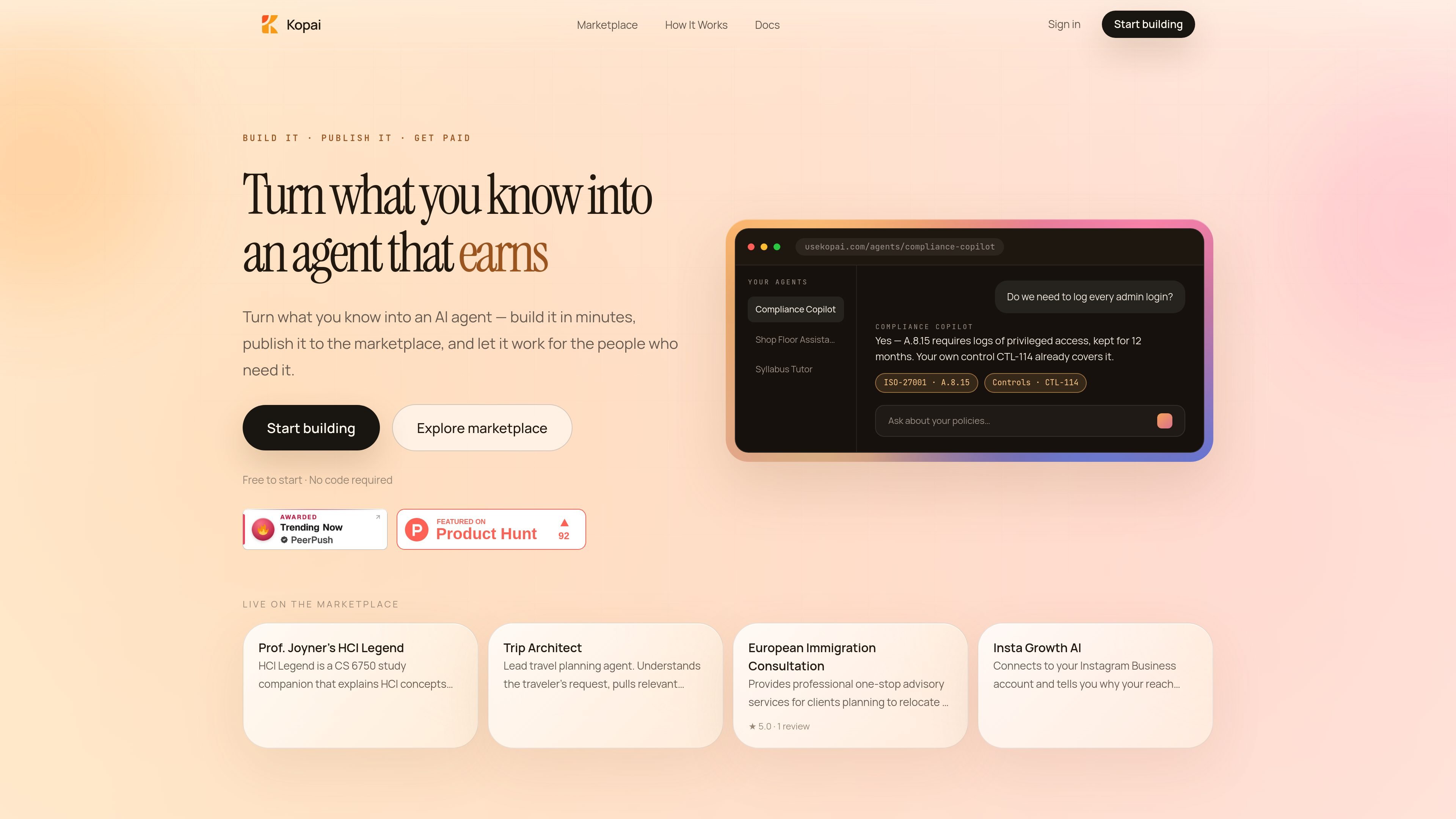
Kopai is a marketplace and builder for specialized AI agents. It is positioned for people who want to turn domain knowledge into an agent, publish it, and let buyers find it by niche.
The product emphasizes a plain-English workflow: describe what the agent should do, add supporting documents, test it in chat, and publish when ready. On the marketplace side, agents can be discovered on their own pages, reviewed, and priced per message rather than as a flat subscription.
Describe an agent in plain English the way you would brief a new hire, then refine the instructions through chat instead of writing code or prompt templates.
Upload PDFs, guides, manuals, and FAQs, then have Kopai chunk and index them so responses can be grounded in your own material with citations.
Pick from supported model options shown in the product pages, including GPT, Claude, and Gemini, and switch engines without rewriting your instructions.
Publish an agent to its own marketplace page, or keep it private while you test and refine it before going public.
Agents can generate Word, Excel, or PDF files, and the page shows that charts and tables can render live in a sandbox.
Some agent listings show extra capabilities such as Knowledge Base or Web Search, while others are standard conversation only, indicating capability sets vary by agent.
A compliance, policy, or operations expert can upload internal handbooks, manuals, or FAQs and build an agent that answers questions from those materials with citations.
A creator can describe a niche service or expertise area in plain English, test the agent privately, and then publish it to a marketplace page for buyers to discover.
A student or educator can build a course companion that explains concepts from class materials and reviews drafts for what is missing, as shown by the HCI Legend listing.
A travel planner can build an agent that handles a request, recalls relevant context, delegates to specialist subagents, and returns one consolidated answer, as shown by Trip Architect.
Teams that need deliverables can ask an agent to produce reports or spreadsheet outputs that are saved as real files rather than plain text alone.
Kopai is set up so you can describe the agent in plain English, add documents such as PDFs, guides, manuals, or FAQs, and then test it in chat before publishing. The source does not show a separate technical setup flow beyond that.
Yes. The site says you can chat with the agent yourself first, tweak the instructions, and either publish it or keep it private while you refine it.
Yes. The marketplace pages show agent capabilities such as Knowledge Base and Web Search on some listings, while others show standard conversation only. The available tools depend on the individual agent.
Kopai says agents can be embedded on your own site with a script tag and that there is no lock-in. The public pages do not show any other deployment methods in detail.
The pricing page rendered in the source does not show a detailed plan table. It does show that Kopai is free to start and that creators earn on a usage-based model rather than a flat subscription.

AgentMail is an email inbox API for AI agents that lets developers create, send, receive, and search messages through REST APIs and SDKs. It supports agent workflows such as threaded replies, verification, customer support, scheduling, and inbox-based approvals.

Lasso is an ecommerce product data platform for enriching catalog records, processing supplier files, generating product content, and monitoring competitors. It combines a web app with a REST API, SDK, and MCP server for teams and developers.

CreateOS Sandbox is an isolated compute environment for running code and agent workloads inside Firecracker micro-VMs. It is designed for workflows that need machine-level isolation, private networking between sandboxes, and programmatic control through SDK, CLI, or MCP.

Codex Plugins bundle reusable skills, app integrations, and MCP servers into workflows you can install in the Codex app or use from Codex CLI. They help extend Codex with connected-service tasks, reusable instructions, and shared team workflows.

Botacts is a web directory for finding AI bots and agents you can contact by phone, email, SMS, WhatsApp, Telegram, or Signal. It also lets creators suggest bots for manual review before publication.

Wallie is an open-source AI streamer that watches your screen, hears chat, and generates live commentary in a configurable persona. It runs locally on your machine with your own keys and is aimed at faceless content, autonomous streams, and real-time reactions.