LazyReel icon

LazyReel

LazyReel is a macOS app for AI-assisted video editing and screen recording. It turns raw footage into edited clips with captions, cuts, B-roll, and music, and can work locally or with optional cloud AI.

LazyReel

What LazyReel does

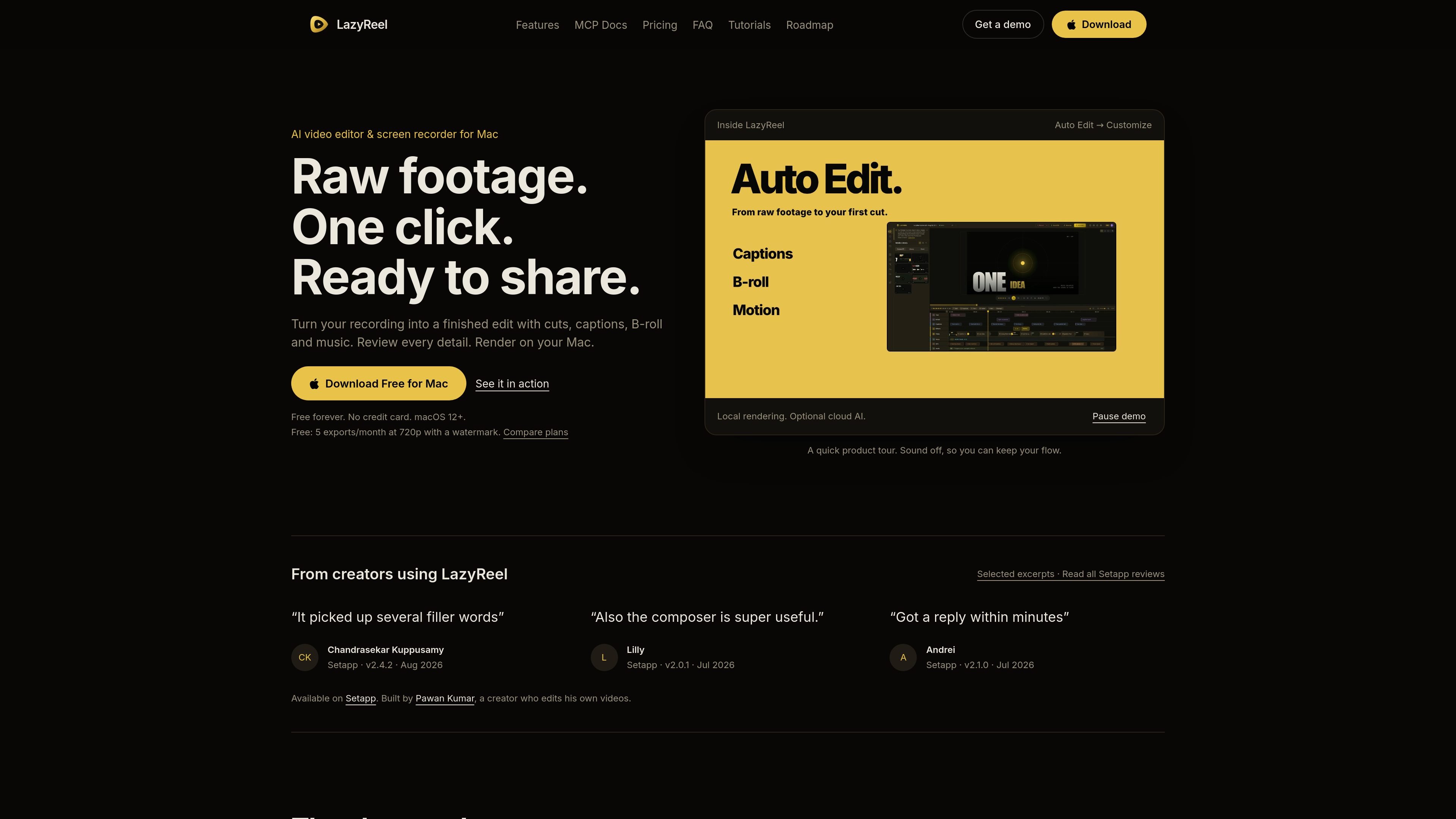
LazyReel is an AI video editor and screen recorder for Mac. It is built to turn raw footage into a finished edit with captions, cuts, B-roll, and music, while keeping the core workflow in a local Mac app.

The product centers on transcript-based editing and an auto-edit workflow: it transcribes on-device, marks silence and filler words, then lets you review and refine the result before export. The site also says LazyReel includes a screen recorder, supports local rendering, and can optionally use cloud AI or bring-your-own-key providers for generated assets and voice or text tasks.

Core features

Auto-edit first cut

Auto Edit creates a first cut from the recording, then lets you refine the words, captions, and timeline yourself. The site describes it as listening to the take, cutting filler and silence, and handing back a finished edit for review.

Transcript-based editing

LazyReel transcribes footage on your Mac, so the media never has to upload for core editing and captioning. The transcript becomes the editing surface, which lets you cut by words, remove sentences, and work from the text instead of the timeline.

Built-in screen recording

The built-in recorder can capture a display, a window, or a region. It also records useful context for later editing, such as clicks and cursor movement, so camera work can be adjusted after the fact.

Social video packaging

The app supports automatic captions, B-roll insertion, music ducking, and visual styles for social video. The homepage mentions 13+ caption styles and 45+ B-roll templates, plus meme, trailer, teaser, and visualizer tools.

Multi-format reframing

LazyReel can reframe the same project for multiple aspect ratios, including 16:9, 9:16, 1:1, and 4:5. It also includes safe-zone framing guidance so captions and overlays stay visible in common social formats.

Optional cloud AI with BYOK

The site describes a Bring Your Own Key setup for Gemini, ElevenLabs, OpenRouter, OpenAI, and Anthropic, along with an optional managed cloud AI mode in Pro. It also notes local editing by default and local rendering on the Mac.

Common ways to use LazyReel

  • Polish a screen recording

    Clean up a recorded demo, webinar, or tutorial by removing filler words and silence, then add captions and a few B-roll inserts before sharing the final cut.

  • Create short-form social clips

    Turn a longer take into a shorter vertical clip by letting Auto Edit create a first pass, then adjusting the hook, pacing, and captions for Reels, Shorts, or TikTok.

  • Transcript-led talking-head editing

    Edit a talking-head video by working from the transcript: delete a sentence to cut a section, swap wording in a retake, or click on words to make timing changes.

  • Record and refine on the Mac

    Record a display, a window, or an area on Mac, then refine cursor motion, zooms, and privacy blur after the recording instead of trying to capture everything perfectly live.

  • AI-assisted editing with approval

    Use the MCP preview to let a compatible AI client inspect the active project, propose an edit plan, and prepare reviewable operations before anything is applied.

Pros and Cons

Pros

  • Native Mac app with local rendering and on-device transcription for the core edit flow.
  • Auto Edit, transcript editing, and built-in recording are combined in one workspace instead of separate tools.
  • Useful social-video helpers are documented, including captions, B-roll, music ducking, reframing, and trailer or teaser generation.
  • Supports both optional managed cloud AI and bring-your-own-key provider access.
  • Available on Setapp according to the site and comparison pages.

Cons

  • The pricing page link returns a 404, so plan details are spread across homepage and comparison content rather than presented in one canonical pricing page.
  • Some AI features depend on either a Pro plan or your own provider keys, so the full cloud workflow is not entirely part of the free tier.
  • The site presents many capabilities through homepage copy and preview documentation, but some areas such as supported exports, integrations, and team workflows are still only partially documented.

FAQ

What is LazyReel?

LazyReel is a native macOS app that combines AI video editing with screen recording. It is designed to turn raw footage into a finished edit with captions, cuts, B-roll, and music.

Does LazyReel have a free plan?

The homepage states that LazyReel is free to download for Mac, with a free plan that includes 5 exports per month at 720p and a watermark. The comparison and pricing copy also indicate paid plans with unlimited 4K exports and no watermark, but the /pricing page itself is not available.

Can LazyReel record the screen?

Yes. LazyReel can record a display, a window, or an area, and it also supports cleaning up screen recordings with auto-zoom, cursor handling, privacy blur, and other post-recording edits.

What macOS version does LazyReel require?

LazyReel is built for macOS 12 and later. The site also describes local editing and transcribing on-device, with cloud AI available as an option.

What kind of exports does LazyReel support?

The site says LazyReel supports exports in 16:9, 9:16, 1:1, and 4:5 from one project, with 4K included on paid plans. The MCP preview also mentions export preparation and platform variants.

Quick Facts

Category
AI video editor and screen recorder
Platform
macOS 12+
Primary workflow
Turn raw recordings into edited social video from transcript and timeline
Free tier
Free download; 5 exports/month at 720p with watermark
Paid plan signal
Paid plans include unlimited 4K exports without a watermark
Availability
Available on Setapp