
Local screen and call memory
Records apps, windows, and words visible on the computer, along with both sides of calls when permissions are granted. Sensitive cards, keys, and passwords are blacked out before data is saved.

LUCI is a local memory app for Mac and Windows that captures permitted screen activity and computer-based calls, then makes the resulting records searchable by connected AI agents. It helps individuals and teams recover meeting decisions, daily work context, and earlier screen or conversation details without using a visible meeting bot.
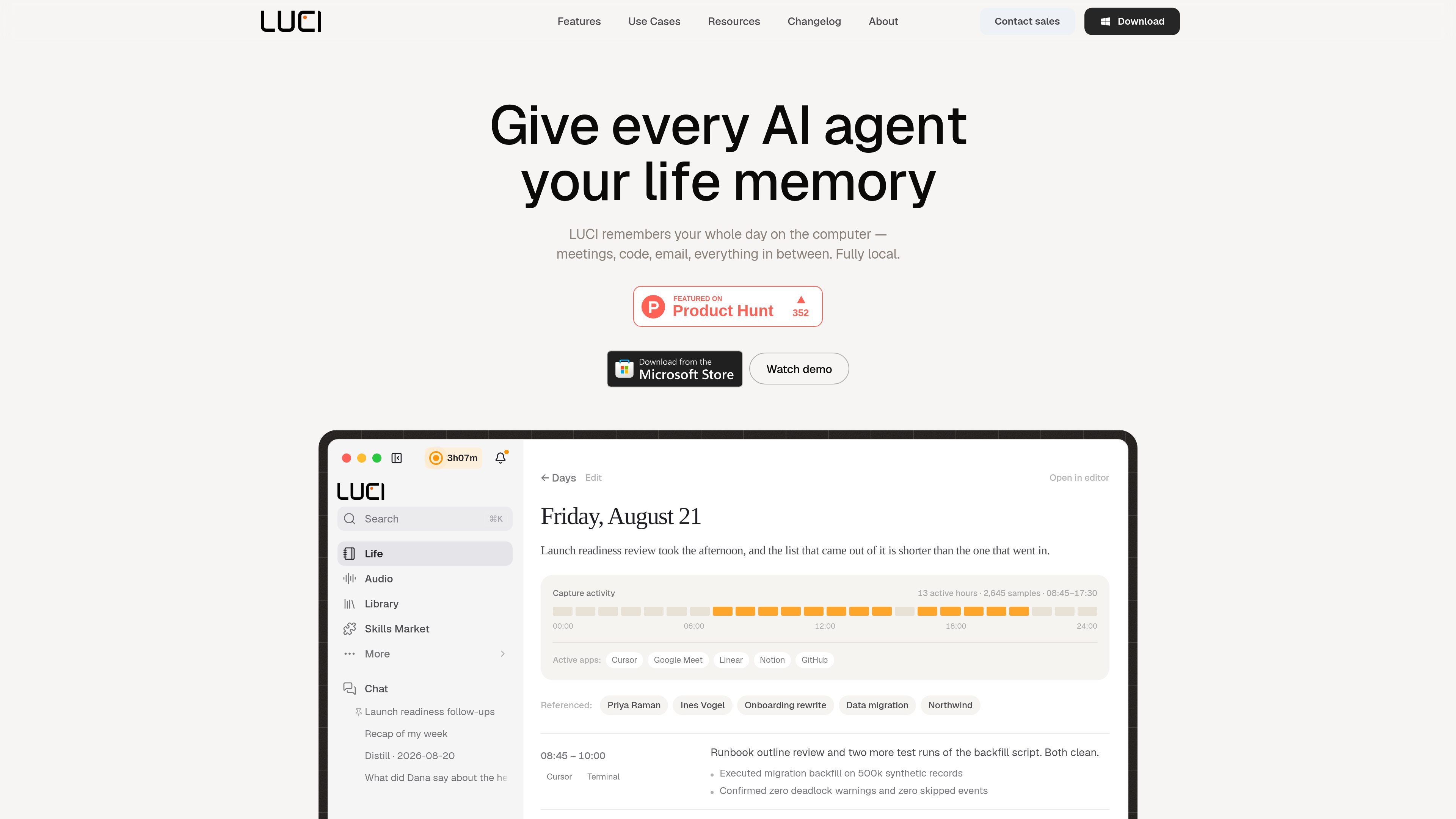
LUCI is a local desktop memory app for Mac and Windows. With permission, it captures what appears on the computer and both sides of calls, then keeps the resulting recordings, transcripts, and memory on that device. It is designed to give AI agents access to personal context from work done on the computer, rather than relying only on the current conversation.
The app can produce searchable meeting notes and action items, daily records, and recalled moments from screen or conversation history. Its Agent Bridge installs skills into supported agents such as Claude Code, Cursor, and Codex, while MCP provides a fallback connection for agents that cannot load skills. LUCI is offered free forever with no subscription or credit card requirement, and its published pricing page states that features are included for individuals and teams.
Records apps, windows, and words visible on the computer, along with both sides of calls when permissions are granted. Sensitive cards, keys, and passwords are blacked out before data is saved.
After a call, LUCI provides meeting notes and action items that can be searched later, without inviting a notetaker address or bot into the meeting.
Official skills for Claude Code, Cursor, and Codex let connected agents search screen and conversation memory, filter by app or time range, retrieve a moment in full, and reconstruct activity over a period.
The bundled skills include tools to search memory, turn a completed day into a record, and write meeting summaries into a Life folder. If LUCI is not running, agents can fall back to those plain-text records.
The app runs locally, stores data on the device, and uses local encryption for the on-device library. An MCP connection is available as a fallback for agents that cannot load skills.
After a client or team call, review the notes and action items, then search the conversation later for a decision or requirement without reconstructing the discussion manually.
A coding agent can search what was visible on screen or said earlier, including a particular error, specification, or architectural discussion, and use that context in a current task.
Use the daily-record workflow to turn a completed day into a Life folder entry that summarizes work across meetings, applications, and focused work periods.
During proposal or project work, ask an agent to recall constraints discussed on a call or information reviewed on screen, reducing the need to maintain separate manual notes.
Capture a conversation from a laptop without adding a meeting bot to the participant list, then keep the resulting transcript and notes available on the same device.
LUCI is a desktop app for Mac and Windows. Grant microphone and screen permissions, leave the app running, and enable the capture types you want. Capture stops when you quit the app or revoke permission.
No. LUCI records meetings from the computer where you are participating and does not add a bot or visible participant to Zoom, Google Meet, or Microsoft Teams. The call audio must be playing on that computer.
Screen content, your voice, and the other side of calls can be captured when you grant the relevant permissions. Cards, keys, and passwords are blacked out before saving; LUCI does not capture other computers or calendar contents.
LUCI stores recordings, transcripts, and memory on the local computer rather than uploading them to the cloud. A connected agent can still send anything you ask it to retrieve into that agent's conversation, so users should connect only agents they trust.
LUCI can capture Zoom, Google Meet, Microsoft Teams, and other applications that play audio on the computer, as well as in-person conversations recorded through the laptop. It captures only while the conversation is happening on the computer running LUCI.

MeetStream is a meeting bot API for Zoom, Google Meet, Microsoft Teams, and Webex. It helps developers record, stream, and analyze meetings programmatically, with usage-based pricing and a $5 free credit to start.

garden-md is an open-source Node.js CLI that turns meeting transcripts into a local company wiki. It links entities across transcripts, keeps the original text intact, and renders the result as a browsable wiki.

Goldfish is an AI memory app for macOS that helps you reply, write, summarize, and continue using the context already on your Mac. It stores memory locally and writes in your tone.

Lasso is an ecommerce product data platform for enriching catalog records, processing supplier files, generating product content, and monitoring competitors. It combines a web app with a REST API, SDK, and MCP server for teams and developers.

ArtDeck is a visual reference board app for iPhone, iPad, and Mac that lets artists collect mixed reference material on one canvas and study it with ToolBox lenses. It works offline, supports optional iCloud sync, and is sold as a one-time purchase with no account required.

Liam is an AI copilot for managing inboxes, writing replies, prioritizing email, and scheduling meetings. It is offered free for individuals, with custom pricing for teams and enterprise.