
Core image-editing workflow
Work with layers, blend modes, selections, channels, quickmask, and layer masks in a single document-oriented editor.

Mojave Paint is a native macOS image editor for Apple Silicon. It supports layers, selections, channels, filters, adjustments, and shortcut-driven editing, with export unlocked by a $9.99 one-time purchase.
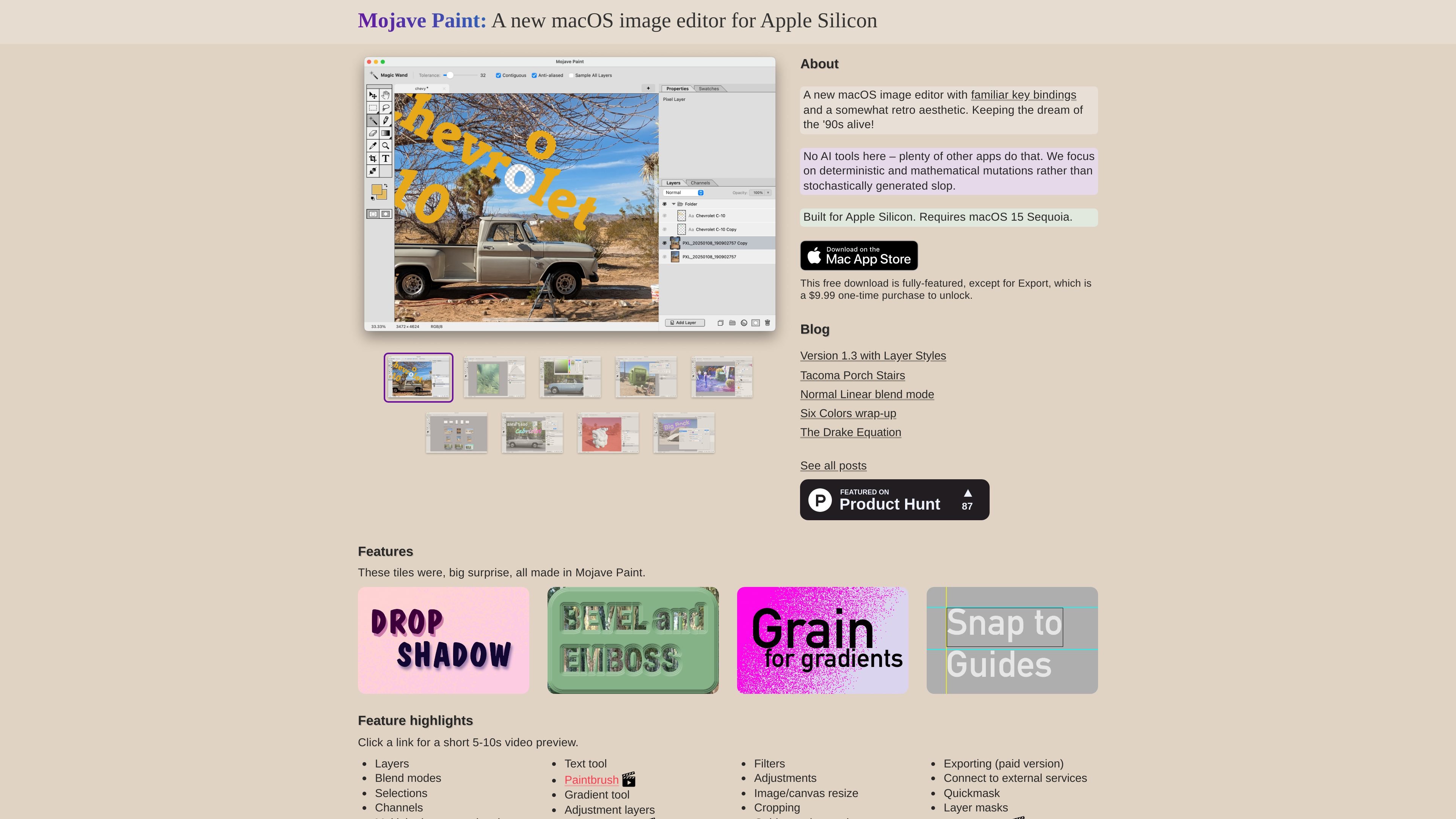
Mojave Paint is a native macOS image editor for Apple Silicon. It is positioned as a familiar, shortcut-friendly alternative to more automated image tools, with an emphasis on deterministic, manual editing rather than AI-generated effects.
The app focuses on the core parts of bitmap editing: layers, blend modes, selections, channels, painting, transforms, filters, adjustments, and document tabs. The site says the free download is fully featured except for Export, which is unlocked by a $9.99 one-time purchase.
Work with layers, blend modes, selections, channels, quickmask, and layer masks in a single document-oriented editor.
Open multiple documents in tabs, reorder them, drag tabs to new windows, and spring between tabs by dragging layers or pixels.
Use the paintbrush, pencil, gradient, text, free transform, crop, image/canvas resize, and adjustment tools for common editing tasks.
Apply filters and adjustments, including recent support for layer styles such as drop shadow, stroke, bevel and emboss, and glow effects.
Choose from keyboard shortcuts and mouse gestures for canvas navigation, tool behavior, selection changes, and layer management.
Export is described as a paid feature, and the site also mentions connecting to external services.
Edit raster images with layers, masks, selections, channels, and adjustment layers when you want a desktop editor instead of an automated or AI-centric tool.
Move quickly through common tasks using keyboard modifiers, mouse gestures, and shortcuts for zooming, panning, cropping, selection changes, and layer operations.
Work across multiple open files in tabs, drag documents between windows, and spring between tabs while moving layers or selections.
Apply non-destructive-style editing operations such as transforms, adjustments, filters, and layer styles to refine artwork or photo edits.
Mojave Paint is built for macOS and requires Apple Silicon as well as macOS 15 Sequoia.
The site describes a free download that includes all features except Export. Export is unlocked with a $9.99 one-time purchase.
The product is a native macOS app focused on image editing with layers, selections, channels, filters, adjustments, text, and painting tools.
The manual emphasizes keyboard modifiers, mouse gestures, and familiar shortcuts for navigation, tabs, layers, selections, and tools.
The about page says there is no dark mode and explains that the interface uses a neutral 'toasted light mode' instead.

Pixelcut is an AI photo editor for creating and editing product images, social content, and video assets. It offers free and paid plans, plus mobile app and browser access for individual users and teams.

Petalica Paint is a web service for automatically coloring line art and tracing line drawings from photographed images. The home page says it can be used under the stated terms for commercial and noncommercial work, but it is scheduled to end on 2025-07-31 at 16:00 JST.

Wearvue AI generates personalized outfit previews from a photo, lets users refine the style for an occasion, and surfaces similar real products to shop. It is aimed at people who want to preview outfit ideas before buying and compare them with shoppable alternatives.

Upscale.media is an AI image upscaling and enhancement tool from Pixelbin that enlarges low-resolution or pixelated images and improves clarity in the browser. It offers free individual image use, paid credit plans, and team-oriented workflows such as bulk processing and API integration.

PhotoAid’s AI Image Enlarger is a free browser-based tool for upscaling images without a standard blur-heavy resize. It supports JPEG, WEBP, and PNG uploads and is described as working best for photos with faces.

Magic Eraser é uma ferramenta impulsionada por IA que permite aos usuários remover rapidamente objetos indesejados, pessoas, texto e imperfeições de fotos com facilidade.