
Elementary avatars
Translates digital lessons into clear, expressive sign language for deaf and hard of hearing learners at the elementary level, with content framed around foundational literacy, numeracy, and early concept development.

Ona AI is a learning assistive tech product centered on real-time sign language avatars for deaf and hard of hearing learners. It also offers an accessibility dataset that users can request for accessibility-focused applications and research.
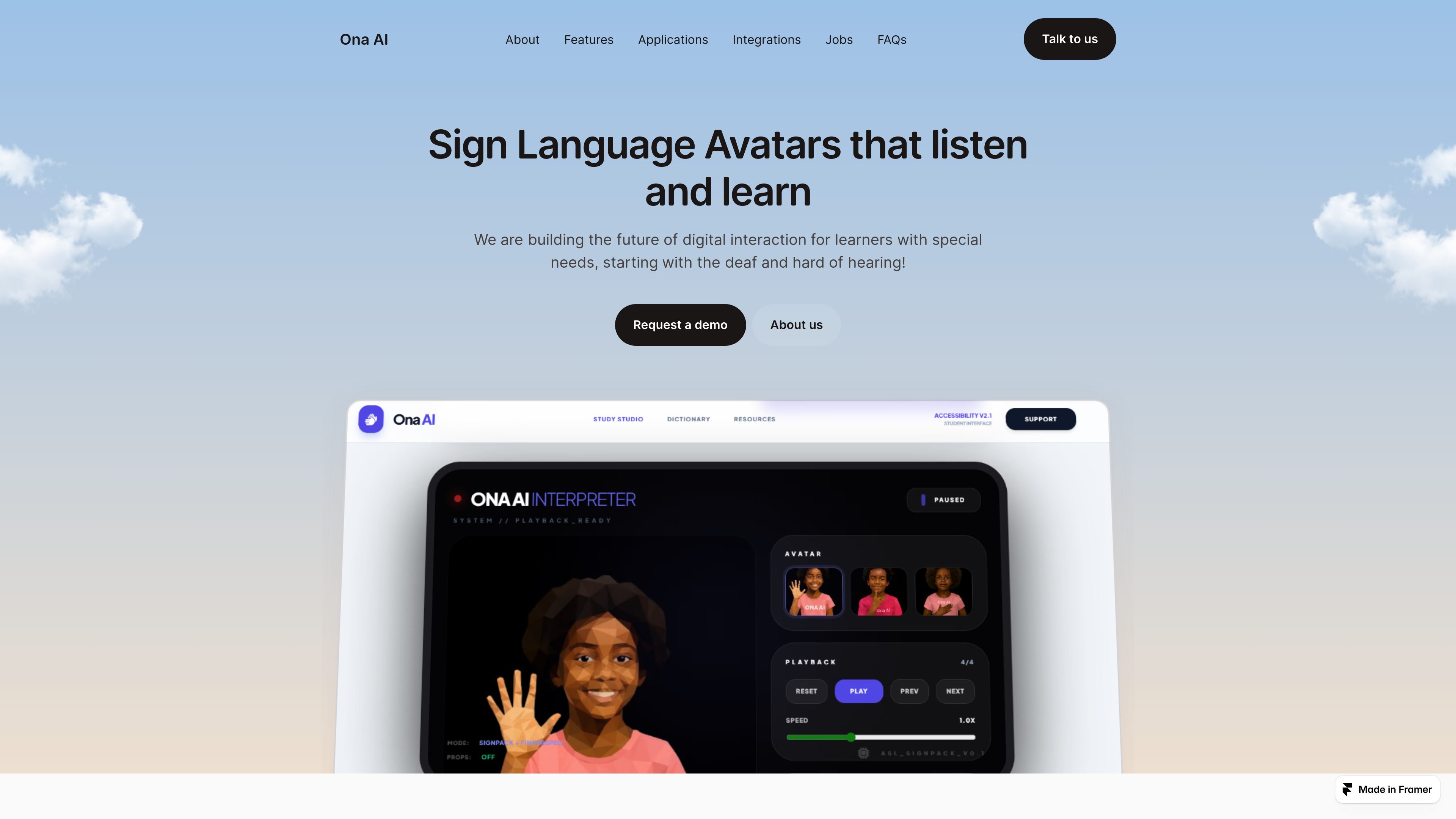
Ona AI is a learning assistive technology product focused on digital accessibility, starting with real-time sign language avatars for deaf and hard of hearing learners. The site positions the product around translating learning content into sign language across different education stages, from elementary concepts through technical and vocational instruction.
In addition to its avatar offering, Ona AI says it is building an accessibility dataset designed for scale and diverse applications. The company describes the dataset as based on real, diverse data and notes that access can be requested, suggesting a parallel focus on data infrastructure for accessibility-focused products and research.
Translates digital lessons into clear, expressive sign language for deaf and hard of hearing learners at the elementary level, with content framed around foundational literacy, numeracy, and early concept development.
Supports core academic subjects by translating classroom instruction, explanations, and problem-solving steps into structured sign language that is intended to strengthen understanding and participation.
Covers advanced academic, vocational, and workforce training by translating complex demonstrations and applied workflows into more precise, industry-relevant sign language.
Offers an accessibility dataset designed for scale and diverse applications, with the site emphasizing real data collection rather than assumptions.
Describes the dataset as open source and available by request, allowing users to ask for access for applications that need disability-specific inputs or accessibility research.
An educator or school team can use the elementary avatars to present early literacy, numeracy, and concept-building content in sign language for younger learners.
A teacher or curriculum creator can use the primary avatars to explain subject material, step-by-step problem solving, and classroom instructions in a more structured format.
A training provider can use the technical avatars to translate complex demonstrations and applied workflows for vocational or workforce learning settings.
A product or research team can request access to the accessibility dataset when building applications that need disability-specific inputs or accessibility-focused training data.
The site presents Ona AI as a learning assistive tech product centered on real-time sign language avatars and an accessibility dataset. The public pages do not describe a self-serve setup flow, so contact the team through the demo or message forms to learn how onboarding works.
The homepage describes three avatar groups: Elementary avatars for foundational literacy and early concepts, Primary avatars for core academic subjects, and Technical/Tertiary avatars for advanced academic, vocational, and workforce training.
The public pages say the dataset is open source and can be accessed by request. The site does not list a download process, license terms, or integration documentation on the pages provided.
The site does not show pricing information. The pricing URL resolves to a not-found page, so pricing appears to be handled outside the public site or is not yet published.

LangPanda is a browser extension for learning languages from streaming video and other supported sites. It combines instant subtitle lookup, flashcard creation, vocabulary tracking, and spaced-repetition review for 36 languages.

CAMB.AI Streams dubs live audio in multiple languages in real time for broadcasts on platforms like YouTube, Twitch, and X. It plugs into existing live workflows using common streaming protocols and avoids a post-production step.

Wallie is an open-source AI streamer that watches your screen, hears chat, and generates live commentary in a configurable persona. It runs locally on your machine with your own keys and is aimed at faceless content, autonomous streams, and real-time reactions.
Asụsụ Ọma is a free guided Igbo learning app for beginners, with short lessons, native-speaker audio, memory practice, games, and speaking rehearsal. It is designed for adult and young-adult learners, diaspora learners, children, and families studying Igbo at home or abroad.

Talkpal is an AI-powered language learning web and mobile app for practicing speaking, listening, writing, and pronunciation. It offers guided courses, roleplays, and call-style conversation practice across 130+ languages.

Zella is a screen recorder and on-device AI video editor for Mac and iPhone. It helps creators record screens or cameras, automatically clean up footage, add captions, reframe clips, and export videos without uploading the core project to the cloud.