
Document-level request lists
Create a request by naming the exact documents you need, either from a template or from scratch. The site emphasizes specific document names over broad categories so clients can respond more easily.

Pesterly helps you collect documents from clients by sending requests from your own Gmail address and following up automatically until the missing items arrive. Recipients use a single no-login link to upload files, while uploads land in your Google Drive.
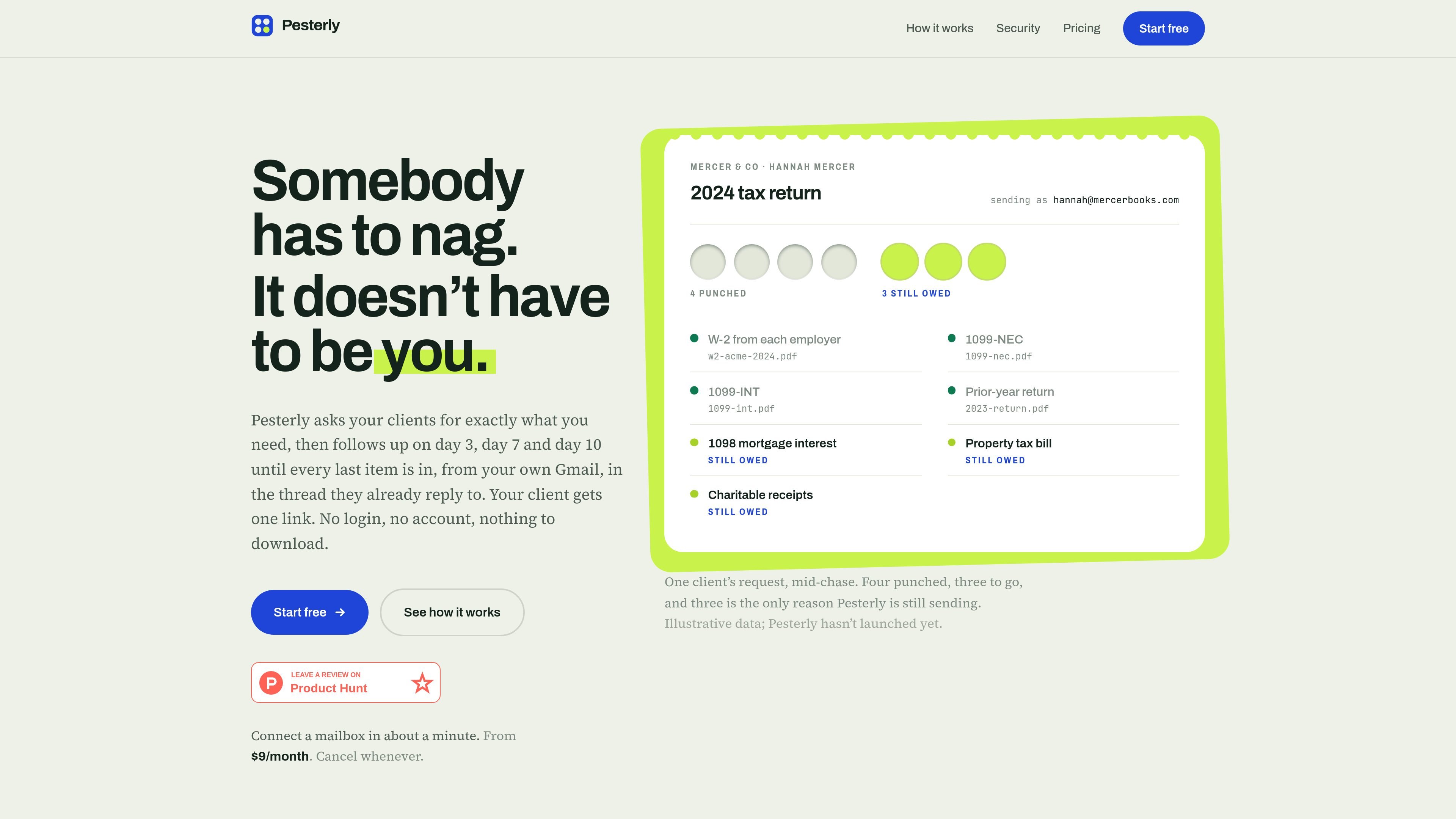
Pesterly is a document-request follow-up tool for situations where you need clients, patients, or other external contacts to send files and keep forgetting. It lets you create a request list, sends the request from your own Gmail or Google Workspace address, and follows up on day 3, day 7, and day 10 until the remaining items are in.
The product is built around a simple client experience: one persistent link, no account creation, and replies that stay in the same email thread. According to the site, uploaded files go to a folder in your Google Drive, while Pesterly keeps only the filename and link so the sending workflow stays tied to your own inbox.
Create a request by naming the exact documents you need, either from a template or from scratch. The site emphasizes specific document names over broad categories so clients can respond more easily.
Send requests from your own Gmail or Google Workspace address so replies land in the thread clients already know. Pesterly says it does not create a new portal identity for the recipient.
Automated follow-ups go out on day 3, day 7, and day 10, with each message listing only what is still outstanding. The sequence ends automatically once the last item is uploaded.
Clients use one persistent link and do not need to sign in, remember a password, or install anything. The page is designed to work on a phone for photographed or scanned documents.
Uploads are stored in a Google Drive folder in the user's own account, and the page says Pesterly keeps the filename and link rather than a copy of the file. The product also states that connecting a mailbox grants sending permission and Drive write access only.
The signup flow offers Google or Microsoft account creation and says it connects the sending mailbox in one step. The home page also says setup takes about a minute.
Use Pesterly when preparing tax returns or year-end bookkeeping packets and you need clients to send W-2s, 1099s, mortgage statements, or similar documents without repeated manual chasing.
Use it for month-end close or accounting cleanup when several supporting records are still outstanding and you want reminders to narrow down only the missing items.
Use it for client onboarding or intake packets where you need a fixed list of forms or attachments and want recipients to upload them from a phone.
Use it whenever a matter, case, or file request depends on sequential reminders over several days and you want the thread to stay in the client's inbox history.
Pesterly connects to your inbox through Google and sends requests from your own Gmail or Google Workspace address. The site says setup starts by signing in with Google and connecting a mailbox.
The source shows the same request link throughout the chase. Clients can open it without logging in, create no account, and upload files from a phone or desktop browser.
Pesterly sends follow-ups on day 3, day 7, and day 10 until the remaining items are received. Messages get shorter as the list shrinks, and the sequence stops when the final file arrives.
The product pages show a self-serve signup flow with Google or Microsoft sign-in, but the public pricing page was not available in the collected sources. The home page does say plans start from $9 per month.

PDFTools is a browser-based suite of free and premium PDF utilities for editing, conversion, and document handling. It helps users work on PDFs locally in the browser without uploading files to a server.

ArtDeck is a visual reference board app for iPhone, iPad, and Mac that lets artists collect mixed reference material on one canvas and study it with ToolBox lenses. It works offline, supports optional iCloud sync, and is sold as a one-time purchase with no account required.

Liam is an AI copilot for managing inboxes, writing replies, prioritizing email, and scheduling meetings. It is offered free for individuals, with custom pricing for teams and enterprise.

Codex Plugins bundle reusable skills, app integrations, and MCP servers into workflows you can install in the Codex app or use from Codex CLI. They help extend Codex with connected-service tasks, reusable instructions, and shared team workflows.

nolainocr is an AI OCR tool that extracts structured data from PDF invoices, receipts, forms, contracts, and bank statements. It helps teams move document data into Excel, Google Sheets, JSON, or CSV without manual entry.

Dirac is an AI email assistant that prepares a morning brief, prioritizes important threads, and drafts replies in your voice. It is positioned for founders and other busy professionals who use Gmail and want to reduce morning inbox triage.