
Priority-based automatic switching
Set a priority order for microphones and speakers once, then let Roadie pick the highest-ranked connected device whenever your setup changes.

Roadie is an automatic audio device switcher for macOS that keeps your default microphone and speakers aligned with your device priorities. It helps reduce wrong-device changes during reconnects, wake-ups, and calls.
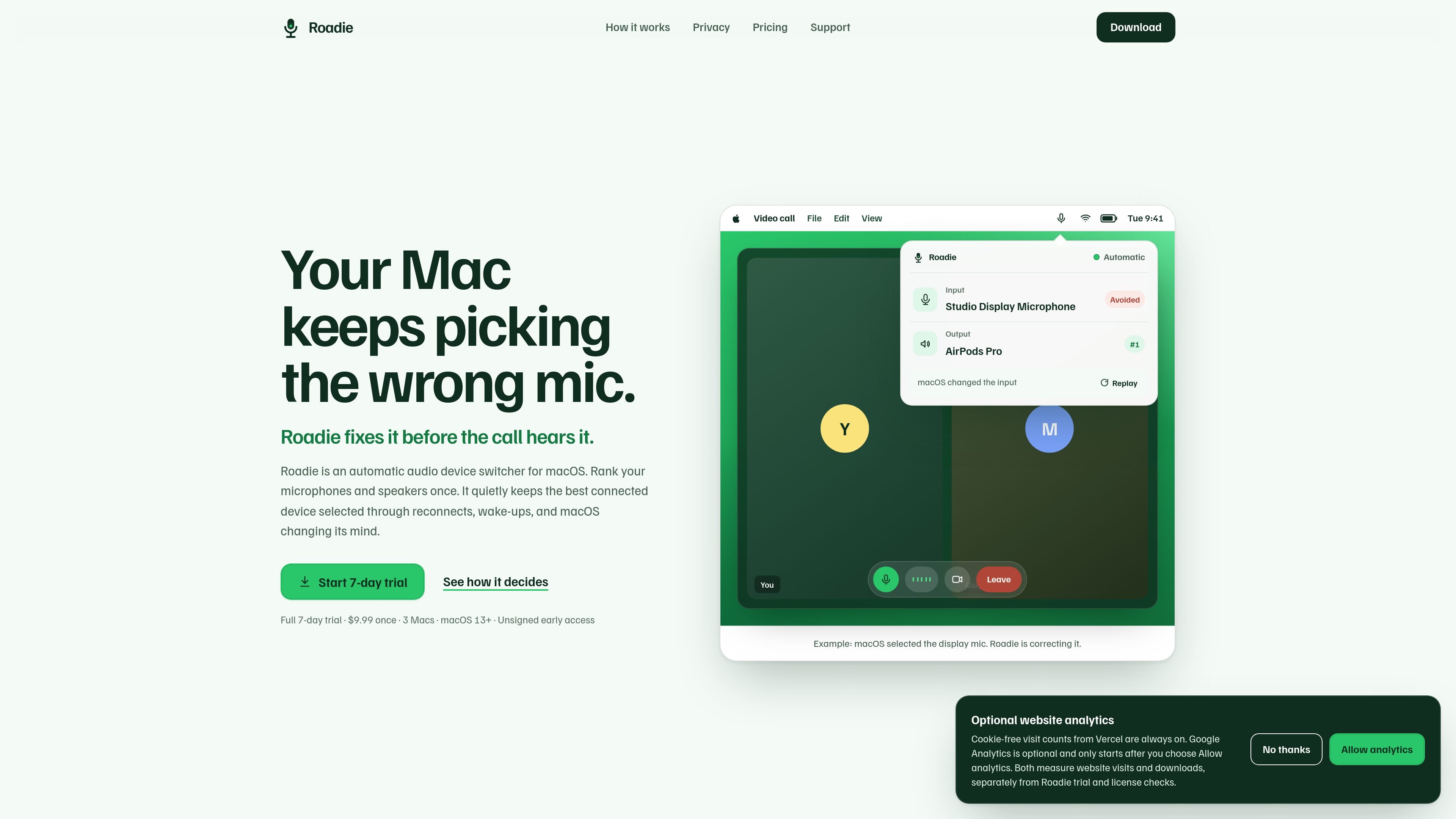
Roadie is an automatic audio device switcher for macOS. It is designed to keep your Mac’s default microphone, speaker, or headphone selection aligned with the devices you actually want to use, even when macOS changes its mind during reconnects or wake-ups.
You set a priority order for your audio devices once, and Roadie chooses the highest-ranked device that is currently connected. The app is aimed at people who want fewer trips into Sound Settings during calls and other everyday audio transitions.
Set a priority order for microphones and speakers once, then let Roadie pick the highest-ranked connected device whenever your setup changes.
Roadie watches for reconnects, wake-ups, and macOS switching to an unwanted device, then corrects the default input or output selection.
The app keeps separate rules for input and output devices, so microphone and speaker or headphone choices can be managed independently.
If you choose a device manually, Roadie respects that choice until the connected device set changes, so you can override automation when needed.
Roadie can pause automatic switching and return control to macOS when you want to stop automation temporarily.
When Roadie corrects a device change, it can restore the previous selection with one click if the change was intentional.
Set a ranked list of microphones and speakers so the Mac keeps using the device you trust most instead of reverting to a display mic or other lower-priority option.
Keep meetings from starting on the wrong input by letting Roadie recheck device selection when your headset, Bluetooth earbuds, or USB microphone reconnects.
Use the app to preserve your choice when you deliberately switch to headphones, a desk speaker, or another device, then let automation resume once the connected set changes.
Avoid repeated toggling when a device disconnects or wakes back up by having Roadie re-evaluate the connected set and pick the top-ranked available device.
Continue using a priority-based routing setup across a few Macs with the same license, instead of managing separate purchase flows for each machine.
Roadie supports macOS 13 or later, and the current build is universal, so it runs on both Apple silicon and Intel Macs.
Yes. Roadie manages separate priority lists for default input and output devices, so you can set microphone and speaker or headphone priorities independently.
Your manual choice takes precedence. Roadie keeps that selection until the connected device set changes, and you can pause automatic switching whenever you want.
No. Roadie says it never records or processes audio and does not ask for microphone permission. It only needs network access for trial verification and Dodo Payments license actions.
If another app keeps changing the audio device, Roadie stops after three correction attempts and reports the issue instead of looping indefinitely.

MacSpoof é um alterador de MAC no macOS que permite trocar ou randomizar o endereço Wi‑Fi para reconectar e reduzir o registro da identidade.

NomNak é um app gratuito para iPhone que ajuda a descobrir restaurantes com recomendações de amigos, spots salvos, passaporte gastronómico e busca por cidade.

Ctrl+Shift+3 is a calm, text-first community platform with a chronological feed, profiles, RSS, and private groups called Clicks. It is built for reading, posting, and joining smaller communities without algorithmic ranking or vanity counts.

Hexel Editor is a macOS hex editor for opening, searching, inspecting, and editing binary files. It is aimed at developers, reverse engineers, and security researchers who need structured byte-level analysis on the Mac.

TyeGit é um cliente Git nativo em Rust e Tauri para controle rápido e preciso de staging, commits, branches e remotes no Windows, macOS e Linux.

Servey lets you mirror and control a Mac from an iPhone or iPad, with a real terminal and automatic local-or-remote connectivity. It is aimed at people who want full Mac access on mobile without VPN or port forwarding.