
AI companions in the browser
Companions operate in the browser and on websites and apps the user already works with, allowing them to research, extract information, and complete multi-step browser tasks.

Strawberry Browser is a desktop browser with AI companions that research, draft, extract data, and complete workflows across websites and connected apps. It is designed for individuals and teams handling sales, recruiting, meetings, executive work, and other recurring browser-based tasks.
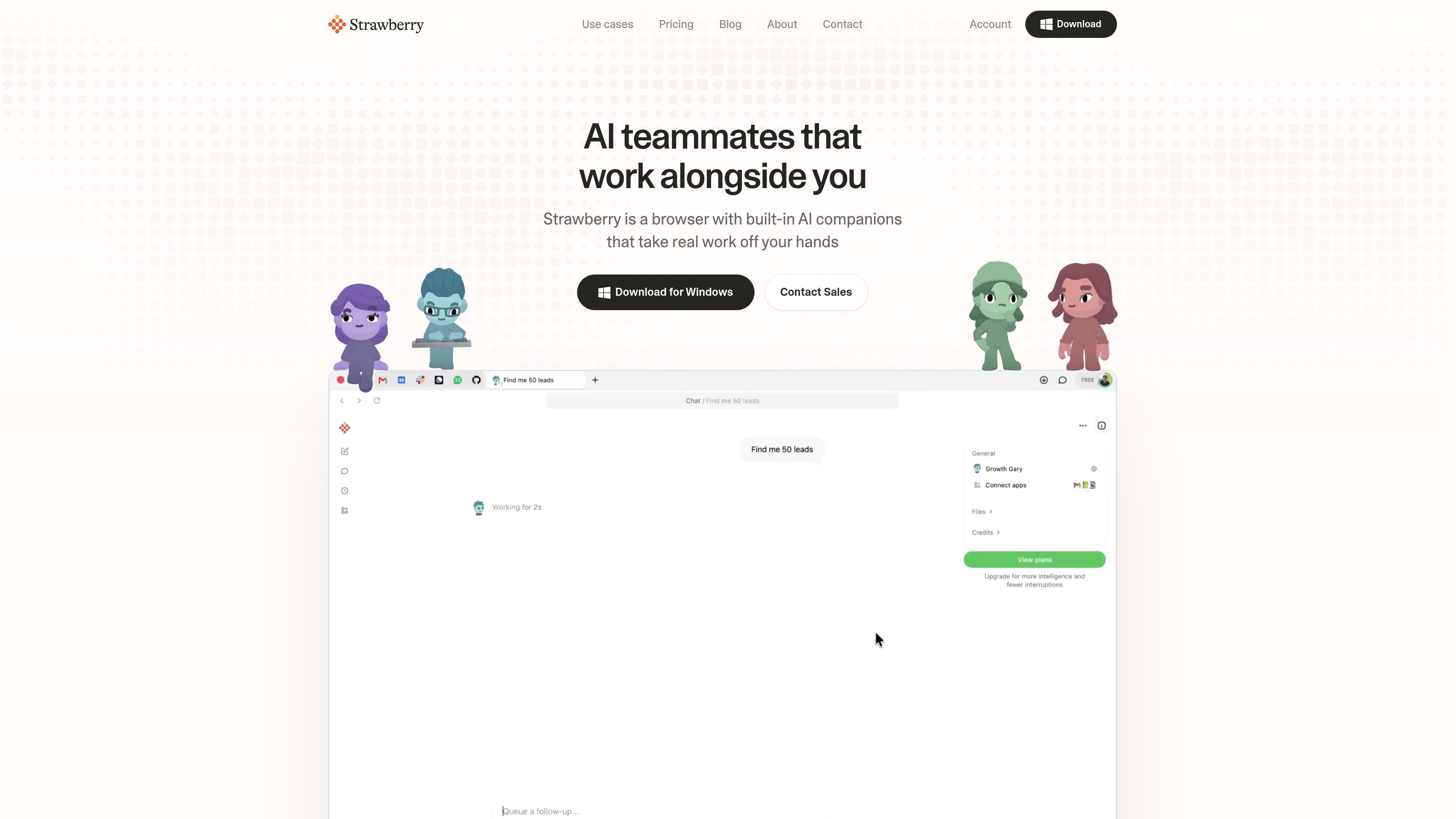
Strawberry Browser is a desktop web browser with built-in AI companions for research, drafting, data extraction, and repetitive work across websites and connected applications. Rather than operating only as a chat interface, a companion can work in the tabs and accounts the user already uses, with access governed by per-app and per-action permissions.
Users can hire an official companion for sales, recruiting, executive, marketing, or consulting workflows, or create one around a specific process and schedule. The product combines browser access with connected tools, project context, memory, and team collaboration so recurring work can produce practical outputs such as lead shortlists, candidate assessments, meeting notes, CRM updates, spreadsheets, and draft emails.
Companions operate in the browser and on websites and apps the user already works with, allowing them to research, extract information, and complete multi-step browser tasks.
Users can connect tools including Gmail, Slack, and Notion. Demonstrated workflows also move information into Google Sheets, HubSpot, Linear, and Ashby.
Recurring routines can run on a schedule, such as weekly prospect research, candidate sourcing, morning call preparation, or regular checks of user data.
The product can transcribe meetings without a meeting bot, summarize the conversation, identify action items, and prepare follow-up tasks or CRM notes.
Companions retain preferences, corrections, people, projects, and other useful context so later chats and workflows can build on earlier work.
Individuals can create companions around their own process, while teams can share companions, skills, context, and work in one workspace with administrative controls.
A sales user can describe an ideal customer, have a companion find and qualify companies with source-based reasons, prepare a call brief, transcribe the conversation, and draft follow-ups or CRM notes. Scheduled checks can also surface accounts showing buying signals.
A recruiting team can define what a strong hire looks like, source candidates beyond exact job-title searches, score applicants against a role scorecard, identify duplicate records, and prepare interview materials or outreach.
A founder or executive can use a companion for morning briefs, inbox and project context, drafted replies, and follow-up tracking. The browser workspace brings relevant people, projects, and reference material into subsequent tasks.
Teams can turn meeting recordings into summaries, action items, and tasks in tools such as Linear or Notion without adding a meeting bot. Companions can then carry the resulting context into later work.
Marketers, consultants, and other knowledge workers can turn web research or source material into channel-specific posts, branded visual assets, client proposals, or kickoff research, with outputs based on information available on the web or behind login walls.
Strawberry is available for macOS and Windows. The desktop app can be installed for free, and the site says users can bring over bookmarks, passwords, and extensions when moving from an older browser.
It can work in the websites and apps you already use, including connected tools such as Gmail, Slack, and Notion. The product also shows workflows involving Google Sheets, HubSpot, Linear, and Ashby. Companions can use websites and signed-in accounts to research, extract information, draft content, and update workspaces.
Strawberry can transcribe meetings without adding a meeting bot, then produce notes, action items, and follow-up tasks. In sales workflows, it can also prepare call briefs, create CRM notes, and draft follow-up emails; the demonstrated drafts remain unsent until reviewed.
Regular browsing is free. Companion work uses monthly credits for tasks such as research, drafting, and extracting data. The pricing page lists a free allowance, paid Individual and Team plans, and Enterprise options; monthly plan credits refresh each month, while purchased top-ups roll over.
Users can choose per app and per action what companions may do without asking. The product also states that passwords stay encrypted locally on the device, that it does not sell user data, and that it meets SOC 2 requirements for secure data management.