
Project discovery
Choose a folder and let WorkerDock scan nested directories and monorepos for local Wrangler-based Workers, Pages, Astro, EmDash, Vite, and other supported project types.

WorkerDock is a free macOS app for finding and managing local Cloudflare Workers, Pages, Astro, EmDash, and other Wrangler projects. It centralizes process controls, ports, logs, bindings, and selected local data tools for individual local development workflows.
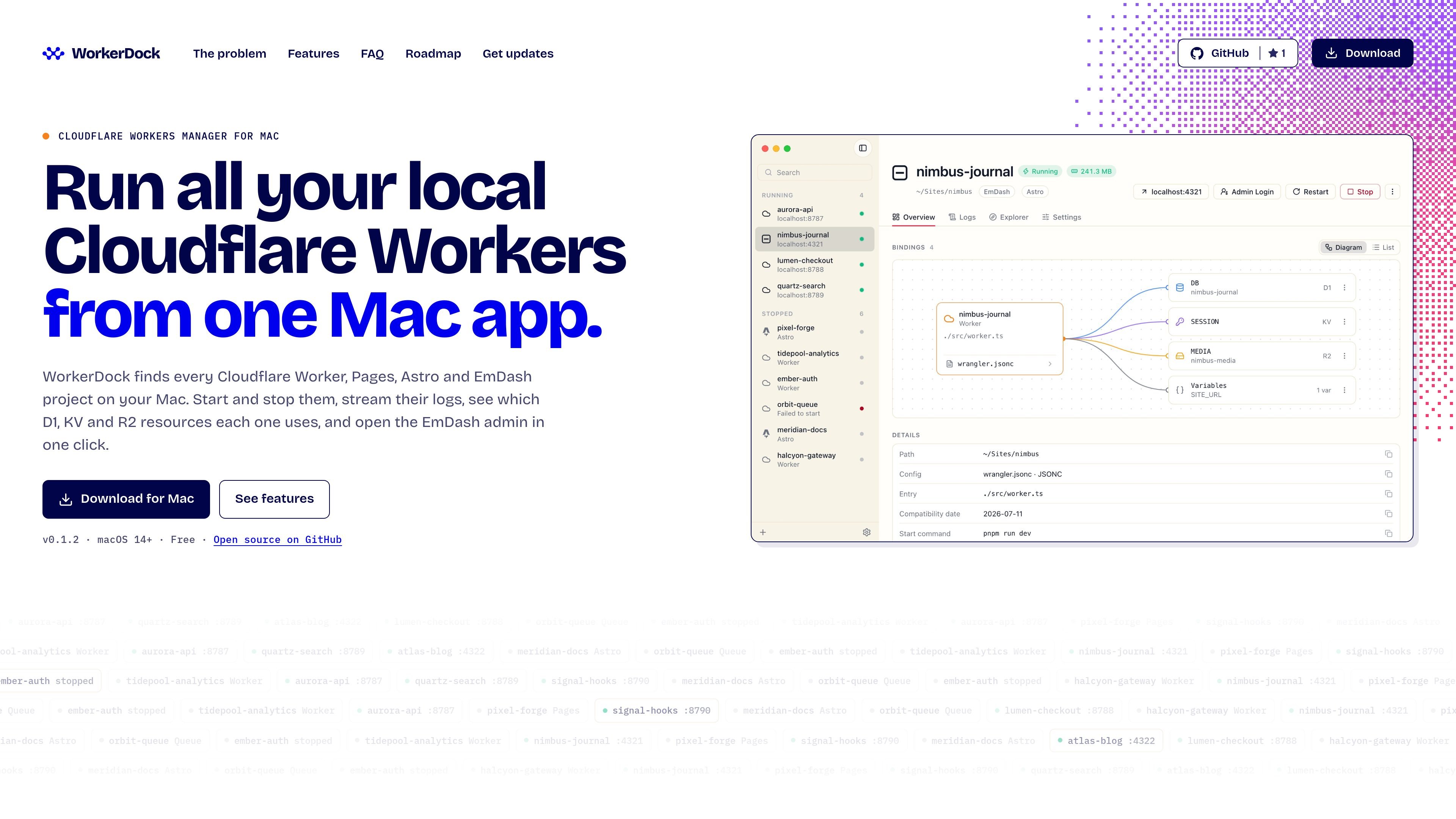
WorkerDock is a macOS app for managing local Cloudflare Workers projects from one window. It scans chosen folders for local Workers, Pages, Astro, EmDash, Vite, and other Wrangler-based projects, then presents them with their status, port, project type, and binding information.
The app is designed to replace a collection of terminal tabs and manually tracked development processes. Users can start, stop, and restart projects, inspect live logs, identify resources such as D1, KV, and R2, and use menu bar controls without reopening the main window. WorkerDock is read-only toward project folders and keeps project code and data on the Mac according to the product’s stated behavior.
Choose a folder and let WorkerDock scan nested directories and monorepos for local Wrangler-based Workers, Pages, Astro, EmDash, Vite, and other supported project types.
View projects in one sidebar with their detected type, current status, local port, favorites, and search support.
Start, stop, or restart a project from the main window or menu bar. WorkerDock selects a suitable command and free port, and manages the project process group for cleaner shutdowns.
Inspect binding diagrams or lists for resources such as D1, KV, R2, Queues, Durable Objects, Workflows, Service bindings, Workers AI, Vectorize, and Hyperdrive. Values are not displayed.
Read selectable live output with filtering, auto-follow, capped buffering, and visible error highlighting. Port conflicts and missing dependencies are surfaced without automatically installing packages.
Use the built-in local Explorer for D1, KV, R2, Durable Object, and Workflow data, open local sites in a browser, and control projects from the macOS menu bar.
Scan a workspace or monorepo once, then start and stop several local Workers without opening separate terminal tabs or tracking each port manually.
Inspect a project’s D1, KV, R2, queue, Durable Object, or other binding names before debugging data flow or configuration relationships.
Use live, filterable logs and port-conflict explanations to identify failed starts, occupied ports, missing dependencies, and requests made by a local service.
Start, stop, restart, or open local projects from the macOS menu bar while moving between other applications.
Browse local D1, KV, R2, Durable Object, and Workflow data through the built-in Explorer while working on a local project.
WorkerDock scans a folder you choose, including nested folders and monorepos, for local Wrangler projects. It then lists detected projects with their status, port, and available binding information.
It can start, stop, and restart detected local projects. WorkerDock selects the appropriate command and a free port, and stopping a project also stops its associated workerd process.
WorkerDock displays binding names and types, including D1, KV, R2, Queues, Durable Objects, Workflows, Service bindings, Workers AI, Vectorize, and Hyperdrive where detected. It shows variable names, not their values.
No. The app is described as read-only toward project folders, does not upload code or data, and never changes project files. If dependencies are missing, it shows the install command but does not run it.
WorkerDock requires macOS 14 (Sonoma) or later and is presented as a free Mac app. The evidence describes local project management rather than team or remote project management.

ByteAsk is a terminal-first AI coding agent for C and C++ that edits repositories and verifies changes with the real compiler, debugger, sanitizers, and tests before showing a diff. It offers a free tier plus paid plans, with editor connectors and zero-retention handling described in the source.

Epherem is a static security scanner for web apps built with AI coding tools such as Lovable, Bolt, v0, Replit, Cursor, and Claude Code. It checks source files and dependencies for common security mistakes, then provides categorized findings and suggested fixes without running the app.

CreateOS Sandbox is an isolated compute environment for running code and agent workloads inside Firecracker micro-VMs. It is designed for workflows that need machine-level isolation, private networking between sandboxes, and programmatic control through SDK, CLI, or MCP.

GitBot is a local browser-based workspace for creating reusable coding bots powered by Claude Code, Codex, or OpenCode. It helps developers run those agents across repository folders with persistent threads and configurable permissions.

hob is an independent workspace for coding agents that keeps agent sessions, terminals, history, and follow-up work organized around the tools and providers you already use. It is aimed at developers who want local control over routing, history, and workspace structure rather than a bundled model stack.

Ably Chat is a chat API platform for building custom realtime chat applications. It supports room-based messaging, typing indicators, presence, reactions, and message updates, with usage-based pricing options for different deployment stages.