
AI-generated workspaces
Generate AI presentations, smart documents, structured sheets, and guided forms from an idea or uploaded material.

WZRD is an AI workspace for generating slides, documents, sheets, and forms from prompts or uploaded files, then turning them into guided, voice-enabled experiences. It is designed for teams creating shareable business content and workflows such as lead capture, intake, onboarding, and reporting.
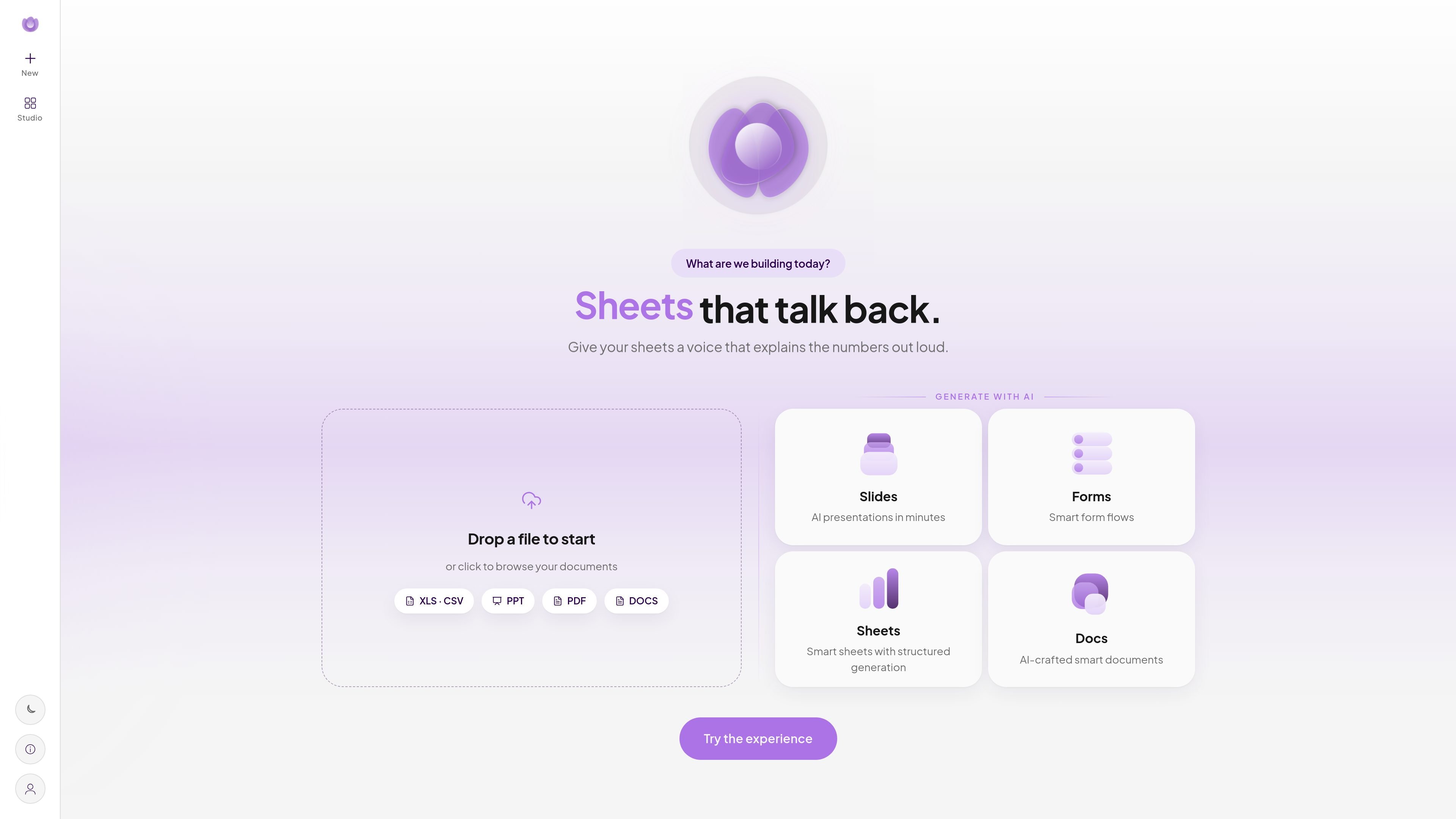
WZRD is an AI workspace for creating interactive slides, documents, sheets, and forms. Users can describe what they want or upload existing files, including PDFs, presentations, spreadsheets, and documents, then generate an experience to refine rather than starting with a blank canvas.
The product focuses on making business content usable as guided, voice-enabled experiences. Published work can be opened in a browser through a WZRD.to link, QR code, or private invite. Its use-case library covers forms, documents, workflows, sales, support, HR, finance, events, and other business processes.
Generate AI presentations, smart documents, structured sheets, and guided forms from an idea or uploaded material.
Turn static documents and files into interactive experiences that explain content, guide users, and can answer back.
Create one-question-at-a-time form flows with adaptive questions, voice answers, qualification logic, and guided completion.
Let people speak their answers and use voice-enabled experiences for forms and business content.
Publish experiences as browser-based links, QR codes, or private invites, without requiring an app.
Use live dashboards to filter and export submitted leads, and track conversion for lead-capture workflows.
Create forms that ask one relevant question at a time, capture need, budget, and timeline, score intent, and route qualified enquiries to sales or a CRM.
Turn proposals, policies, guides, and other static files into guided experiences that explain sections and help people find or provide the relevant information.
Collect structured answers for requests, applications, registrations, surveys, and internal processes using adaptive forms that can accept voice responses.
Create structured sheets and presentations from source material, then add voice-enabled explanations for people reviewing numbers or a story.
Build multi-step operational flows across areas such as onboarding, HR, support, finance, and events using the site's guided workflow and use-case templates.
WZRD supports AI-generated slides, forms, sheets, and documents. It can also turn uploaded files such as PDFs, presentations, spreadsheets, and word-processing documents into interactive experiences.
You can start from an idea or upload an existing file. WZRD describes the workflow as generating a working experience that can then be refined before publishing.
Published experiences can be shared through a WZRD.to link, QR code, or private invite. The site states that no app is needed and that experiences open in a browser on any device.
WZRD includes voice-enabled experiences. Depending on the workflow, people can answer forms by voice or talk to business content through AI voice agents.
WZRD offers a free plan with a limited voice allowance and project limit, as well as paid plans with different voice, user, project, template, analytics, and support allowances. The pricing page says plans can be upgraded, changed, or canceled.

Slidesgo is a presentation template platform for Google Slides, PowerPoint, and selected Canva workflows. It offers free and Premium templates, plus AI-assisted presentation creation and team-friendly access options.

ClawEase is an AI business operator that captures requests across calls, email, SMS, WhatsApp, LINE, and web forms, then completes booking and service workflows in existing web systems. It is aimed at appointment-based businesses that need intake, follow-up, and execution without API changes.

VForms lets you place questionnaires directly inside YouTube videos so viewers answer in context instead of switching to a separate form. It is aimed at collecting feedback and insights through timestamped, embeddable video forms.

ChatBA is a generative AI product for creating slide decks from prompts. The public site emphasizes instant presentation generation and includes help content for templates, sharing, and data sources.

Napkin AI transforma texto em visuais editáveis para apresentações, documentos e conteúdo partilhável. Geração a partir de texto e exportação para PPT, PNG, SVG ou PDF.

Beautiful.ai is an AI presentation platform for individuals, teams, and enterprises. It helps users create branded slide decks with Smart Slides, collaborative editing, and export options while reducing manual formatting work.