
Mission event countdowns
Shows live countdowns to major Artemis II mission events, including the lunar flyby and return milestones described in the source.

Artemis II Lunar Countdown is a macOS menu bar app that tracks NASA’s Artemis II mission with live countdowns, mission phases, MET, crew information, and timeline context. It is built with SwiftUI and uses publicly available NASA mission updates.
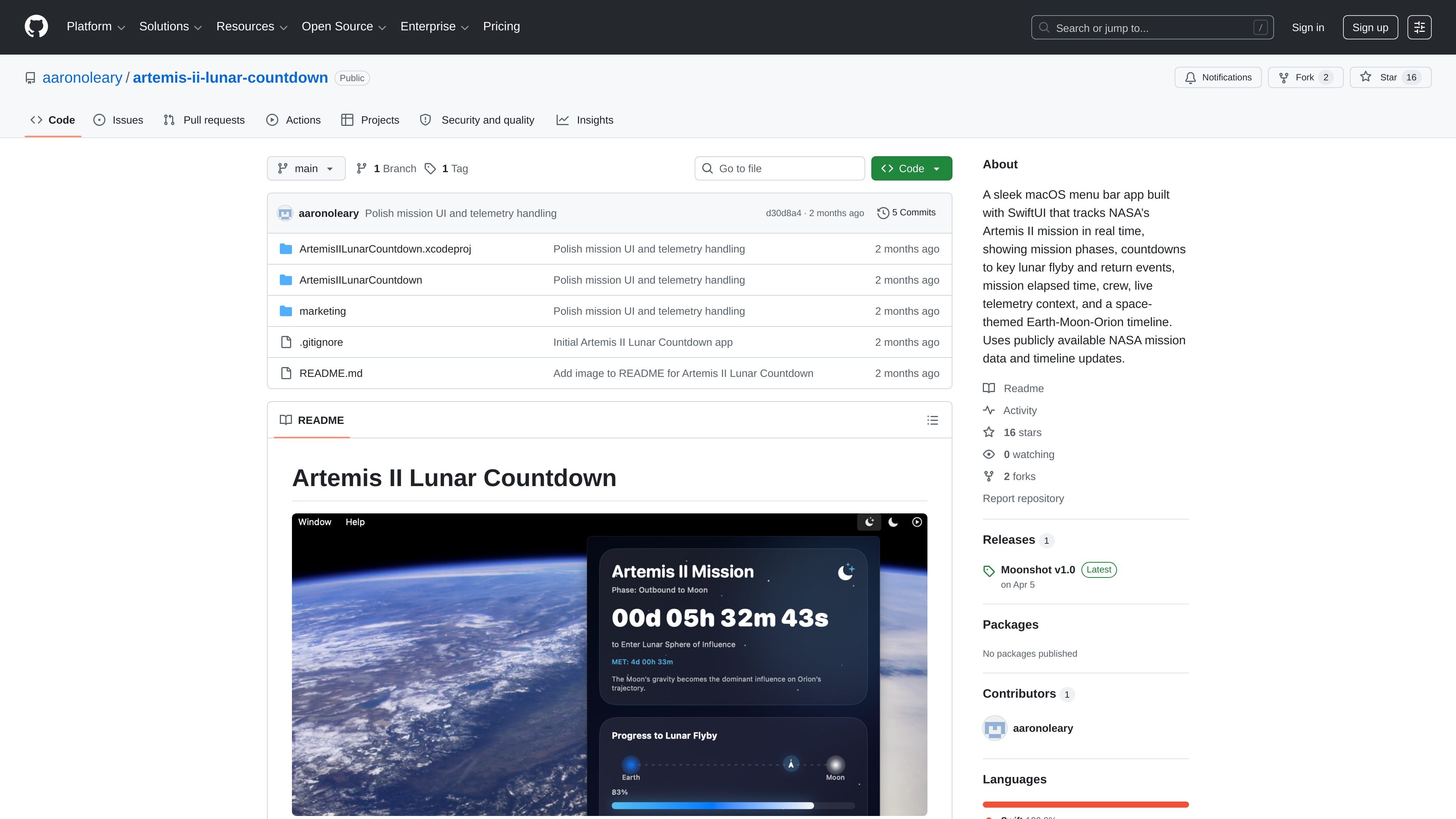
Artemis II Lunar Countdown is a macOS menu bar app for following NASA’s Artemis II mission in real time. It combines live countdowns, mission phase tracking, mission elapsed time, crew information, and a space-themed Earth-Moon-Orion timeline in a compact desktop utility.
The app is built with SwiftUI and uses publicly available NASA mission pages and updates as its data source. According to the release notes and README, it is self-distributed for macOS, with source build instructions available in the Xcode project for users who want to run it locally.
Shows live countdowns to major Artemis II mission events, including the lunar flyby and return milestones described in the source.
Summarizes the current Artemis II phase, including outbound, lunar flyby, return leg, re-entry, and splashdown.
Displays mission elapsed time so users can see how far the mission has progressed since launch.
Includes the Artemis II crew roster and mission context directly in the menu bar view.
Uses a space-themed Earth-Moon-Orion progress view to present the mission timeline visually.
Built as a menu bar-only macOS app with SwiftUI for quick at-a-glance checking.
Keep the mission visible while working on a Mac, with countdowns and phase status available from the menu bar instead of a separate full-screen app.
Check the next lunar flyby or return milestone quickly without opening multiple NASA pages or mission trackers.
Use the repository and Xcode project to inspect the app, run it locally, or adapt it for your own workflow.
Rely on the NASA-sourced update links and mission context when you want a compact reference for the latest public Artemis II information.
The app is a self-distributed macOS menu bar app built with SwiftUI. The README says to download the latest macOS release, and the source build instructions require opening the Xcode project in Xcode and running it on My Mac.
The source notes list macOS 13 or later as the requirement, and the README recommends Xcode 15 or later for building from source.
It tracks NASA’s Artemis II mission using publicly available mission pages and updates, including mission coverage announcements, live updates, the Artemis II mission page, and the Track Artemis page.
The release notes say macOS may block the app on first launch because it is self-distributed and not signed with an Apple Developer certificate. The README gives the standard Open/Allow Anyway and quarantine-flag removal steps if needed.
Yes. The app is described as a macOS menu bar-only app, so it is intended for Apple desktop systems rather than mobile or web use.
MuseGen is an AI music and song-creation service that works from descriptions, lyrics, or reference guidance. It offers vocal and instrumental concepts, song editing and extension tools, and credit-based memberships; generated output and commercial rights require review under the current terms.
AILearnHub turns topics, questions, articles, and ideas into structured AI-generated lessons. It supports study review and teaching preparation, with a one-lesson free allowance and paid credit plans for larger workloads and additional export options.
Yap Audio to Text is a free browser tool that transcribes local audio or video files into editable text and timed SRT or VTT subtitles. Whisper runs on the user’s computer, with no account or upload, subject to a 60-minute and 300 MB limit per file.
Kling 4.tv is a third-party browser-based video-creation service with prompt and reference-based workflows. It offers a model picker, generation settings, and credit-based plans; its branding does not establish affiliation with the developers of Kling AI.
PostCat AI is an early-access LinkedIn content and attribution workspace for B 2 B teams. Its published plans describe post drafting, scheduling, team notifications, and tracked links, while access currently requires joining a waitlist.
Arcmira helps researchers find moments in indexed public video and podcast conversations, with source passages and timestamps. It provides web research workflows, monitored names, and API, MCP, and webhook access under credit-based plans.