
Calendar-centered planning
Plan on day, week, or month timelines with tasks and Apple, Google, and Outlook Calendar events displayed together. The calendar editor opens beside the selected block for quick changes.

Chunk is a native macOS time-blocking and task-planning app that combines tasks with Apple, Google, and Outlook Calendar events. It helps individuals schedule focused work around existing appointments using timed blocks, recurring routines, countdowns, and transition alerts.
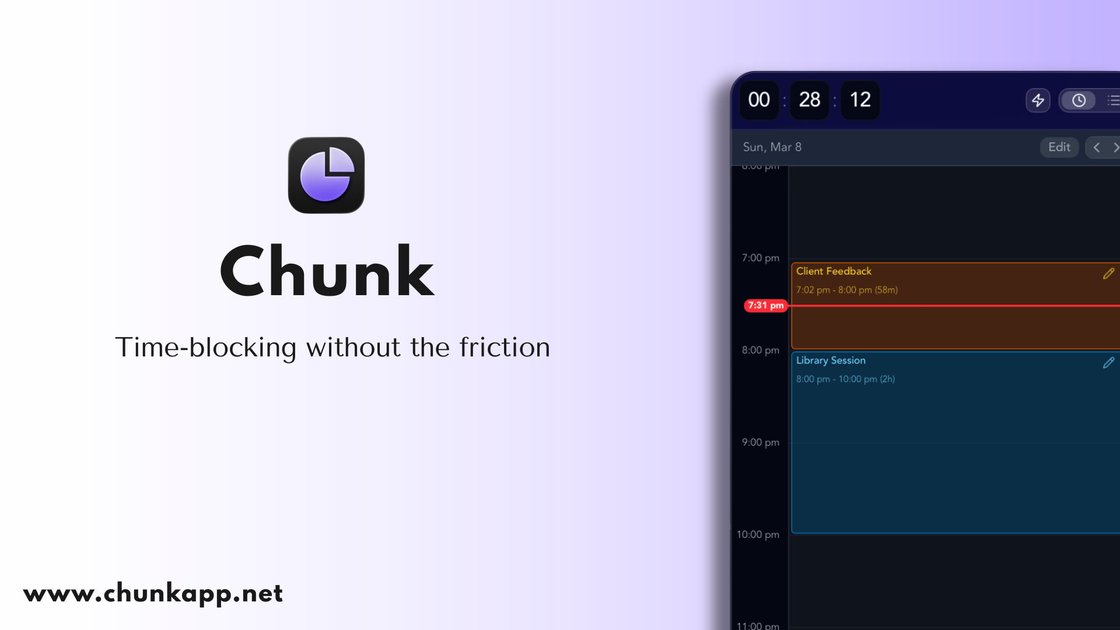
Chunk is a native macOS time-blocking and task-planning app that organizes work around a calendar. It combines task lists, Apple Reminders, and synced Apple, Google, and Outlook Calendar events in one workspace, allowing users to move between tasks and a schedule while planning a day, week, or month.
The app is designed for calendar-centered daily planning: users can turn tasks into timed blocks, work through a visible countdown, and use fullscreen transition alerts when a block ends. It is intended for people who want to convert open calendar time into scheduled work rather than manage tasks separately from their appointments.
Plan on day, week, or month timelines with tasks and Apple, Google, and Outlook Calendar events displayed together. The calendar editor opens beside the selected block for quick changes.
Turn tasks into calendar events and events back into tasks through two-way calendar synchronization. Synced events can include video-call access and invitee information.
Keep work in searchable smart lists, custom lists, groups, and Apple Reminders. Tasks support notes, checklists, attachments, deadlines, and recurrence.
Drag individual tasks or reusable templates onto the calendar to assign a duration and create focused time blocks. Templates can represent repeatable routines.
Use a built-in countdown during a block and receive a fullscreen alert when it ends. The alert lets you mark the task complete or reschedule it.
Keep the app available without an internet connection on paid plans, and export a schedule as PDF or CSV when a shareable copy is needed.
Review appointments and open time in one calendar view, then drag priority tasks into available spaces to create a realistic schedule for the day.
Plan a workweek around existing meetings by viewing tasks and calendar commitments together, while using separate day, week, or month layouts for different planning horizons.
Create a repeatable routine from a template, or use recurring tasks for work that needs to happen on a fixed schedule or after a set interval.
Run a focused work block with the countdown visible, then use the fullscreen end-of-block prompt to complete or reschedule the task before moving to the next activity.
Chunk is a native macOS app and requires macOS 12 Monterey or later. The site does not document support for Windows, Linux, iOS, or Android in the supplied content.
You can start a seven-day trial without entering a credit card. The trial includes full access, works on one Mac, and ends without access unless you upgrade. A lifetime license provides permanent access on up to two Macs, while the family package activates on up to six Macs.
Chunk can show Apple, Google, and Outlook Calendar events alongside tasks. Its calendar view supports two-way conversion between tasks and events, so a task can become a calendar event and an event can become a task.
Tasks can include notes, checklists, attachments, deadlines, recurrence, and templates. In Plan mode, you can drag a task or an entire template onto the calendar to assign time to it.
Chunk provides day, week, and month planning views, a built-in countdown timer, fullscreen alerts when a block ends, and PDF or CSV export. The supplied material does not specify whether calendar connections or exports work offline, beyond stating that the paid plans include offline access.

Goldfish is an AI memory app for macOS that helps you reply, write, summarize, and continue using the context already on your Mac. It stores memory locally and writes in your tone.

ArtDeck is a visual reference board app for iPhone, iPad, and Mac that lets artists collect mixed reference material on one canvas and study it with ToolBox lenses. It works offline, supports optional iCloud sync, and is sold as a one-time purchase with no account required.

Biji - это универсальная платформа, разработанная для повышения продуктивности с помощью инновационных инструментов и функций.

Malyatko is a baby tracker for logging feeding, sleep, growth, teething, and milestones in one app. It works on iPhone, Apple Watch, and widgets, with no sign-up, offline use, and family sharing through iCloud.

Liam is an AI copilot for managing inboxes, writing replies, prioritizing email, and scheduling meetings. It is offered free for individuals, with custom pricing for teams and enterprise.

Gemma AI is a phone call reminder app that calls you with scheduled reminders instead of push notifications. It helps people who want a more direct way to stay on schedule, with Google Calendar sync and conversational call interactions.