
CLI-first job creation
Schedule jobs from the terminal with commands such as `clawtick jobs create`, which keeps the workflow short for agent-driven automation.

ClawTick is an AI agent automation platform for scheduling jobs from the CLI, dashboard, or REST API. It is aimed at developers and teams running LangChain, CrewAI, webhook, or custom agent workflows that need monitoring, alerts, and logs.
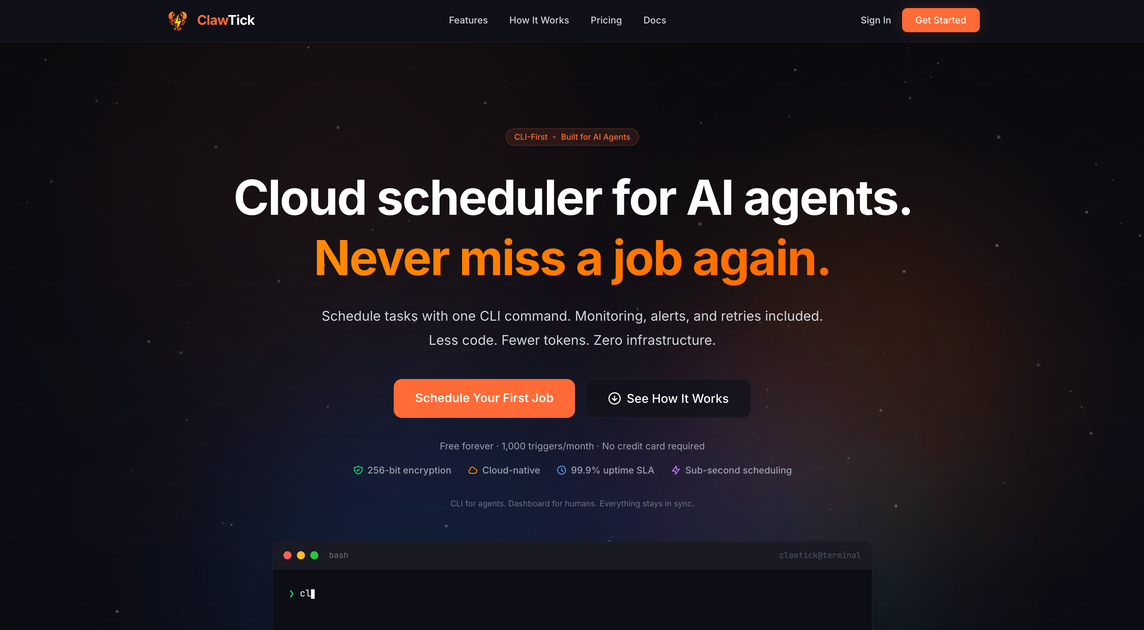
ClawTick is an AI agent automation platform for scheduling tasks from the CLI, dashboard, or REST API. The site positions it as infrastructure for agents and developers who need scheduled execution, monitoring, alerts, and logs without managing their own server-based cron setup.
Its public pages show support for LangChain, CrewAI, custom agent tasks, webhooks, and other URL-based workflows. The product emphasizes a workflow that is quick to set up, with the documentation describing a first job running in about two minutes and the home page highlighting a CLI-first experience.
Schedule jobs from the terminal with commands such as `clawtick jobs create`, which keeps the workflow short for agent-driven automation.
Manage jobs, execution history, and analytics from the web dashboard when a human needs to review or edit schedules.
Use the REST API to create jobs, check status, and read logs programmatically from any language or service.
Track failures with built-in monitoring, email alerts, and automatic retry handling instead of wiring those pieces together yourself.
Review execution history and logs, with retention shown on the site as ranging from 7 to 90 days depending on the plan.
Schedule webhooks, HTTP endpoints, LangChain flows, CrewAI tasks, and other URL-based automation jobs.
Schedule recurring LangChain or CrewAI workflows so agent tasks run automatically at a set time instead of being triggered manually.
Run webhook-based automations such as daily reports, health checks, or data sync tasks on a cron schedule with retries and alerts.
Give developers and operators a shared view of job status, execution history, and analytics while keeping the underlying schedule accessible through the CLI or API.
Use the dashboard and logs to inspect failures, then rely on automatic alerts and retry handling to reduce manual follow-up.
Replace server-managed cron setups with a cloud scheduler when you want scheduled execution without maintaining your own infrastructure.
ClawTick is designed for AI agent and automation jobs that need scheduled execution, monitoring, and logs. The site shows examples for LangChain workflows, webhooks, and custom agent tasks.
The documentation says you can get your first job running in about 2 minutes using the CLI, dashboard, API keys, and webhook setup guides. The home page also shows a CLI-first workflow.
The site presents three access paths: the CLI, a dashboard, and a REST API. It also says the same jobs and data stay in sync across all three.
The product pages list built-in monitoring, email alerts on failure, execution history, and retry management. The home page also references logs and automatic retries.
The source mentions a free tier and paid plans, but the pricing page itself is a 404. The docs still include a 'Plans & Limits' section, so current plan details should be confirmed from the live documentation before purchase.

OpenFlags is an open-source, self-hosted feature flag platform for modern JavaScript teams. It supports local evaluation, targeted rollouts, and controlled launches while keeping flag data in your own infrastructure.

EAS Observe is a production performance monitoring tool for Expo and React Native apps. It shows startup metrics, session timelines, release markers, and errors inside the Expo dashboard.

Rectify is an all-in-one SaaS operations platform that combines session replay, monitoring, support, code scanning, roadmaps, and changelogs. It is aimed at founders and product teams, especially non-technical SaaS teams working with AI-assisted development.

PromptScout tracks how ChatGPT, Gemini, Google AI Overviews, and Perplexity mention your brand or competitors, then pairs those results with source analysis and website audits. It helps teams decide what to fix in content, positioning, or site readiness next.

Liam is an AI copilot for managing inboxes, writing replies, prioritizing email, and scheduling meetings. It is offered free for individuals, with custom pricing for teams and enterprise.

Sleek Analytics is a privacy-friendly web analytics tool with real-time visitor tracking, Core Web Vitals, and revenue attribution. It helps site owners understand traffic and conversions without cookie banners or a heavy setup.