
Line-by-line script matching
Each line of your narration is matched to the best available clip from your uploaded footage, so the edit is built around the story instead of a blank timeline.

ClipMatch is an AI video editor that turns camera roll footage into short-form vertical videos by matching clips to a script or story. It is aimed at creators and small businesses that want a faster way to publish content for platforms like Instagram, TikTok, YouTube Shorts, and LinkedIn.
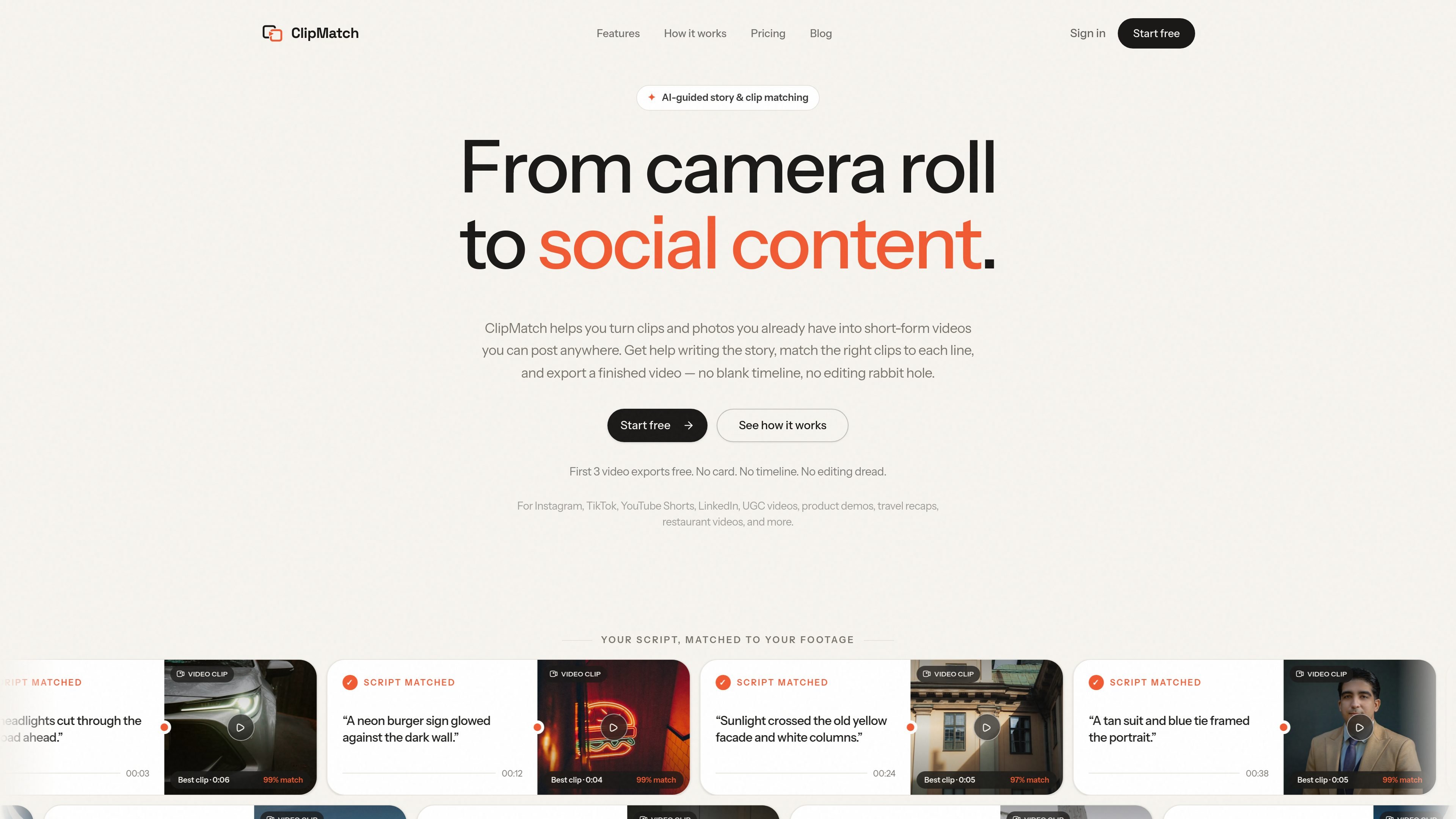
ClipMatch is an AI video editor for turning camera roll footage into short-form vertical videos. It starts from the story you want to tell, then matches your uploaded clips and photos to each line of narration so you can assemble a finished video without working on a traditional timeline.
The product is aimed at creators and small businesses that already have raw footage but want a faster way to turn it into something publishable. ClipMatch supports workflows such as restaurant recaps, travel videos, product demos, event highlights, behind-the-scenes updates, and other social content for platforms like Instagram, TikTok, YouTube Shorts, and LinkedIn.
Each line of your narration is matched to the best available clip from your uploaded footage, so the edit is built around the story instead of a blank timeline.
The product says it uses vision AI to watch your clips and understand what is happening in each scene, rather than relying only on file names.
For every script line, ClipMatch surfaces the top three clip options and assigns confidence scores so you can review lower-confidence matches more carefully.
You can start from a rough idea, notes, or a finished script, and ClipMatch helps shape that text into short video lines.
After review, the app exports a finished 1080×1920 MP4 for vertical platforms, with captions and voiceover included at no extra cost.
The workflow is built to avoid timeline editing: upload footage, write the story, review matches, and export a finished video.
Turn a weekend dinner, launch party, wedding, or other event recording into a short recap without manually scrubbing through a timeline.
Pull together footage from a trip and match it to narration so you can post a travel story from clips already sitting in your camera roll.
Use footage from a shoot to build a vertical product demo, then review the suggested matches before exporting the finished video.
Create short updates about new arrivals, behind-the-scenes work, or a brand story when you need a finished post quickly.
Turn casual moments into postable vertical videos when you have clips and photos but do not want to spend time editing on a timeline.
ClipMatch is an AI video editor that helps you turn clips and photos from your camera roll into short-form vertical videos. It can help write the story, match script lines to footage, and export a finished video without timeline editing.
Yes. The pricing page says you can start free, and the first 3 video exports are free. After that, finished video exports are priced during beta at $2.99 per video.
ClipMatch supports common video uploads, including MP4 and MOV, as well as other standard video formats mentioned on the product page. The workflow starts by uploading your raw footage and photos, then AI analyzes the scenes and matches them to your script.
No. The product is designed to help even if you only have rough notes or an idea. On the site, ClipMatch says you can start with an idea, rough notes, or a finished script.
ClipMatch provides AI clip matching based on your script, with ranked clip options for each line. You can review the matches, swap selections, and export the finished vertical video.

Virvid is an AI shorts generator for creators and marketers who want to make faceless short-form videos for TikTok, Instagram Reels, and YouTube Shorts. It supports both manual video creation and automated daily posting workflows.

Topple.lol is a public pay-to-rank leaderboard where listings start at $1 and their bid balance decays over time and with clicks. It helps makers and marketers buy short-term visibility for product sites or X profiles while tracking live board stats.

Video Effects SDK adds real-time webcam effects such as background blur, background replacement or removal, denoising, framing, beautification, and color grading. It is built for teams shipping live video experiences on web, desktop, and mobile platforms.

DeepMotion is a web-based AI motion capture and 3D animation platform with Animate 3D for video-to-animation and SayMotion for text-to-animation. It helps creators and teams generate motion in a browser and export results in common production formats.

Zella is a screen recorder and on-device AI video editor for Mac and iPhone. It helps creators record screens or cameras, automatically clean up footage, add captions, reframe clips, and export videos without uploading the core project to the cloud.

ngram is an AI video generator and editor for teams and individual creators. It turns prompts, uploaded files, or screen recordings into editable videos for demos, training, onboarding, sales enablement, explainers, and launches.