
Bring your own OpenRouter key
Paste an OpenRouter key once, then add models by ID and display name. The app is positioned as a multi-model client rather than a single-provider chat interface.

EchoFlow is an Android chat app for OpenRouter that uses your own API key, stores conversations locally on your phone, and supports switching between models mid-chat. It is free, requires no account, and keeps chat history off the server.
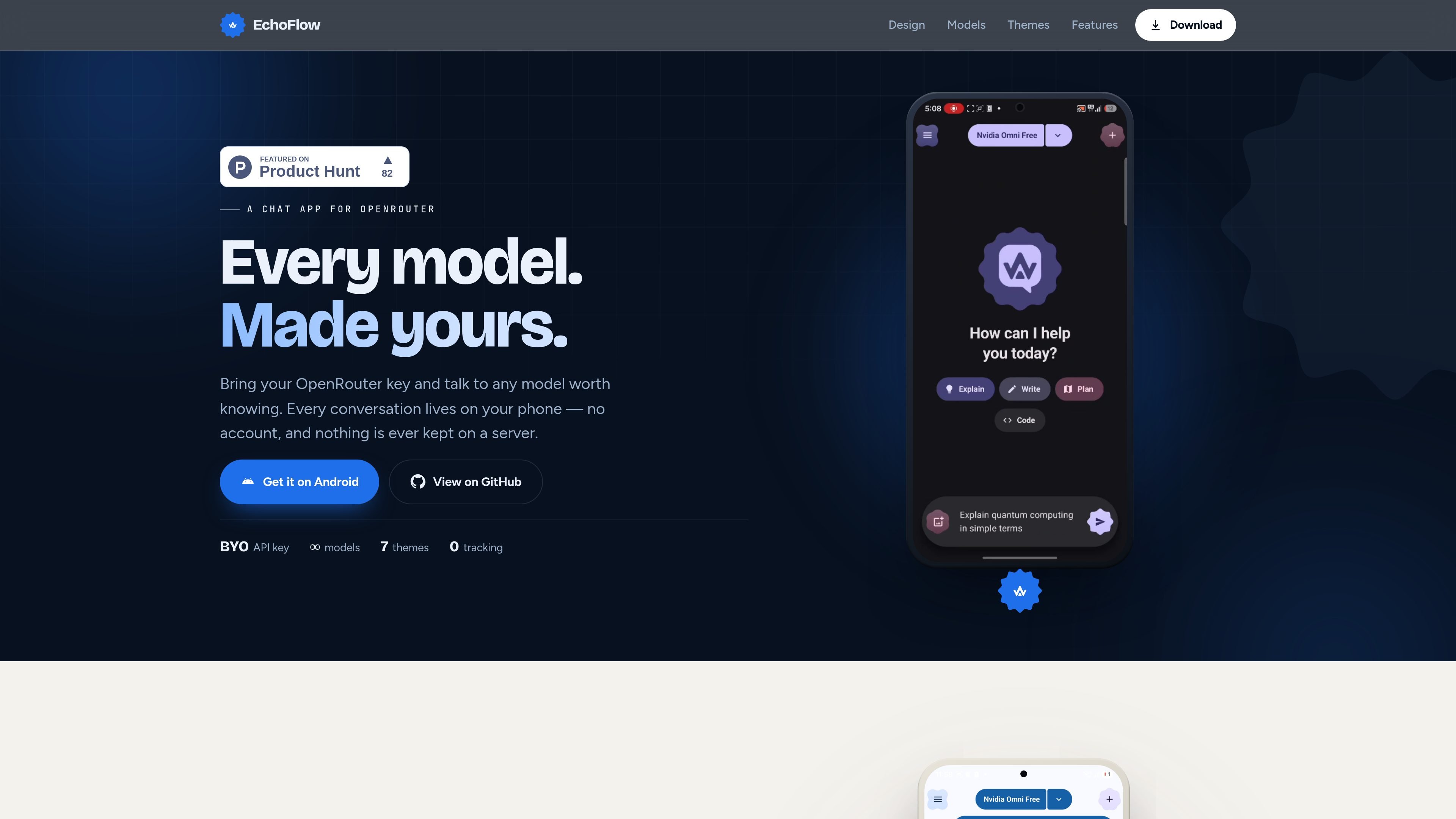
EchoFlow is an Android chat app for OpenRouter that lets you bring your own API key and talk to models by ID from a single mobile interface. It is built for people who want local chat history, model switching, and a visual design centered on Material 3 Expressive.
The product emphasizes on-device storage and privacy: conversations are saved locally on the phone, can be reopened offline, and are not uploaded to a server. The site also presents EchoFlow as free, with no account required and no tracking disclosed on the page.
Paste an OpenRouter key once, then add models by ID and display name. The app is positioned as a multi-model client rather than a single-provider chat interface.
EchoFlow lets you search, add, and swap models from a bottom sheet, including switching models mid-conversation without losing the thread.
Replies stream in word by word with a live caret, so you can follow the response as it is generated instead of waiting for a full-page spinner.
Reasoning traces can be shown in a collapsible panel while the answer streams, giving visibility into model reasoning when available.
The composer supports image attachments for vision-capable models, which makes the app suitable for screenshots, photos, and other visual prompts.
The app uses Material 3 Expressive styling, with themed color palettes, scalloped shapes, and spring-based motion across the interface.
Use EchoFlow as a mobile OpenRouter client when you want to chat with different models from the same app without managing separate provider-specific interfaces.
Keep conversations available on-device when you want local access to past chats, including offline review on the phone itself.
Compare responses from different models in one thread by switching models mid-conversation while keeping the conversation context intact.
Send screenshots or photos to models that support vision input when your prompt depends on visual context.
Watch replies stream in and inspect reasoning traces when you want a more transparent chat experience than a single final answer.
EchoFlow is an Android chat app for OpenRouter. You bring your own OpenRouter API key, then select a model by ID and chat directly in the app.
The site says conversations are stored locally on your device, can be opened offline, and are never uploaded or kept on a server.
The site says EchoFlow can switch models mid-conversation from a single tap, so you can move between models without losing the thread.
The site says image attachments are supported for vision-capable models, and reasoning traces can be shown in a collapsible panel while the answer streams in.

Claude Overlay is a Windows desktop overlay for Claude Code that reads your screen so you can ask questions, inspect content, and request edits without leaving the current app. It runs on your existing Claude subscription through the Claude CLI, so no separate API key is required.

Goldfish is an AI memory app for macOS that helps you reply, write, summarize, and continue using the context already on your Mac. It stores memory locally and writes in your tone.

ArtDeck is a visual reference board app for iPhone, iPad, and Mac that lets artists collect mixed reference material on one canvas and study it with ToolBox lenses. It works offline, supports optional iCloud sync, and is sold as a one-time purchase with no account required.

Biji - это универсальная платформа, разработанная для повышения продуктивности с помощью инновационных инструментов и функций.

Malyatko is a baby tracker for logging feeding, sleep, growth, teething, and milestones in one app. It works on iPhone, Apple Watch, and widgets, with no sign-up, offline use, and family sharing through iCloud.
Gerty is a local AI assistant for Apple silicon Macs that handles chat, writing, documents, voice and selected Mac app tasks without sending data to the cloud. It works offline after model downloads and is designed for users who want private everyday AI without an account or subscription.