
Auto-captured bug context
Capture a Jam link that includes the screen recording plus debugging context such as device and browser data, console logs, network logs, repro steps, and backend tracing.

Jam is a bug-reporting tool that captures recordings and debugging context so teams can send reproducible issue reports to engineers. It also connects those recordings to supported AI coding tools through Jam MCP.
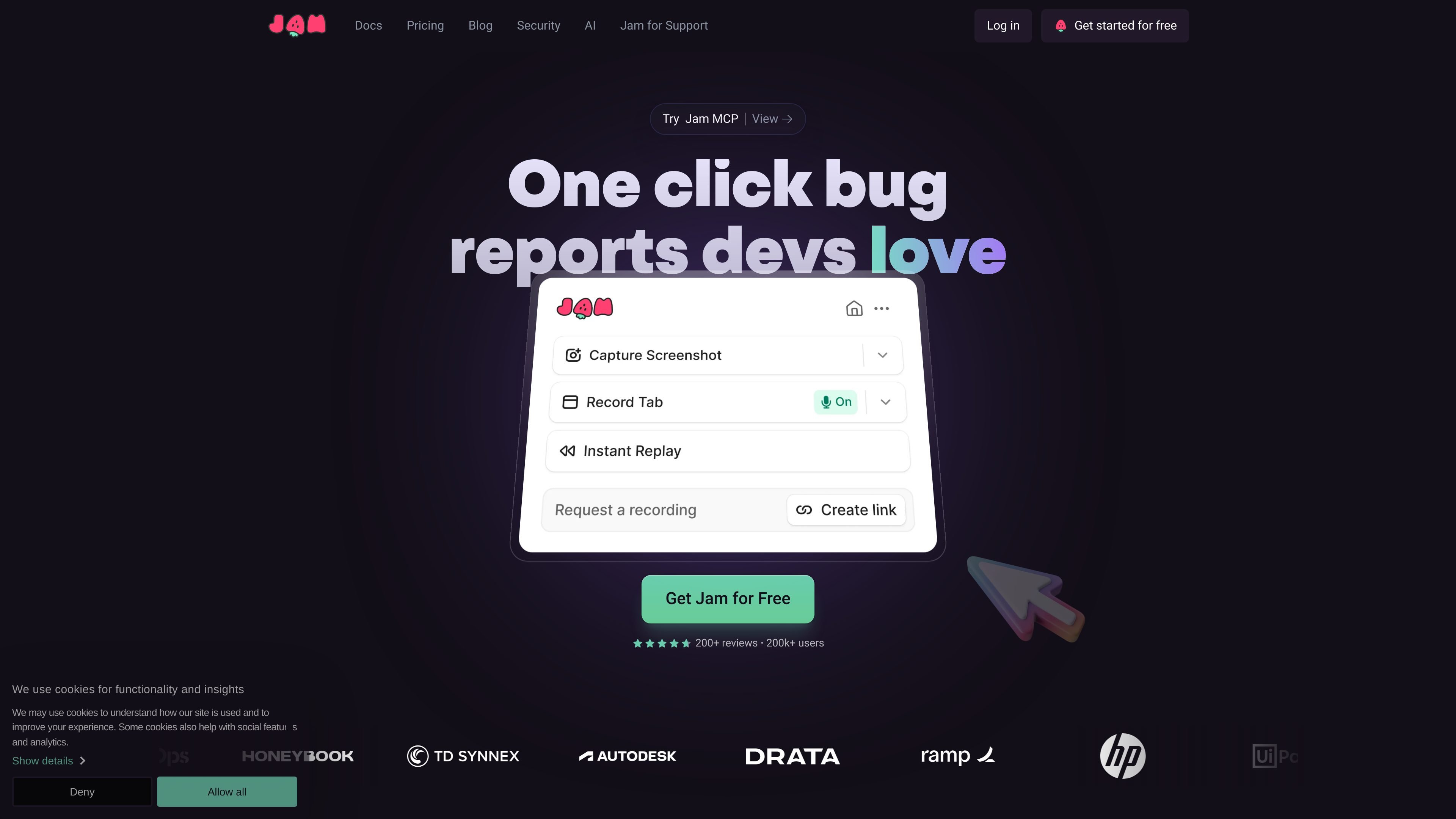
Jam is a bug-reporting tool that helps teams capture and share reproducible issue reports with minimal manual setup. The product is built around a browser extension that records the screen and automatically collects debugging context such as console logs, network logs, device and browser details, user actions, and backend tracing.
The site positions Jam for product, QA, support, and engineering workflows where a person needs to report a bug quickly and give engineers enough context to investigate. The same recording can be shared directly or passed into supported tools through Jam MCP, which lets AI coding tools read the recording’s full context without copy-pasting.
Capture a Jam link that includes the screen recording plus debugging context such as device and browser data, console logs, network logs, repro steps, and backend tracing.
Record a screen bug and get automatic repro steps instead of writing them out by hand, which helps keep reports consistent for engineers.
Use instant replay to review what happened right before the issue occurred, which is useful when the bug is hard to describe after the fact.
Add annotations, blur sensitive areas, and edit screenshots or video before sharing the report with teammates.
Send Jam output into issue trackers, Slack, backend logging, and other team tools, including Jira, Linear, Sentry, and GitHub.
Connect a Jam recording to AI coding tools through Jam MCP so an agent can open the recording and read its video, events, logs, errors, requests, and metadata.
QA teams can record a defect, attach console and network logs, and send a report that is easier for developers to reproduce than a plain text ticket.
Product managers and support teams can collect a visual recording plus technical details when they need to hand off a user issue without translating it into technical language first.
Engineers can open a Jam link in a supported MCP client and inspect the recording’s events, logs, requests, and metadata while working in their editor.
Teams can mark up a screenshot or recording, blur sensitive details, and share a cleaner artifact with colleagues or external stakeholders.
Open-source maintainers can use the free OSS offer to capture bugs with developer logs without adopting a separate paid reporting workflow.
Jam is a bug-reporting tool for capturing a reproducible link with screenshots or video, along with console logs, network requests, device metadata, and user actions so engineers can inspect the issue without asking for more context.
The source shows setup through the Chrome extension and, for Jam MCP, connecting supported clients such as ChatGPT, Claude, Claude Code, Cursor, VS Code, Windsurf, and opencode to the Jam MCP endpoint.
Jam has a Free plan, a Team plan billed yearly, and an Enterprise plan with yearly billing only. The pricing page also mentions a 14-day free trial for Team, and a separate free offer for open-source projects.
The docs note that `getScreenshot` and `analyzeVideo` are not available for Instant Replay Jams, while the other listed MCP tools still work for those recordings.
The integration list includes Notion, GitHub, GitLab, Jira, Linear, Slack, ClickUp, Asana, Sentry, Azure, Figma, Fullstory, Datadog, and Airtable, with Datadog marked as coming soon on the homepage.

Goldfish is an AI memory app for macOS that helps you reply, write, summarize, and continue using the context already on your Mac. It stores memory locally and writes in your tone.

ArtDeck is a visual reference board app for iPhone, iPad, and Mac that lets artists collect mixed reference material on one canvas and study it with ToolBox lenses. It works offline, supports optional iCloud sync, and is sold as a one-time purchase with no account required.

Biji - это универсальная платформа, разработанная для повышения продуктивности с помощью инновационных инструментов и функций.

Malyatko is a baby tracker for logging feeding, sleep, growth, teething, and milestones in one app. It works on iPhone, Apple Watch, and widgets, with no sign-up, offline use, and family sharing through iCloud.

Redline is a budgeting tool for Claude Code that paces sessions to stay within time, token, cost, or plan-percentage limits. It uses Claude Code’s native hooks and statusline to help sessions finish with a usable result instead of stopping abruptly.

Claude Overlay is a Windows desktop overlay for Claude Code that reads your screen so you can ask questions, inspect content, and request edits without leaving the current app. It runs on your existing Claude subscription through the Claude CLI, so no separate API key is required.