
Create tables from a prompt
Describe the table or workflow you want, and the assistant can build a ready-to-use table around it.

Jotform AI Data Assistant is an AI-powered workspace for analyzing collected data, building tables, and managing submission follow-up inside Jotform. It helps users turn plain-language requests into summaries, charts, and table actions.
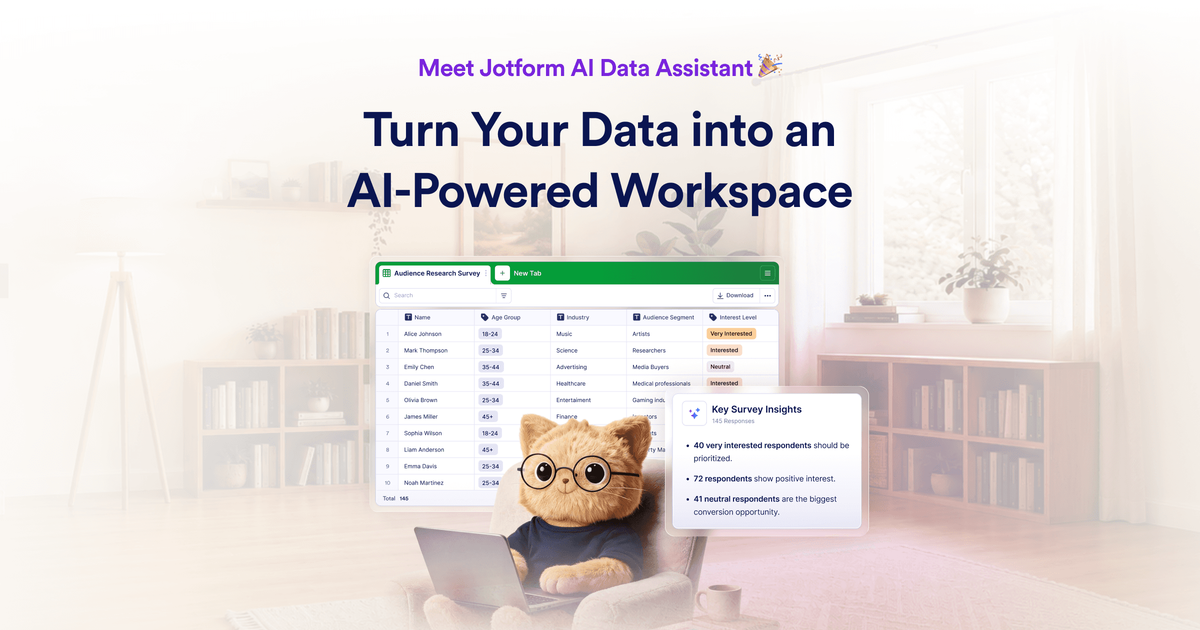
Jotform AI Data Assistant is an AI-powered workspace for working with collected data inside Jotform. It is designed to help users describe a table or workflow in plain language and turn that request into a ready-to-use table, summary, or follow-up action.
The homepage frames the product around submission management, data analysis, and workflow support. Examples include importing an order file to create a delivery calendar, summarizing expenses, categorizing feedback, and generating charts or metrics from table data.
Describe the table or workflow you want, and the assistant can build a ready-to-use table around it.
Summarize key details, identify patterns, and highlight items that need attention in submission data.
Turn table data into charts, trends, grids, and key metrics for easier review.
Use one prompt to apply the same action to many records, such as sending reminders or updating statuses.
Share tables with specific people and control whether they can edit or comment.
Use AI-powered replies, updates, and routing from the submission inbox to manage follow-up work at scale.
Turn a structured or imported file into a working table, such as building a delivery calendar from an order file.
Review collected responses to find patterns, over-budget items, or fields that need attention.
Create charts, trends, grids, and metrics when you need a visual summary of table data.
Use AI to categorize incoming submissions and trigger follow-up actions, such as replies, updates, or routing.
Share a table with collaborators while keeping control over who can edit or comment.
Jotform AI Data Assistant is an AI-powered workspace for working with collected data. It can help create tables, summarize responses, turn data into charts and metrics, and manage submissions.
The source does not show a separate pricing page for AI Data Assistant. Jotform’s pricing page shows paid plans starting at $19 per month, a free Starter plan, and usage limits that vary by plan.
The page shows examples such as importing an order file to create a delivery calendar, finding over-budget expenses, summarizing last month’s orders, and categorizing feedback as positive, negative, or neutral.
Yes. The homepage says you can share tables with specific people, assign edit or comment access, and control collaboration.
The source mentions that some Jotform features and limits depend on the selected account plan, and that usage limits can affect forms and submissions. It does not show a dedicated AI Data Assistant usage limit.

PromptScout tracks how ChatGPT, Gemini, Google AI Overviews, and Perplexity mention your brand or competitors, then pairs those results with source analysis and website audits. It helps teams decide what to fix in content, positioning, or site readiness next.

SaveMRR is a Stripe retention tool for SaaS teams that scans billing data for churn and MRR leaks, then automates recovery through dunning, cancel-save offers, win-back emails, and onboarding nudges. It is built for founders and bootstrapped teams using Stripe.

Hype is a web tool for finding trending YouTube topics by category, time range, and scoring mode. It helps creators spot emerging ideas, inspect source videos, and decide what to cover next.

Sleek Analytics is a privacy-friendly web analytics tool with real-time visitor tracking, Core Web Vitals, and revenue attribution. It helps site owners understand traffic and conversions without cookie banners or a heavy setup.

Struere is an AI-native platform for turning spreadsheet data into structured operational software with dashboards, alerts, and automations. It is aimed at teams that want to replace manual spreadsheet workflows without building custom tools from scratch.

ClayHog — платформа для AI-поиска, которая помогает отслеживать видимость бренда в ChatGPT, Gemini, Perplexity, Claude и Google AI Overviews из одной панели.