
Native local-first Markdown workspace
Create and edit Markdown notes in a native macOS app built around local files and folders, with no lock-in to a hosted vault.

kuku is a local-first AI Markdown workspace for macOS with wikilinks, backlinks, graph view, local search, and AI editing. The current public beta includes Pro-tier access with no billing yet, while managed sync and team plans are listed as coming soon.
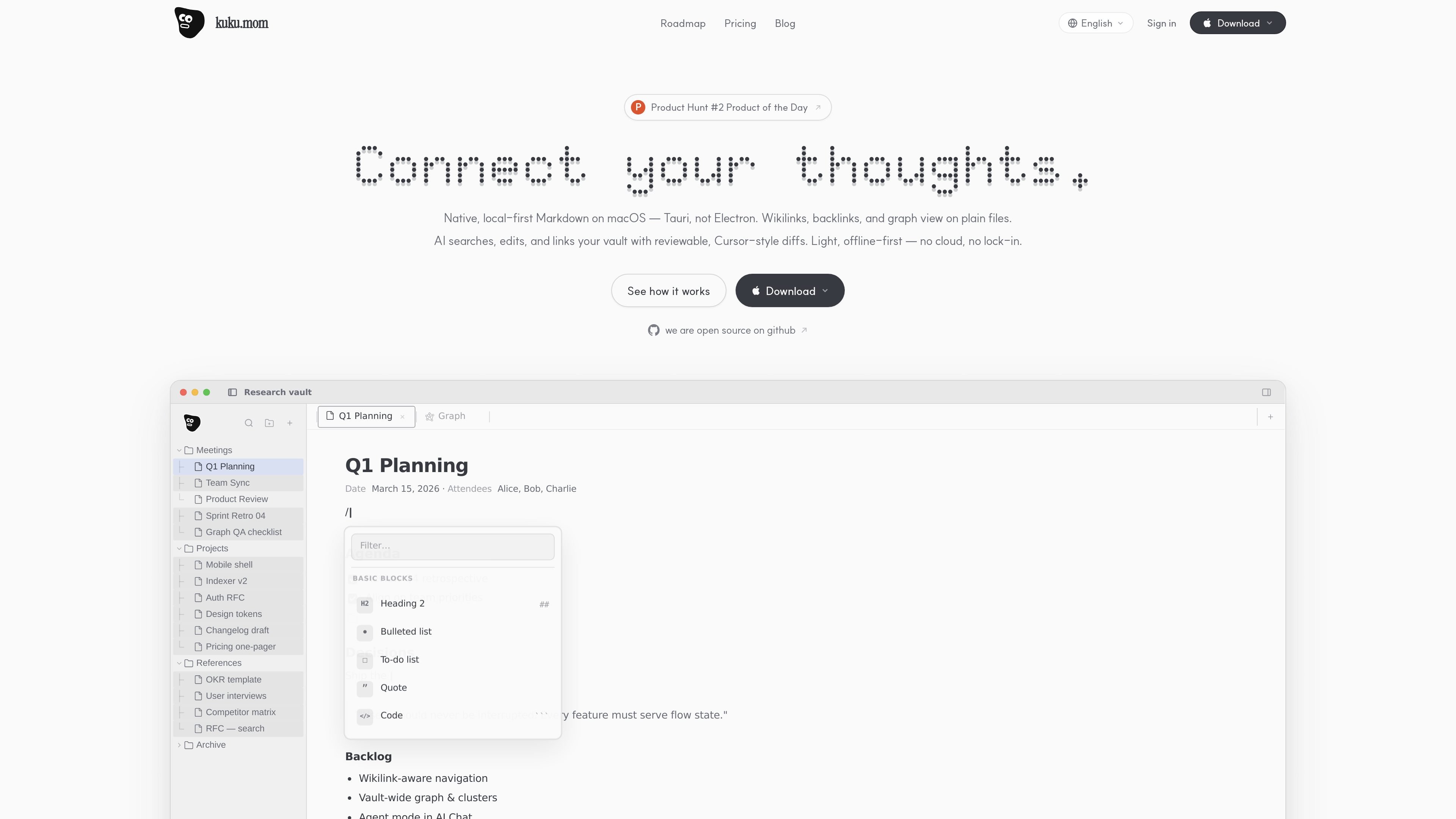
kuku is a local-first AI Markdown workspace for macOS. It combines a native Markdown editor with note linking, backlinks, graph view, local full-text search, and AI-assisted editing so people can work in a personal knowledge base without giving up control of their files.
The product is designed around offline-first use and local indexing. The pricing page describes a free tier for plain files, folders, wikilinks, backlinks, graph view, and AI chat with a bring-your-own Gemini key, while later plans add managed sync, hosted AI, and team workspaces.
Create and edit Markdown notes in a native macOS app built around local files and folders, with no lock-in to a hosted vault.
Link notes with wikilinks, follow backlinks, and explore connections through a force-directed graph view to understand related material quickly.
Index notes locally for full-text search so the vault stays usable offline and the core search experience remains on your Mac.
Use AI chat and editing with reviewable diffs; the free tier uses a bring-your-own Gemini key, while managed plans add hosted AI access and usage tracking.
Start with plain files, folders, and local storage, then move toward encrypted sync workspaces and managed recovery on paid plans.
Self-host the product stack if needed: the roadmap says the client, server, and infra code are open source under MIT, with Docker Compose support for self-hosting.
Draft and revise Markdown notes on a Mac while keeping the files local, searchable, and organized through links instead of folders alone.
Review meeting notes, docs, or planning pages with backlinks and graph context so related information is easier to trace.
Use AI to edit or refine text, then inspect the diff before accepting changes, which suits users who want AI assistance without losing review control.
Adopt a local note system now and keep room for later migration into managed sync, team workspaces, or self-hosted infrastructure as those options ship.
Run the product in environments that prefer open source or self-hosting, using the released client, server, and infra code as a foundation.
kuku is built for macOS. The homepage and pricing page describe it as a native, local-first Markdown workspace for Mac.
Yes. The pricing page says the current public beta gives everyone Pro-tier access, with billing not yet enabled.
Yes, for the current Free tier. The pricing page says you can bring your own Gemini key for AI chat and edits in the local app.
The roadmap and pricing page both describe local-first editing, wikilinks, backlinks, graph view, and local indexing/search as core parts of the product.
The roadmap says team workspaces and shared second-brain memory are planned, while the pricing page marks Team as coming soon.

Goldfish is an AI memory app for macOS that helps you reply, write, summarize, and continue using the context already on your Mac. It stores memory locally and writes in your tone.

ProWritingAid is a writing assistant for storytellers that offers grammar checking, style editing, paraphrasing, and story analysis inside popular writing apps. It includes a free plan, paid tiers, and tools for chapter critique, manuscript review, and collaborative editing.

SpeakoFlow is a free, open-source desktop voice-to-text app for Windows, macOS, and Linux. It supports dictation into any app, voice-driven writing with Flow, cleanup, translation, and a screen-aware assistant.

Paperpal 是一款面向学术写作的 AI 工具,提供文献阅读、语言润色、引用、查重、AI 检测和投稿前检查。它适合需要在英文论文和学术材料上进行写作、修改与合规自检的学生、研究人员和教师。

AakarDev AI helps teams manage AI provider access, project-level setups, logs, and analytics from one dashboard. It supports BYOK workflows and lists providers including OpenAI, Google Gemini, Anthropic, Groq, Mistral AI, and Perplexity AI.

Sanota is an app that turns spoken memories, reflections, and interviews into clear written stories. It supports personal storytelling, family history, and shared memories, with guided prompts and subscription pricing.