
AI melody and chord generation
Generate melodic ideas and chords with AI models built to supply fresh starting points for production.
Lemonaide AI is an AI melody generator for music producers that creates MIDI and audio loops, with key and scale controls and DAW-compatible workflow. It also offers producer-trained models through its Collab Club lineup.
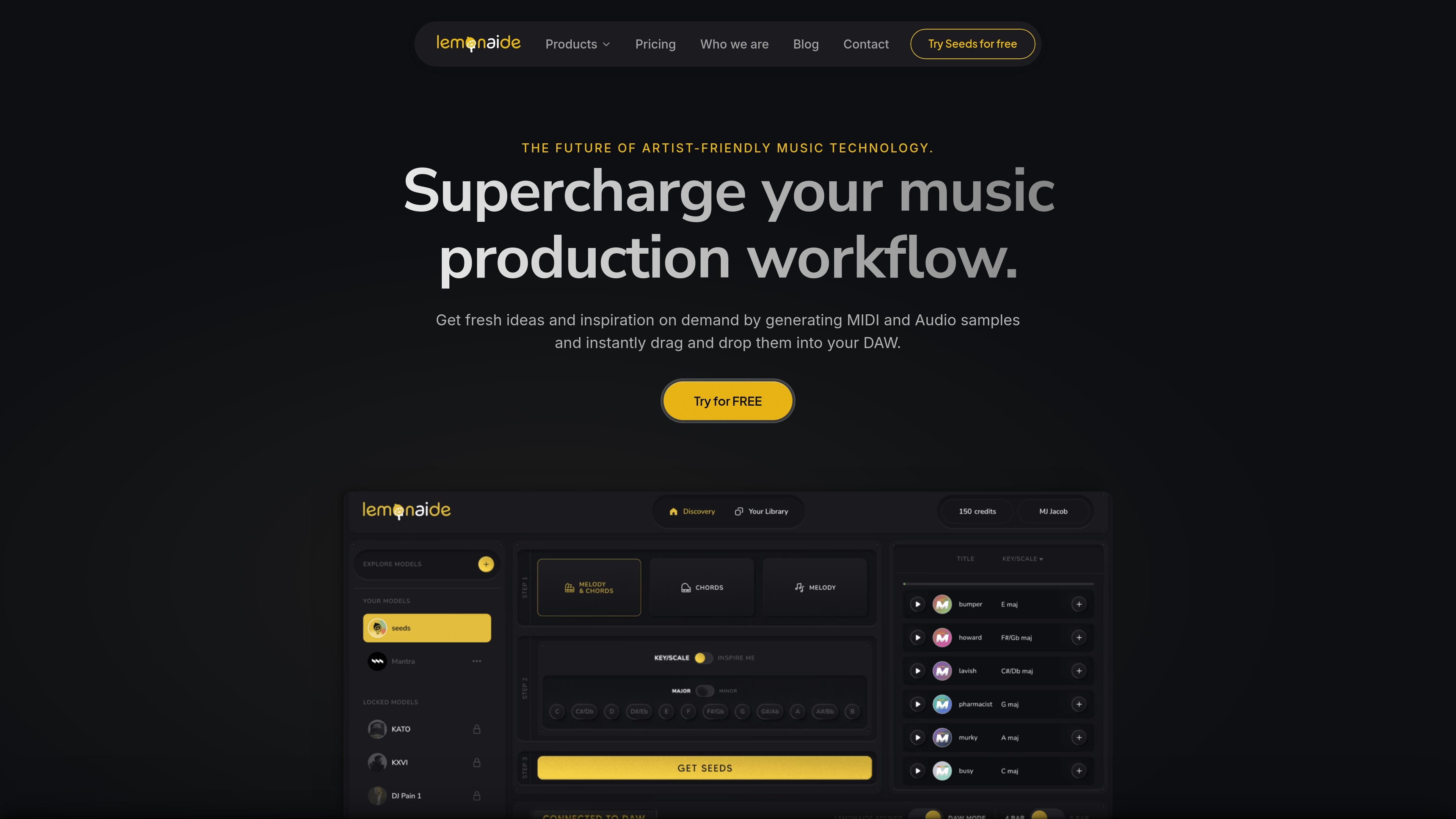
Lemonaide AI is an AI melody generator for music production. It is presented as a studio assistant that helps users create melodies, chords, MIDI, and audio loops for use inside an existing production workflow.
The homepage positions the product as both a creative aid and an educational tool. It offers genre-built algorithms, producer-trained models, key and scale controls, and output formats intended to make ideas easier to drop into a DAW and build into a track.
The site also highlights a Collab Club collection of producer models tied to named creators in trap, R&B/soul, neo soul/hip hop, and pop. The result is a tool aimed at quick idea generation, style-specific starting points, and royalty-conscious workflow decisions.
Generate melodic ideas and chords with AI models built to supply fresh starting points for production.
Choose from five genre-built melody algorithms developed with Grammy-winning producers.
Export both MIDI and 48 kHz audio loops, giving you editable note data and a rendered sound source from the same idea.
Set the key and scale of a project before generating so the result fits the track without manual transposition.
Use the tool standalone or alongside a DAW; the homepage says it is compatible with any major DAW and supports drag-and-drop workflow.
Access Collab Club producer models trained with named industry producers such as Lex Luger, KXVI, DJ Pain 1, Kato On The Track, and Mantra.
Producers can generate fresh melodic ideas when they are starting a beat or need a new musical hook to build around.
Artists who want editable note data can use the MIDI output to reshape the melody inside their DAW and layer it with their own sounds.
Creators working in a specific genre can choose a matching algorithm or producer model to get ideas closer to the style they want.
Users who want to keep ideas aligned with a song can set key and scale before generating loops, reducing the need for manual transposition.
Producers looking for model-specific rights handling can choose between royalty-free Seeds outputs and Collab Club models with stated clearance terms for other releases.
Lemonaide is an AI melody generator for music producers and creators who want MIDI and audio ideas they can drop into a DAW. The homepage also describes it as a co-creator, creative assistant, and educational tool.
The homepage says Lemonaide works standalone and is compatible with any major DAW, with generated MIDI and audio samples that can be dragged and dropped into a workflow.
The site shows multiple AI models, including general melody algorithms and producer-specific models in the Collab Club. Users can also set key and scale before generating loops.
The homepage states that the Lemonaide Seeds model is 100% royalty-free. It also says Collab Club models are royalty-free for selling beats and non-major placements under 1,000,000 streams, with a clearing process for major placements.
The site does not provide public pricing on the pages reviewed. The homepage includes a free trial call to action, but the pricing page itself returns a 404.

AI Song Maker is a web-based AI music generator that creates songs from text or lyrics and includes related tools such as vocal removal, track extension, and section replacement. It offers free and paid plans with credits, downloads, and commercial-use terms described on the pricing page.

AI Song Maker — веб‑AI генератор музыки для создания песен из текста, лирики или загруженного аудио. Есть удаление вокала, редактирование треков и бесплатный тариф.

网易天音 is a web-based AI music creation platform from NetEase. It brings lyrics, composition, singing, and production into one workflow and says many styles are available for free use.

LALAL.AI is an AI audio processing platform for stem separation, voice cleanup, and voice transformation. It supports browser-based upload, preview, and download workflows for audio and video files, plus premium and enterprise options.

Kits AI is an AI music production platform for voice cloning, vocal generation, and vocal processing. It offers a Free plan, paid tiers, and a Windows desktop app for producers and creators working with studio-style audio workflows.

Lyrica — это платформа для совместного написания текстов песен, разработанная для оптимизации процесса сочинения музыки с помощью интегрированной помощи искусственного интеллекта для вдохновения и доработки.